About this template
Introduce an independent publishing house through its editorial point of view, approach to bookmaking, and invitation for authors and agents to start a conversation. The opening pairs a prominent book-cover illustration with concise publishing-house copy, making the purpose of the business clear at a glance.
The page gives visitors a closer look at the publisher’s thinking and presents three parts of its stated approach: editorial partnership, intentional design, and connecting books with readers and booksellers. An author-focused closing section gives prospective contributors a clear next step.
Who it’s for
Independent publishers and small publishing houses looking to introduce their editorial approach, explain how they work with stories, and invite authors or agents to get in touch.
What’s included
A complete publishing-house landing page with a distinctive book-led hero, editorial positioning, a three-part process section, and an author inquiry call to action.
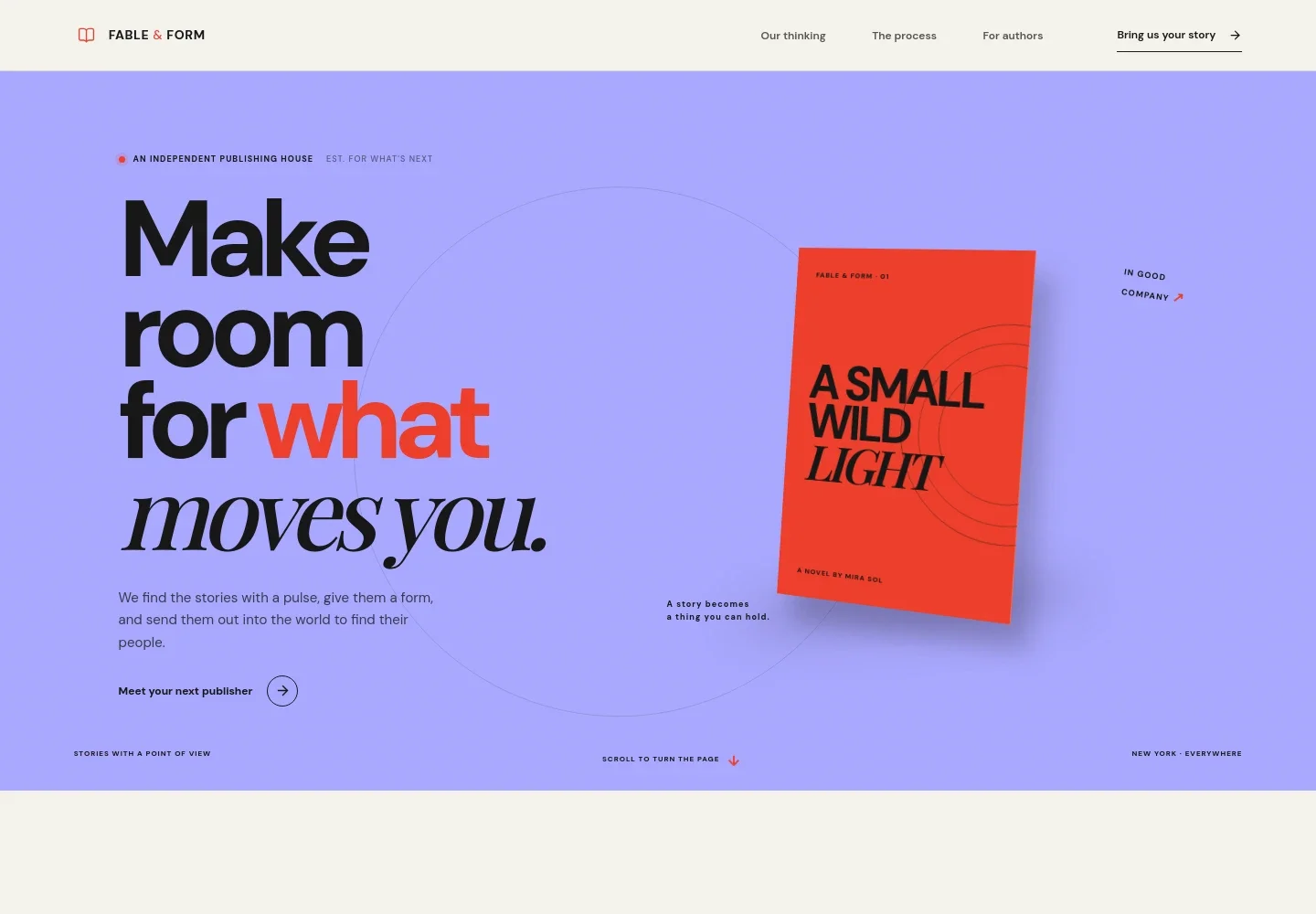
- Publishing house hero
- A large editorial headline and short introduction sit beside a dimensional illustrated book cover. The composition quickly identifies the business as a publisher and establishes a literary visual style.
- Publishing point of view
- A manifesto-style section explains the publisher’s interest in books with meaning and distinctive voices, giving visitors a sense of its editorial perspective.
- Publishing process
- A supporting image accompanies three clearly separated steps: editorial partnership, design with intent, and building a path to readers and booksellers. The layout makes the publisher’s stated approach easy to scan.
- Books quotation
- A short, prominently set quotation creates a visual pause between the process explanation and the invitation to authors.
- Author and agent inquiry
- The closing section addresses authors and agents, welcomes ideas at different stages, and provides a conversation link. Replace the sample contact details with your own.
- Footer and page navigation
- The header links to the publisher’s thinking, process, and author information. The footer repeats the wordmark and includes a return-to-top link.
How to use this template
Open in Revamp
Click Use this template and sign in or create an account. You’ll start with your own copy of the design, ready to personalize.
Bring your content
Replace the sample text, photos, and logo with your own. Share your content, a document, or an existing website, and ask Revamp to adapt the template to your business.
Refine and publish
Ask Revamp to adjust the colors, layout, or sections, or edit directly on the page. Review desktop and mobile, then publish. You can keep making changes after launch.
Put your website to work
Make it easier to collect submissions, organize author inquiries, and keep readers informed. Ask Revamp to add or connect publishing tools that fit your workflow.
-

Collect manuscript submissions
SubmittableKeep incoming manuscripts and related files organized. Ask Revamp to add a submission form connected to Submittable.
-

Manage author and agent contacts
HubSpotTrack conversations and follow-ups with authors, agents, and other publishing contacts. Ask Revamp to connect HubSpot for contact management.
-

Share publisher news with readers
MailchimpBuild an email list for new releases, events, and publishing updates. Ask Revamp to connect Mailchimp for newsletter signups.
Frequently asked questions
Is this template free?
Yes. This premium template is free to use when you select Use this template. This applies to the template itself, not hosting or other services.
Can I use my own content?
Yes. Ask Revamp to personalize the page with your publishing house’s name, editorial approach, book covers, submission details, and contact information.
Do I need coding skills?
No coding skills are needed. Ask Revamp to make content and design changes for you.
Can I change the design?
Yes. Ask Revamp to adjust the colors, typography, imagery, layout, or other design details to suit your publishing house.
Can I keep editing after publishing?
Yes. You can keep editing after launch. Ask Revamp to update the page as your books, editorial focus, or author information changes.