About this template
Help prospective students understand your institution’s learning approach, areas of study, and campus community. The design presents education as an interdisciplinary journey, with clear routes from the homepage to the learning philosophy, student pathways, program areas, and a closing invitation to get in touch.
An illustrated campus map, large editorial headlines, and student photography give the page a distinctive sense of place. Replace the sample copy and images with your institution’s own details, and Ask Revamp to tailor the content and design to your campus.
Who it’s for
For colleges, universities, and other higher education institutions introducing prospective students and families to their academic approach, program areas, and campus culture.
What’s included
The page guides visitors through a campus story: what learning means, how a student’s path can develop, what areas of study are represented, and how to start a conversation. Its prominent navigation and section links make those topics easy to find.
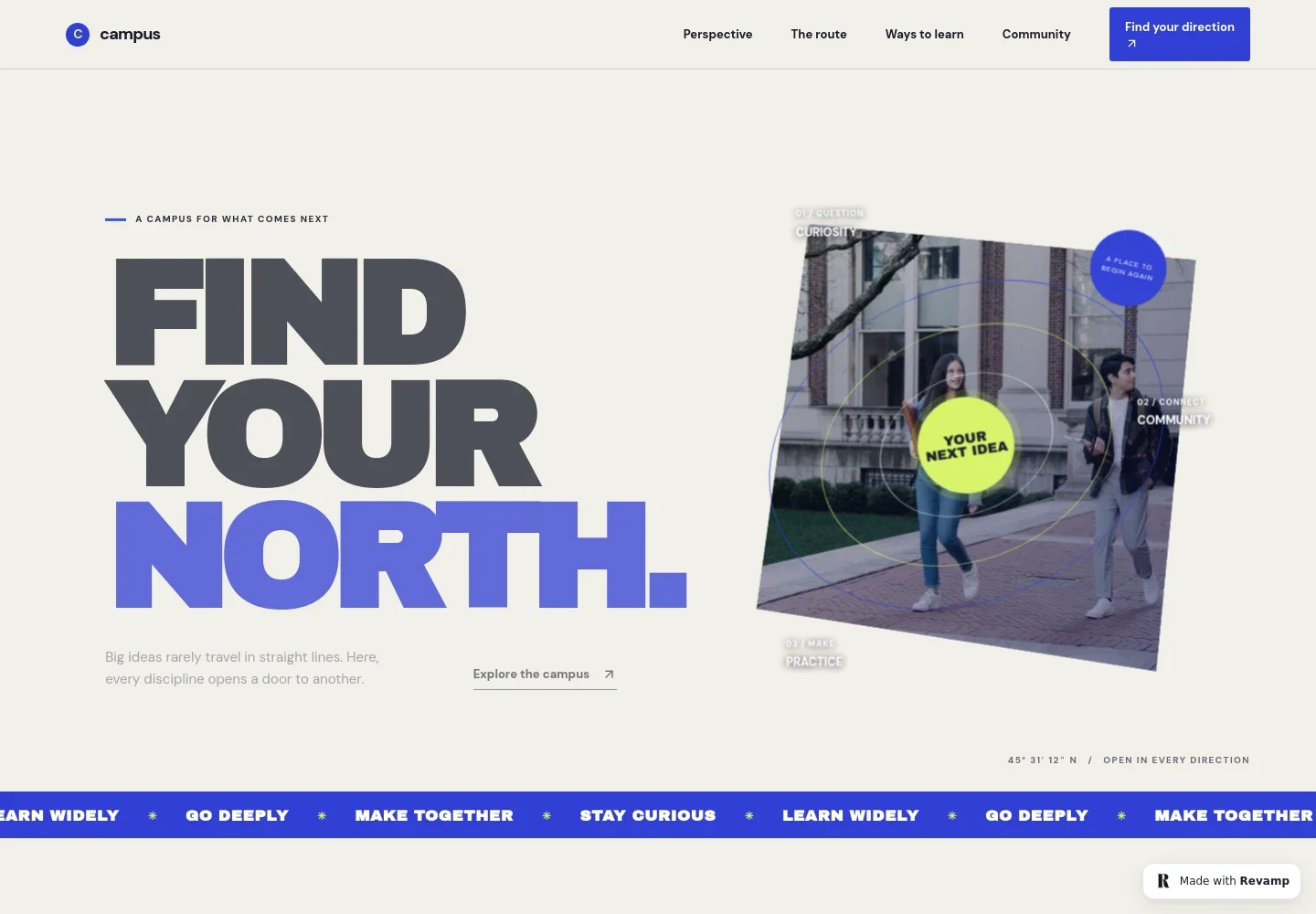
- Campus introduction
- A prominent headline, short introduction, and illustrated map set the scene. The map labels curiosity, community, and practice as parts of a student’s journey.
- Learning philosophy
- A dedicated section explains the institution’s interdisciplinary point of view, with a short statement and supporting paragraph.
- Learning route
- A four-part sequence takes visitors from asking a question to exploring disciplines, testing ideas with others, and applying learning in the world.
- Areas of study
- A list highlights arts and expression, science and discovery, people and possibility, and design and making, each with a concise introduction.
- Campus community
- Student photography and copy describe learning with others and make the community section feel personal and grounded.
- Contact invitation
- A closing prompt encourages prospective students to start a conversation, followed by a simple footer with campus branding and contact details.
How to use this template
Open in Revamp
Click Use this template and sign in or create an account. You’ll start with your own copy of the design, ready to personalize.
Bring your content
Replace the sample text, photos, and logo with your own. Share your content, a document, or an existing website, and ask Revamp to adapt the template to your business.
Refine and publish
Ask Revamp to adjust the colors, layout, or sections, or edit directly on the page. Review desktop and mobile, then publish. You can keep making changes after launch.
Put your website to work
Make it easier for prospective students to find information, register interest, and keep in touch. Ask Revamp to add connections with tools your institution uses.
-

Student inquiries and follow-up
HubSpotOrganize prospective student inquiries and manage follow-up. Ask Revamp to connect this site with HubSpot.
-

Campus visit scheduling
CalendlyLet prospective students request a time to visit or speak with your team. Ask Revamp to add appointment booking with Calendly.
-

Admissions inquiry tracking
Google SheetsKeep inquiry details organized for admissions follow-up. Ask Revamp to send form submissions to Google Sheets.
-

Prospective student updates
MailchimpShare admissions news and campus updates with interested students. Ask Revamp to connect an email signup with Mailchimp.
Frequently asked questions
Is this campus website template free?
Yes. This premium template is free to use through Use this template. The template is free; hosting or other services may have separate costs.
Can I use my own campus content?
Yes. You can personalize the text, images, program descriptions, contact details, and other content. Ask Revamp to make the changes for your institution.
Do I need coding skills?
No. Ask Revamp to personalize the content and design in plain language, without coding.
Can I change the design?
Yes. Ask Revamp to adjust the colors, typography, imagery, layout, or other design details to suit your institution.
Can I keep editing after publishing?
Yes. You can keep editing your site after launch. Ask Revamp to update content or make design changes whenever you need them.


