About this template
Help families understand your early learning approach, what children do in your setting, and how to begin a conversation. This template presents an atelier for ages 2 to 6, with copy focused on curiosity, hands-on exploration, reflection, and learning outdoors.
The page moves from your educational point of view to a four-part learning rhythm, the atelier environment, outdoor discovery, and communication with families. A clear invitation to visit gives prospective parents a next step.
Who it’s for
Designed for early learning centers, preschools, nursery schools, and educators who want to explain their child-led approach to families considering care or early education.
What’s included
A family-focused early education page that makes the learning approach and daily environment easy to understand, while guiding prospective families toward a conversation or visit.
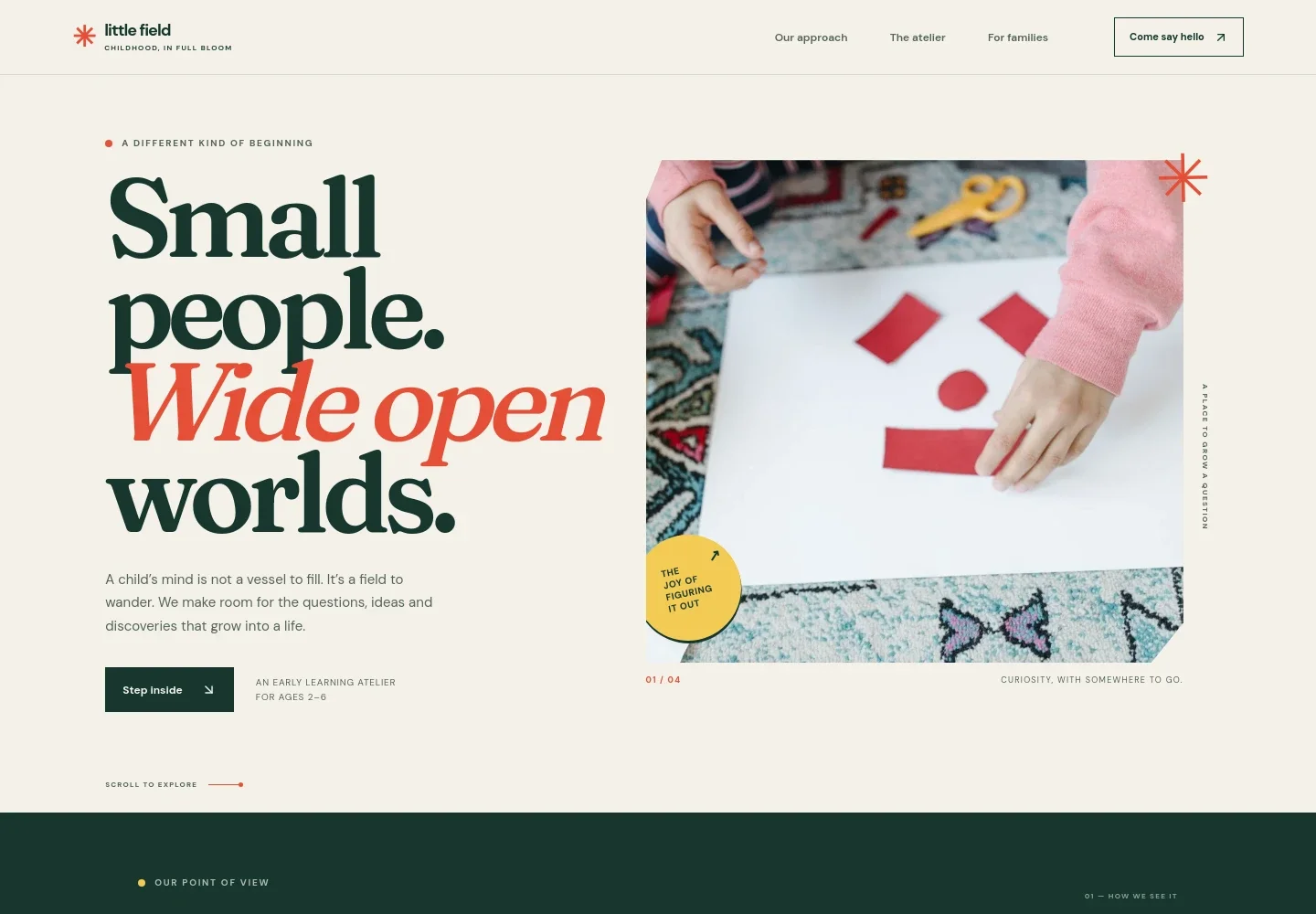
- Welcome and learning age range
- A prominent introduction pairs the atelier’s learning philosophy with a photo of a child making with paper shapes and a clear ages 2 to 6 detail.
- Educational approach
- A point-of-view section explains how everyday questions and discoveries can become learning, with examples such as reflections in a puddle and balance in a block tower.
- Learning rhythm
- A circular visual and supporting notes present four stages: wonder, make, reflect, and repeat. This helps families see how an initial interest can lead to hands-on work and new questions.
- The atelier
- A photo of children painting accompanies an explanation of the learning space, open-ended materials, time to linger, and educators who observe and listen.
- Outdoor learning
- Garden imagery and concise copy show how the outdoors and ordinary observations can extend exploration beyond the room.
- For families
- A dedicated section describes sharing observations and having ongoing conversations with parents, presenting family relationships as part of the learning experience.
- Visit and contact invitation
- The closing section invites families to bring their questions and start a conversation about seeing a day at the setting.
How to use this template
Open in Revamp
Click Use this template and sign in or create an account. You’ll start with your own copy of the design, ready to personalize.
Bring your content
Replace the sample text, photos, and logo with your own. Share your content, a document, or an existing website, and ask Revamp to adapt the template to your business.
Refine and publish
Ask Revamp to adjust the colors, layout, or sections, or edit directly on the page. Review desktop and mobile, then publish. You can keep making changes after launch.
Put your website to work
Make it easier for families to arrange a visit, keep in touch, and manage enrollment information. Ask Revamp to add connections that suit your setting.
-

Simplify visit scheduling
CalendlyAsk Revamp to add visit booking with Calendly so prospective families can request a convenient time to see the setting.
-

Keep family inquiries organized
HubSpotAsk Revamp to connect HubSpot to help organize prospective-family inquiries and follow-up conversations.
-

Share updates with families
MailchimpAsk Revamp to connect Mailchimp to support newsletters about classroom activities, events, and setting updates.
Frequently asked questions
Is this template free?
Yes. This premium template is free to use when you select Use this template. Free refers to the template itself.
Can I use my own content?
Yes. Ask Revamp to personalize the page with your setting’s name, learning approach, age groups, images, contact details, and information for families.
Do I need coding skills?
No. Ask Revamp to personalize the content and design in plain language, without coding.
Can I change the design?
Yes. Ask Revamp to adjust the colors, typography, imagery, layout, or other design details to better fit your early education setting.
Can I keep editing after publishing?
Yes. You can continue asking Revamp to update your content and design after your site is published.


