About this template
Help readers discover your picture books and the ideas behind them. The design introduces an author through a story-led hero, a three-part book shelf, and a section about the creative process.
A warm, imaginative visual style pairs moonlit illustrations and storybook details with clear paths to browse books and get in touch. Visitors can learn what makes the stories distinctive, see how ideas develop, and reach out with a reader note or classroom question.
Who it’s for
Children's book authors and illustrators, independent writers, and picture-book creators who want to introduce their stories to young readers, families, educators, and booksellers.
What’s included
The page guides readers from a storybook welcome to the books, the author's creative perspective, and a direct way to say hello. Its illustrated night-sky scenes and carefully organized reading sections make an author's work and voice easy to understand.
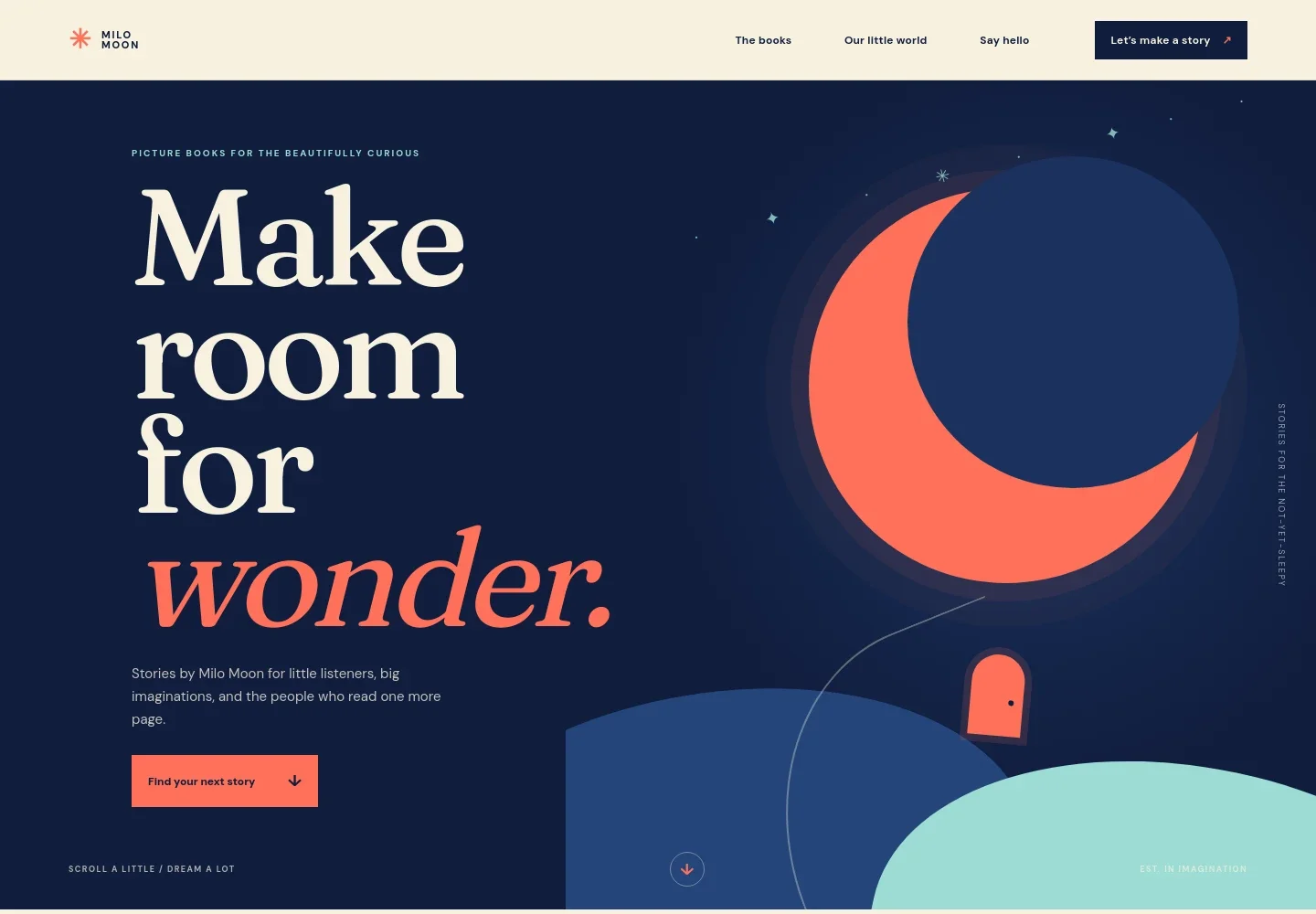
- Story-led hero
- A moonlit, illustrated opening introduces the author and picture books for curious young readers. A prominent link leads visitors toward the books.
- Book shelf
- Three numbered story entries describe themes such as imagination, read-aloud rhythm, and shared reading. Each entry has a link inviting readers to ask about that story.
- Author's perspective
- A storybook-style illustration accompanies a short statement about how stories can turn everyday moments into imaginative adventures.
- Behind every page
- An artist's desk image and accompanying copy introduce a creative process that begins with questions, notebook sketches, and developing characters.
- Contact invitation
- A closing note welcomes reader messages, classroom questions, and greetings from fellow daydreamers, with a button to write an email.
- Footer
- The closing area repeats the author wordmark and tagline, with a link back to the top of the page.
How to use this template
Open in Revamp
Click Use this template and sign in or create an account. You’ll start with your own copy of the design, ready to personalize.
Bring your content
Replace the sample text, photos, and logo with your own. Share your content, a document, or an existing website, and ask Revamp to adapt the template to your business.
Refine and publish
Ask Revamp to adjust the colors, layout, or sections, or edit directly on the page. Review desktop and mobile, then publish. You can keep making changes after launch.
Put your website to work
Make it easier for readers and educators to hear about new books and author updates. Ask Revamp to add connections with tools that suit your audience and communication plans.
-

Share book news with readers
MailchimpAsk Revamp to add an email newsletter signup with Mailchimp for book announcements, events, and author updates.
-

Coordinate author visits
CalendlyAsk Revamp to add a Calendly booking option so teachers, librarians, or event organizers can request a time to discuss an author visit.
Frequently asked questions
Is this template free?
Yes. This premium template is free to use when you select Use this template. Free refers to the template itself.
Can I use my own content?
Yes. Ask Revamp to personalize the page with your author name, book titles, descriptions, illustrations, contact details, and other content.
Do I need coding skills?
No. You can ask Revamp to personalize the content and design without coding.
Can I change the design?
Yes. Ask Revamp to adjust the colors, typography, illustrations, layout, or other design details to suit your books and author brand.
Can I keep editing after publishing?
Yes. You can keep asking Revamp to make updates after your site launches, such as adding a new book or changing contact information.