About this template
Help readers understand the stories behind your children’s books and the creative work that brings them to life. This design introduces an independent picture book studio through illustrated story-world imagery, a clear creative point of view, and a concise account of the making process.
The page moves from the studio’s story worlds to its approach to combining words and pictures, then offers a dedicated section for families, educators, writers, and illustrators. Its prominent contact invitation gives visitors a clear next step when they want to discuss a book or creative idea.
Who it’s for
Children’s book authors, illustrators, independent publishers, and picture book studios who want to present their work and creative approach to families, educators, and publishing collaborators.
What’s included
The design pairs editorial typography and playful illustrated scenes with a straightforward path through the studio’s perspective, creative process, and information for grown-up readers.
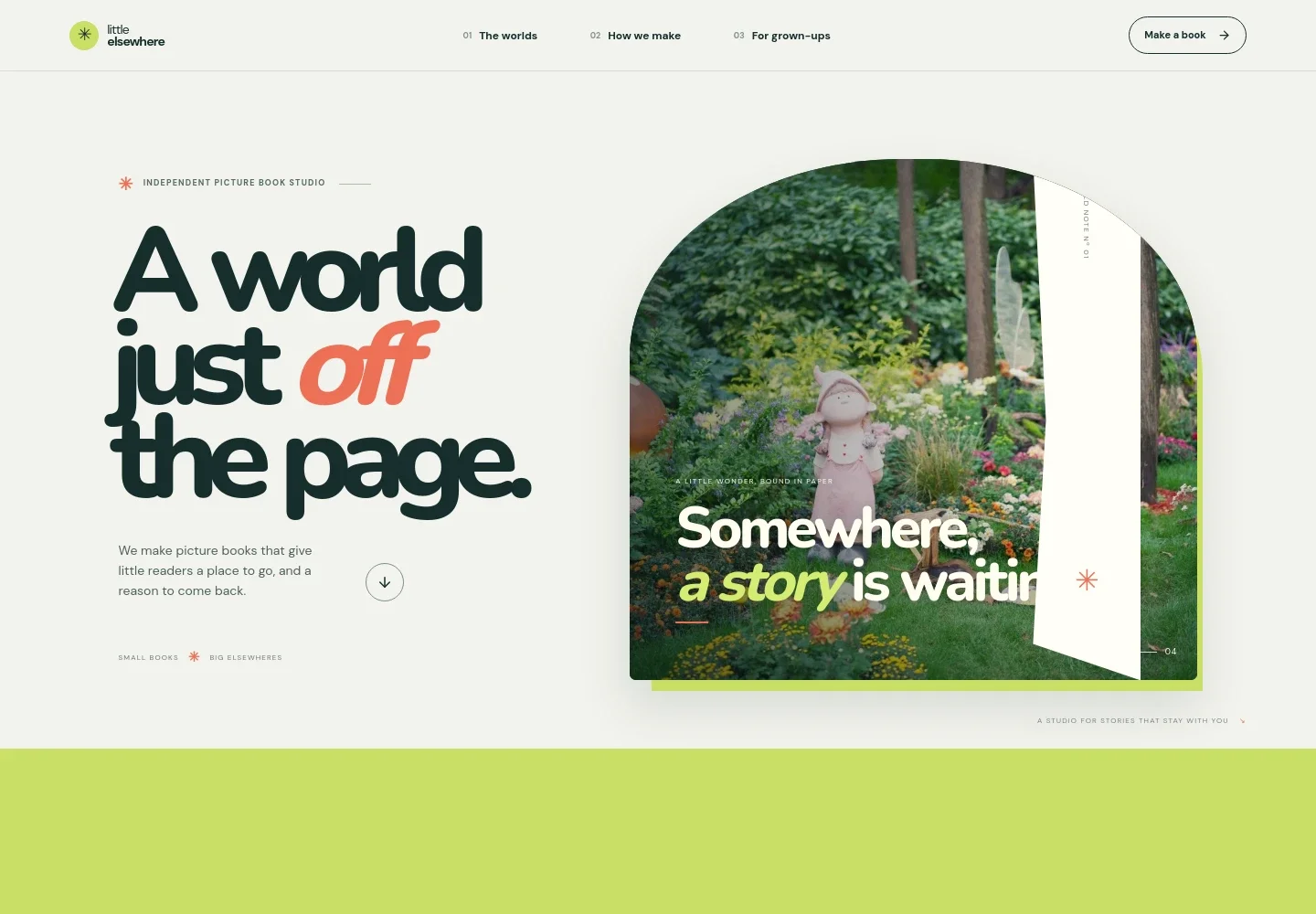
- Studio introduction
- A large opening headline, picture-book garden illustration, and short statement introduce the studio and its focus on books for young readers.
- Creative point of view
- A manifesto-style section explains the studio’s interest in childhood imagination, using concise copy and a link to the book-making approach.
- Illustrated story world
- A large river-and-mountain illustration, a short story note, and a four-part progress motif create a visual pause and suggest a journey through a book.
- How the books are made
- A work-table image sits beside three numbered steps covering the initial idea, the interplay of words and pictures, and leaving room for a child’s imagination.
- For families and creative collaborators
- A dedicated section speaks to families, educators, writers, and illustrators, with a contact invitation that can be personalized for the business.
- Studio footer
- A closing studio name, picture-book tagline, return-to-top link, and copyright line complete the page.
How to use this template
Open in Revamp
Click Use this template and sign in or create an account. You’ll start with your own copy of the design, ready to personalize.
Bring your content
Replace the sample text, photos, and logo with your own. Share your content, a document, or an existing website, and ask Revamp to adapt the template to your business.
Refine and publish
Ask Revamp to adjust the colors, layout, or sections, or edit directly on the page. Review desktop and mobile, then publish. You can keep making changes after launch.
Put your website to work
Make it easier to share book news, collect reader interest, or discuss publishing and illustration inquiries. Ask Revamp to add or connect tools that support those next steps.
-

Send book news to readers
MailchimpBuild an audience for new releases, readings, and studio updates. Ask Revamp to add an email signup and newsletter workflow with Mailchimp.
-

Schedule conversations
CalendlyGive educators, booksellers, or creative collaborators a convenient way to request a meeting. Ask Revamp to add consultation booking with Calendly.
-

Organize publishing inquiries
HubSpotKeep track of conversations with readers, booksellers, and potential publishing partners. Ask Revamp to connect HubSpot for contact management.
Frequently asked questions
Is this template free?
Yes. This premium template is free to use through Use this template. Free refers to the template itself.
Can I use my own content?
Yes. Ask Revamp to personalize the page with your book titles, author or studio information, illustrations, creative process, and contact details.
Do I need coding skills?
No coding skills are needed. Ask Revamp to personalize the content and design for your business.
Can I change the design?
Yes. Ask Revamp to adjust the colors, typography, imagery, layout, or other design details to suit your books and brand.
Can I keep editing after publishing?
Yes. You can keep editing your site after launch. Ask Revamp to update book information, images, contact details, or the design as your studio changes.