About this template
Help prospective students and campus visitors understand your department’s academic perspective, learning approach, research interests, and community. The design presents an interdisciplinary department through clear sections for its approach, learning, research, and people.
A large editorial headline and photographs of students in discussion set the scene, while distinct page sections explain how learning and research fit together. The page closes with a prominent invitation to connect with the department.
Who it’s for
Designed for college and university departments, interdisciplinary programs, academic units, and higher education teams introducing their approach, learning environment, research, and community.
What’s included
The page guides visitors from the department’s central idea to its learning practices, research perspective, people, and contact details. Its section-based layout helps prospective students and others find the information that matters to them.
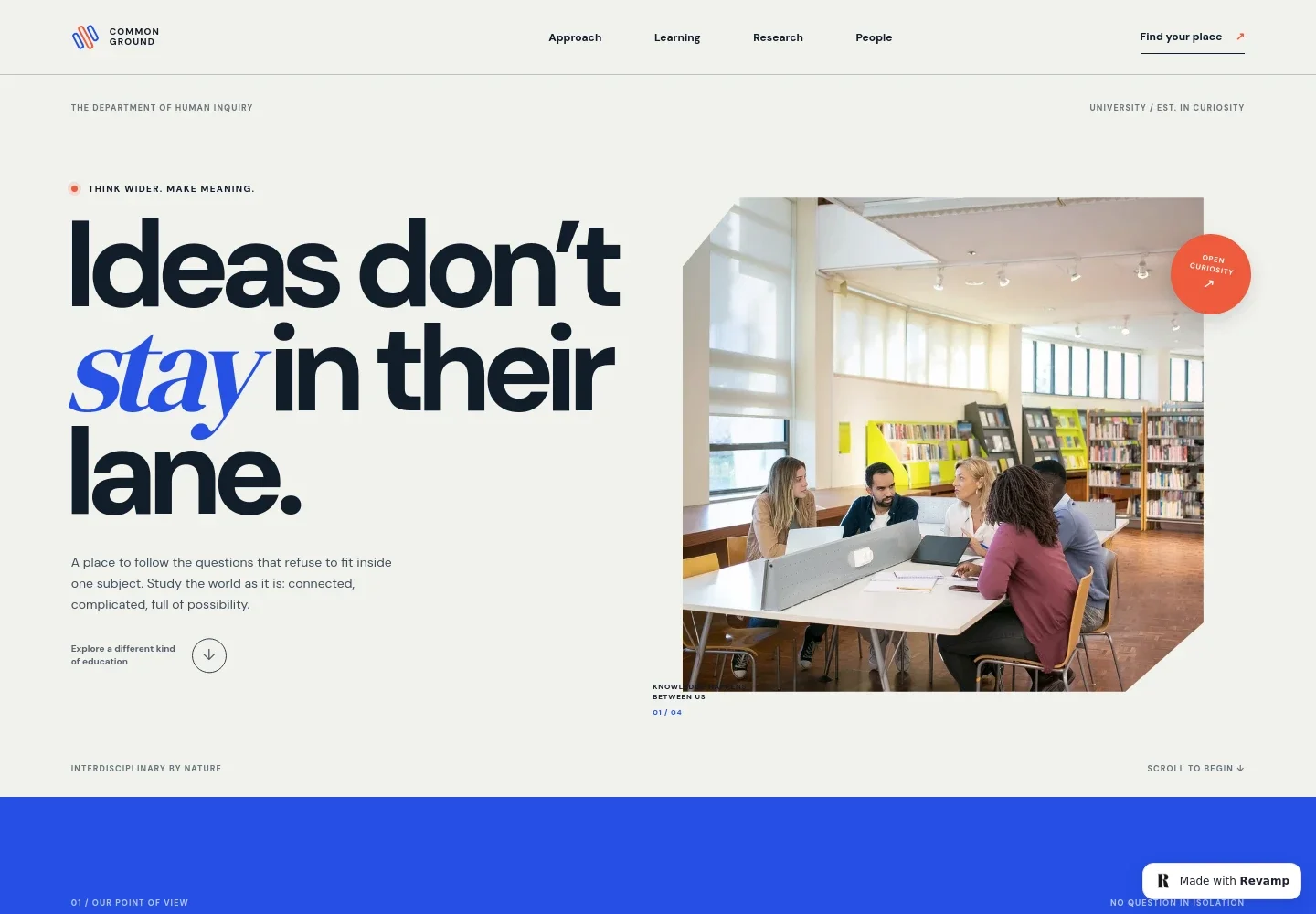
- Department introduction
- A prominent headline, department identity, and student discussion image introduce the department’s interdisciplinary outlook and give visitors an immediate sense of its academic environment.
- Approach
- A statement about bringing the humanities, sciences, and creative practice into conversation explains the department’s point of view and links visitors to the learning section.
- Learning practices
- A seminar image and three concise themes describe making connections across disciplines, testing ideas through different forms of work, and contributing thoughtfully.
- Research
- A research image and supporting copy present inquiry as a shared process, from developing an idea to testing it and refining the question.
- Department community
- This section welcomes varied perspectives and personal interests, then invites visitors to get in touch with the department.
- Contact and footer
- The closing area provides an email contact, department identity, and links back to the top of the page. The displayed email is illustrative and can be personalized.
How to use this template
Open in Revamp
Click Use this template and sign in or create an account. You’ll start with your own copy of the design, ready to personalize.
Bring your content
Replace the sample text, photos, and logo with your own. Share your content, a document, or an existing website, and ask Revamp to adapt the template to your business.
Refine and publish
Ask Revamp to adjust the colors, layout, or sections, or edit directly on the page. Review desktop and mobile, then publish. You can keep making changes after launch.
Put your website to work
Make it easier for prospective students and campus visitors to take the next step. Ask Revamp to add or connect tools that support inquiries, event scheduling, and communications.
-

Coordinate department meetings
CalendlyLet prospective students or collaborators request a suitable time to speak with your team. Ask Revamp to add meeting scheduling with Calendly.
-

Organize department events
Google CalendarHelp visitors find event details and keep scheduling information organized. Ask Revamp to add calendar scheduling with Google Calendar.
-

Share department updates
MailchimpGive interested students and campus communities a way to receive news and program updates. Ask Revamp to connect email newsletters with Mailchimp.
Frequently asked questions
Is this template free?
Yes. This premium template is free to use through Use this template. The offer is for the template itself.
Can I use my own content?
Yes. Ask Revamp to personalize the page with your department name, academic information, research details, images, and contact information.
Do I need coding skills?
No. Ask Revamp to make content and design changes in plain language, without coding.
Can I change the design?
Yes. Ask Revamp to adjust the colors, typography, imagery, layout, or other design details to suit your department.
Can I keep editing after publishing?
Yes. You can keep asking Revamp to update the content and design after your site has launched.


