About this template
Help students understand how your placement cell supports career direction, portfolio preparation, interview practice and conversations with employers. The page presents a clear journey from finding a starting point to making an informed next move.
A dedicated employer section explains how hiring teams can begin a conversation about early-career talent. Student and employer calls to action, followed by a contact area, give each audience a clear way to connect.
Who it’s for
College and university placement offices, career services teams and campus recruitment programs serving students and employer partners.
What’s included
The design separates the student journey from employer engagement, so students can find practical preparation options while hiring teams can see how to start a partnership conversation.
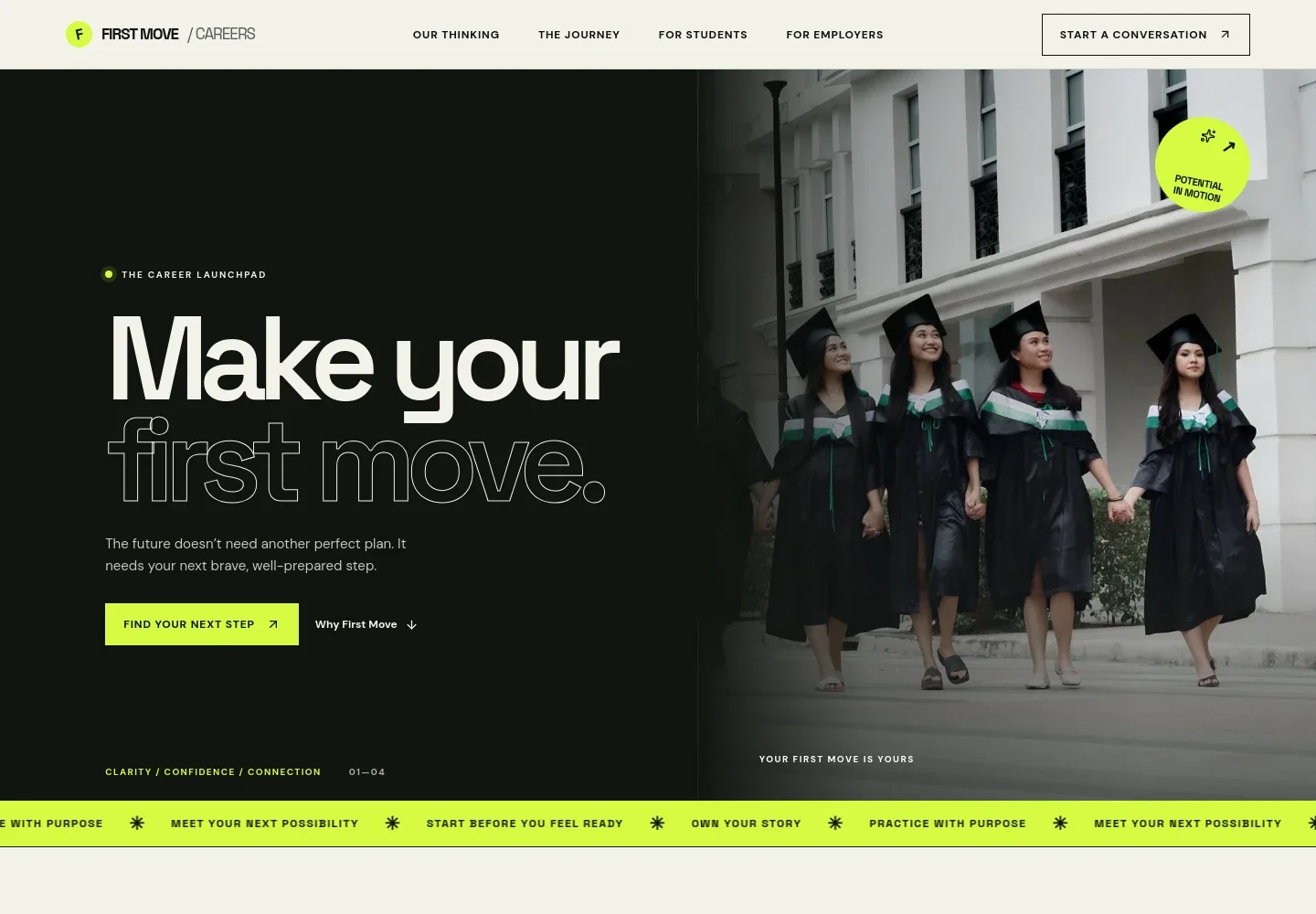
- Career launch hero
- A prominent introduction and student-focused call to action set out the page’s purpose: help students take a prepared next step toward work.
- Placement approach
- A short statement frames placement as a continuing career conversation, rather than only a finish line or a single job outcome.
- Four-step career journey
- An ordered sequence covers identifying strengths, building a professional story, meeting employers and approaching interviews with informed questions.
- Student support services
- Distinct service rows describe career direction, portfolio and profile preparation, interview practice, and employer connections such as briefings and hiring events.
- Employer partnerships
- A separate section invites employers to discuss their work and early-career talent, with a call to explore a partnership.
- Frequently asked questions
- Accordion answers address career uncertainty, getting support before having a resume, employer participation and the broader purpose of placement.
- Contact and footer
- A closing contact area welcomes students, faculty and hiring teams. The displayed email is explicitly illustrative, so replace it with the placement cell’s real contact before publishing. Footer links return visitors to key sections.
How to use this template
Open in Revamp
Click Use this template and sign in or create an account. You’ll start with your own copy of the design, ready to personalize.
Bring your content
Replace the sample text, photos, and logo with your own. Share your content, a document, or an existing website, and ask Revamp to adapt the template to your business.
Refine and publish
Ask Revamp to adjust the colors, layout, or sections, or edit directly on the page. Review desktop and mobile, then publish. You can keep making changes after launch.
Put your website to work
A placement cell may use career-platform and appointment tools to organize student guidance and employer engagement. Ask Revamp to add or connect the services that fit your process.
-

Organize career guidance appointments
CalendlyGive students a straightforward way to request time with career staff. Ask Revamp to add appointment booking with Calendly.
-

Coordinate campus recruiting activity
HandshakeManage employer relationships, recruiting events and student opportunities through a career-services platform. Ask Revamp to connect Handshake.
-

Keep employer outreach organized
HubSpotTrack conversations with hiring teams and follow-up across partnership discussions. Ask Revamp to connect HubSpot for employer relationship management.
Frequently asked questions
Is this template free?
Yes. The premium template is free to use through Use this template. This applies to the template itself, not hosting or other services.
Can I use my own content?
Yes. Ask Revamp to personalize the page with your institution’s placement information, student services, employer guidance, contact details and imagery.
Do I need coding skills?
No. Ask Revamp to personalize the content and design for your placement cell without coding.
Can I change the design?
Yes. Ask Revamp to adjust the layout, colors, imagery and other design details to suit your institution.
Can I keep editing after publishing?
Yes. You can keep editing the site after launch. Ask Revamp to make further updates as your placement information and needs change.


