About this template
Help prospective students understand your college's educational approach, campus community, and invitation to take a first step. The page moves from a clear statement of the college's idea to a hands-on learning sequence, community information, and a contact prompt.
Editorial typography, campus and studio photography, numbered section markers, and recurring visual motifs give the story a distinctive rhythm. Replace the Northstar concept with your institution's programs, student experience, images, and contact details by asking Revamp.
Who it’s for
Colleges and universities introducing their academic philosophy, learning approach, campus community, and next steps to prospective students and their families.
What’s included
The page is organized around the questions a prospective student may have: what the college values, how learning works, what community feels like, and how to start a conversation.
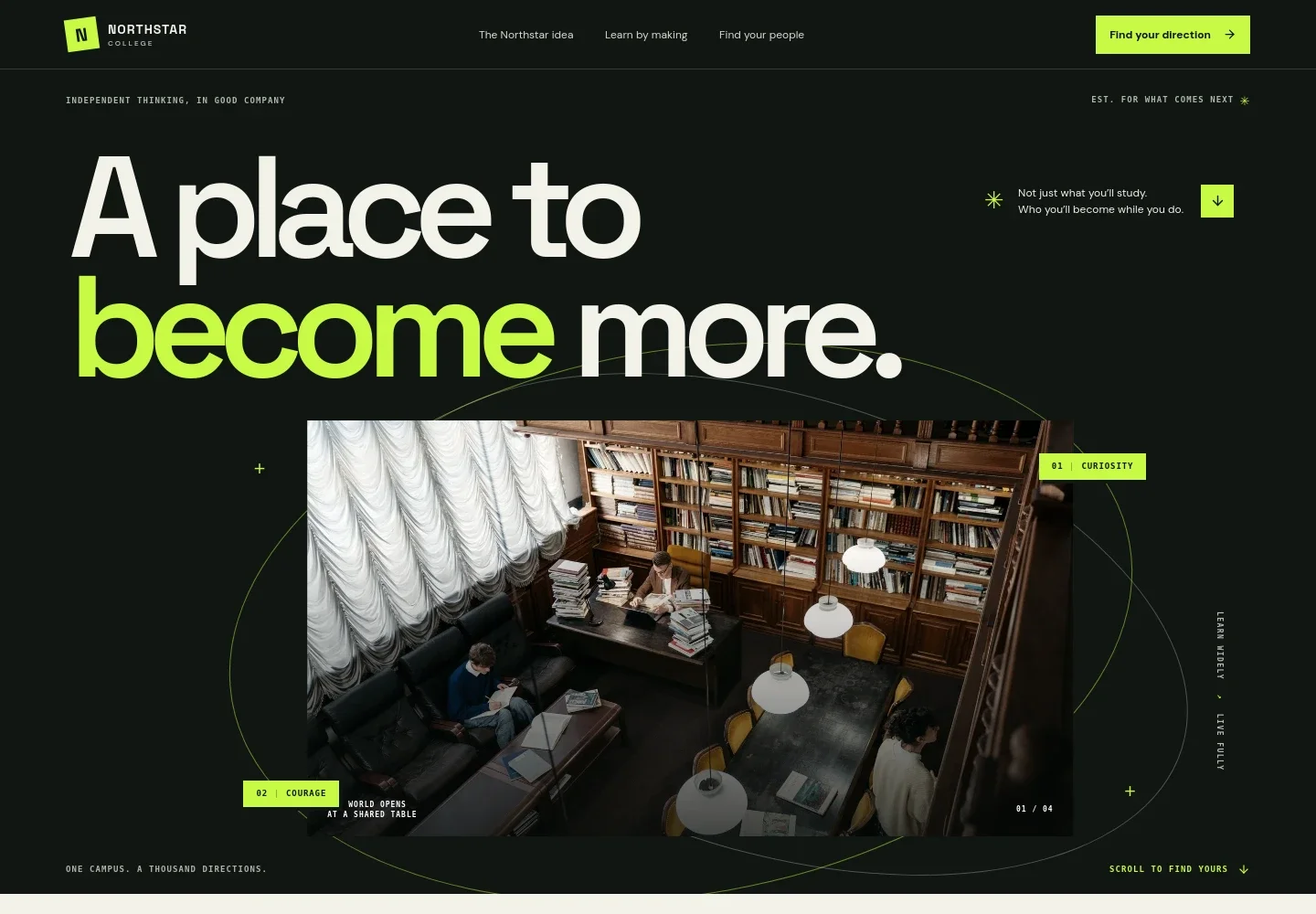
- College introduction
- A large headline, campus-library image, and concise supporting message establish the college's identity and invite visitors to explore.
- Educational approach
- A prominent statement and explanatory copy describe a learning philosophy built around connecting ideas, people, and the wider world.
- Learning in motion
- A four-part sequence, Ask, Make, Share, and Matter, shows how inquiry can develop into hands-on work, alongside a studio image and learning-focused text.
- Campus community
- Dedicated copy and a student-community photo present the college as a place for different perspectives, connection, and collaboration.
- Take the first step
- A closing invitation suggests visiting campus, joining a conversation, or asking a question, with a prominent contact link.
- Navigation and footer
- Anchor links lead visitors to the college idea, learning approach, community, and contact section. The footer repeats the institution identity and links back to the beginning.
How to use this template
Open in Revamp
Click Use this template and sign in or create an account. You’ll start with your own copy of the design, ready to personalize.
Bring your content
Replace the sample text, photos, and logo with your own. Share your content, a document, or an existing website, and ask Revamp to adapt the template to your business.
Refine and publish
Ask Revamp to adjust the colors, layout, or sections, or edit directly on the page. Review desktop and mobile, then publish. You can keep making changes after launch.
Put your website to work
Make it easier for prospective students to arrange a visit, ask questions, and stay informed. Ask Revamp to add or connect tools such as:
-

Schedule campus visits
CalendlyGive prospective students a straightforward way to choose a time for a campus tour. Ask Revamp to add visit booking with Calendly.
-

Coordinate admissions appointments
Google CalendarHelp applicants book time with admissions staff or academic advisers. Ask Revamp to add appointment scheduling with Google Calendar.
-

Keep prospective students informed
MailchimpOrganize email updates for people interested in your institution. Ask Revamp to connect Mailchimp for admissions communications.
Frequently asked questions
Is this college template free?
Yes. This premium template is free to use when you select Use this template. Free refers to the template itself.
Can I use my own college content?
Yes. Ask Revamp to personalize the copy, photos, academic information, campus details, and contact information for your institution.
Do I need coding skills?
No coding skills are needed. Ask Revamp to make content and design changes in plain language.
Can I change the design?
Yes. Ask Revamp to adjust the colors, typography, imagery, layout, and other design details to suit your college.
Can I keep editing after publishing?
Yes. You can keep asking Revamp to update your content and design after launch.


