About this template
Help prospective learners understand what computer education can involve, from digital foundations and creative coding to robotics and physical computing. The page presents a hands-on teaching approach, with a clear path from a first question to making and testing a project.
Distinct sections explain the learning philosophy, outline four stages of the learning path, introduce four program areas, and show how a learner’s question can lead to experimentation and new possibilities. A questions section and a contact call to action give visitors practical next steps.
Who it’s for
Computer education providers, coding schools, technology workshops, robotics programs, and educators offering computing instruction to young people, adults, or fellow educators.
What’s included
The design pairs a bold school introduction with clear explanations of its teaching approach, learning path, programs, and contact information. Its numbered steps and distinct program descriptions help visitors find a relevant starting point without assuming prior experience.
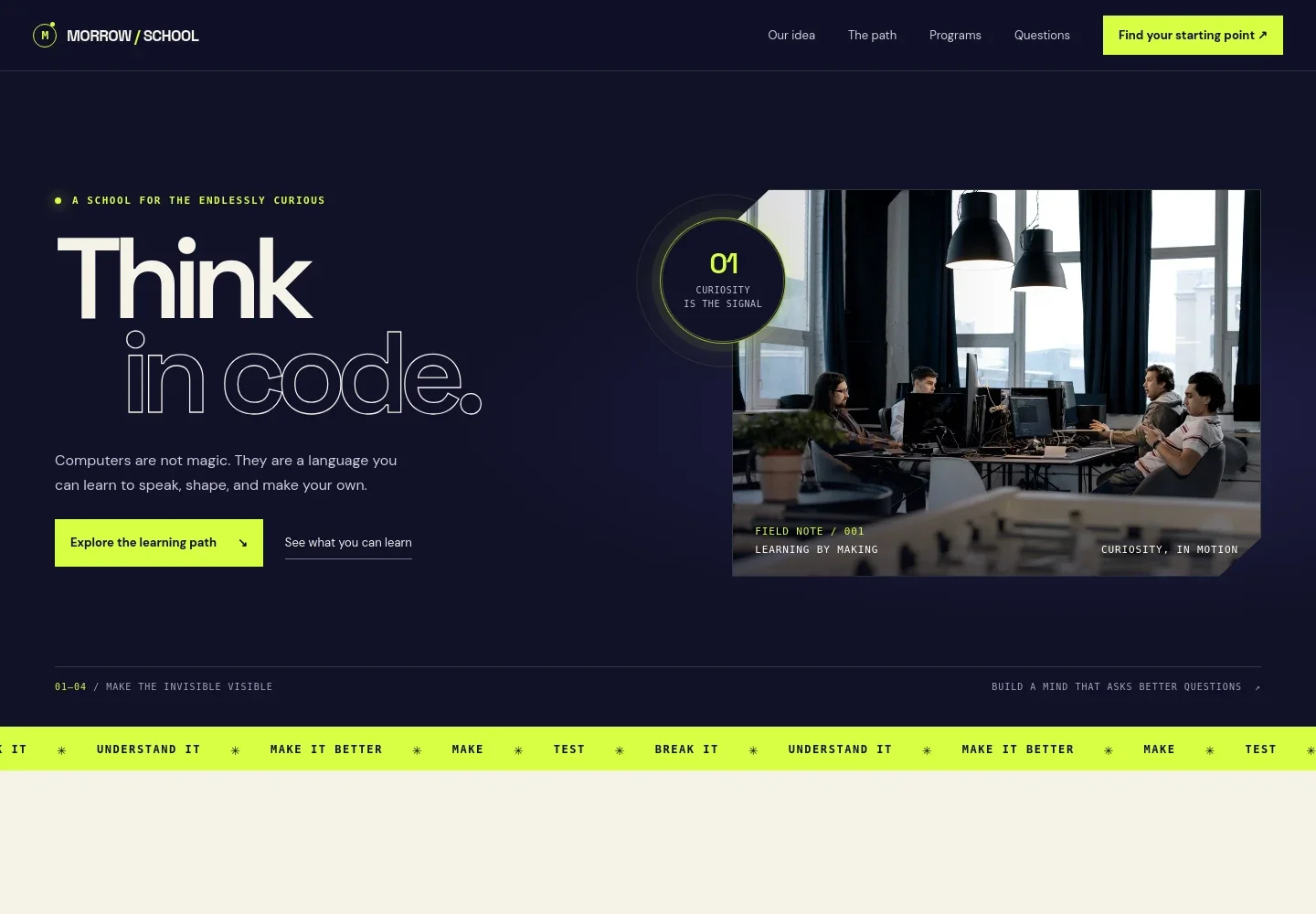
- School introduction
- A prominent headline, short explanation of the school’s approach, and image of learners at computers establish a practical, curiosity-led feel. Links direct visitors toward the learning path and program overview.
- Teaching approach
- A concise statement explains computing as a creative practice built around questions, making, testing, and improvement.
- Learning path
- Four numbered stages take visitors from understanding patterns to making a first project, testing it, and developing an idea further. Supporting text makes clear that learners can begin without assumed expertise.
- Programs
- Four program rows describe creative coding, digital foundations, robotics and physical computing, and computing for educators, giving visitors a quick view of the subjects offered.
- Learning in practice
- A three-part sequence connects a learner’s question with an experiment and a new possibility, illustrating how hands-on practice can build confidence.
- Common questions
- Visitors can find answers about prior experience, what learning looks like, who the school is for, and how to choose a starting point.
- Contact
- A closing invitation asks visitors to share what they are curious about or want to make, with an email contact link for getting in touch.
How to use this template
Open in Revamp
Click Use this template and sign in or create an account. You’ll start with your own copy of the design, ready to personalize.
Bring your content
Replace the sample text, photos, and logo with your own. Share your content, a document, or an existing website, and ask Revamp to adapt the template to your business.
Refine and publish
Ask Revamp to adjust the colors, layout, or sections, or edit directly on the page. Review desktop and mobile, then publish. You can keep making changes after launch.
Put your website to work
Make it easier to guide prospective learners from interest to enrollment. Ask Revamp to add a booking, contact-management, or email follow-up tool that suits your enrollment process.
-

Offer introductory session bookings
CalendlyGive prospective learners or families a simple way to choose a time to speak with your team. Ask Revamp to add introductory bookings with Calendly.
-

Organize prospective learner inquiries
HubSpotKeep track of inquiries and follow-up conversations in one place. Ask Revamp to connect HubSpot for prospective learner management.
-

Keep families informed
MailchimpShare program news and enrollment updates with interested learners and families. Ask Revamp to connect Mailchimp for email communications.
Frequently asked questions
Is this template free?
Yes. This premium template is free to use when you select Use this template. The offer applies to the template, not hosting or other services.
Can I use my own content?
Yes. Ask Revamp to personalize the page with your school name, teaching approach, programs, images, and contact details.
Do I need coding skills to customize the template?
No coding skills are needed. Ask Revamp to update the content and design for your computer education business.
Can I change the design?
Yes. Ask Revamp to adjust the visual style, layout, colors, and other design details to suit your school.
Can I keep editing after publishing?
Yes. You can continue asking Revamp to update your content and design after your site is published.


