About this template
Help prospective learners see what they can study and how practical computer training can build confidence. The page introduces a learn-by-doing approach, with guided practice and clear learning paths.
Visitors can compare tracks for everyday digital skills, creative tools, and workplace technology, then find information about small-group, instructor-led sessions for teams. A closing contact section invites them to describe what they want to learn.
Who it’s for
Computer training providers, digital skills educators, and instructors offering practical courses to individuals or teams.
What’s included
The design leads with hands-on learning, then gives visitors a clear route from teaching approach to course topics, team training, and an enquiry.
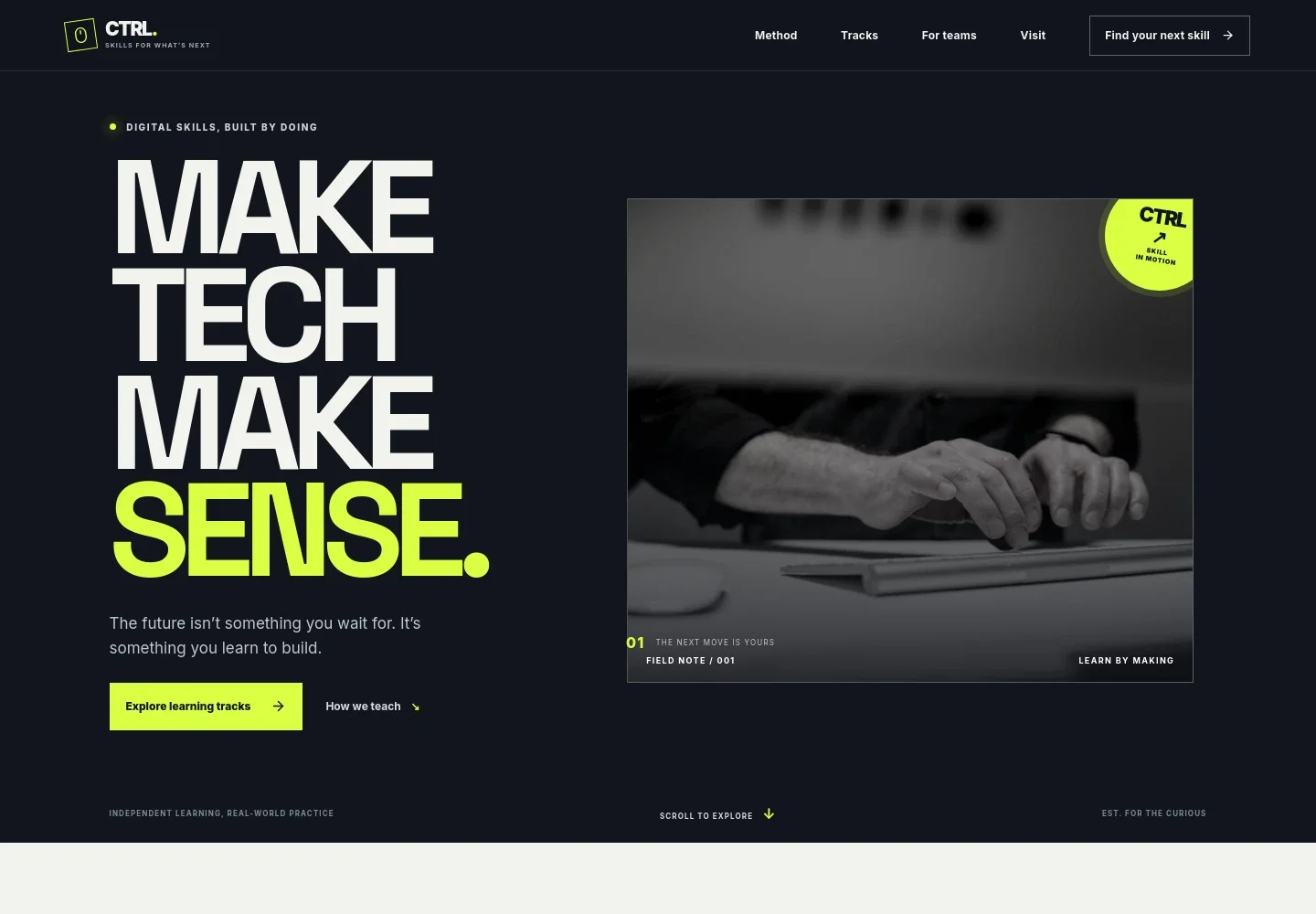
- Introductory hero
- A bold headline, learning-by-doing message, computer learning photo, and links guide visitors toward the learning tracks and teaching approach.
- Learning method
- Three steps, get curious, make a thing, and take it further, explain the focus on guided practice and skills learners can use.
- Learning tracks
- Three distinct course paths outline everyday digital skills, creative tools, and workplace technology, with example topics such as computer essentials, design basics, spreadsheets, and data foundations.
- Team training
- A workshop image and supporting copy introduce small-group, instructor-led sessions shaped around a team's tools, challenges, and goals.
- Contact invitation
- A final prompt asks what visitors want to learn and offers a way to start a conversation about a practical place to begin.
How to use this template
Open in Revamp
Click Use this template and sign in or create an account. You’ll start with your own copy of the design, ready to personalize.
Bring your content
Replace the sample text, photos, and logo with your own. Share your content, a document, or an existing website, and ask Revamp to adapt the template to your business.
Refine and publish
Ask Revamp to adjust the colors, layout, or sections, or edit directly on the page. Review desktop and mobile, then publish. You can keep making changes after launch.
Put your website to work
Make it easier to organize course enquiries, schedules, and learner follow-up. Ask Revamp to add connections with tools that suit your training operation.
-

Schedule training sessions
CalendlyLet prospective learners choose a time to discuss their goals. Ask Revamp to add consultation booking with Calendly.
-

Manage learner enquiries
HubSpotKeep prospective learners and team-training leads organized for follow-up. Ask Revamp to connect HubSpot for contact management.
-

Coordinate course dates
Google CalendarKeep scheduled sessions and instructor availability organized. Ask Revamp to add calendar scheduling with Google Calendar.
Frequently asked questions
Is this computer training template free?
Yes. This premium template is free to use when you select Use this template. Free refers to the template itself.
Can I use my own content?
Yes. Ask Revamp to personalize the page with your training topics, course details, team-learning information, contact details, and images.
Do I need coding skills to customize it?
No coding skills are needed. Ask Revamp to adjust the content and design to suit your computer training business.
Can I change the design?
Yes. Ask Revamp to change the colors, imagery, layout, or other design details to fit your brand and the learners you serve.
Can I keep editing after publishing?
Yes. You can keep asking Revamp to update your content and design after your site launches.


