About this template
Help prospective students see what they can learn before they enquire. This cooking school design introduces a hands-on teaching approach, then lays out sample classes in fresh pasta, knife skills, seasonal vegetables and bread.
Food photography, short teaching principles and practical class details give visitors a sense of the experience. The page also answers common questions about experience level, dietary needs and what to bring, with a clear route to ask about a class.
Who it’s for
For independent cooking schools, culinary instructors and food educators offering in-person classes, workshops or demonstrations.
What’s included
The page moves from the school's teaching approach to how students learn, sample classes and practical visitor information. Its mix of food imagery, concise course descriptions and direct enquiry prompts helps people decide what they might want to learn and how to ask about it.
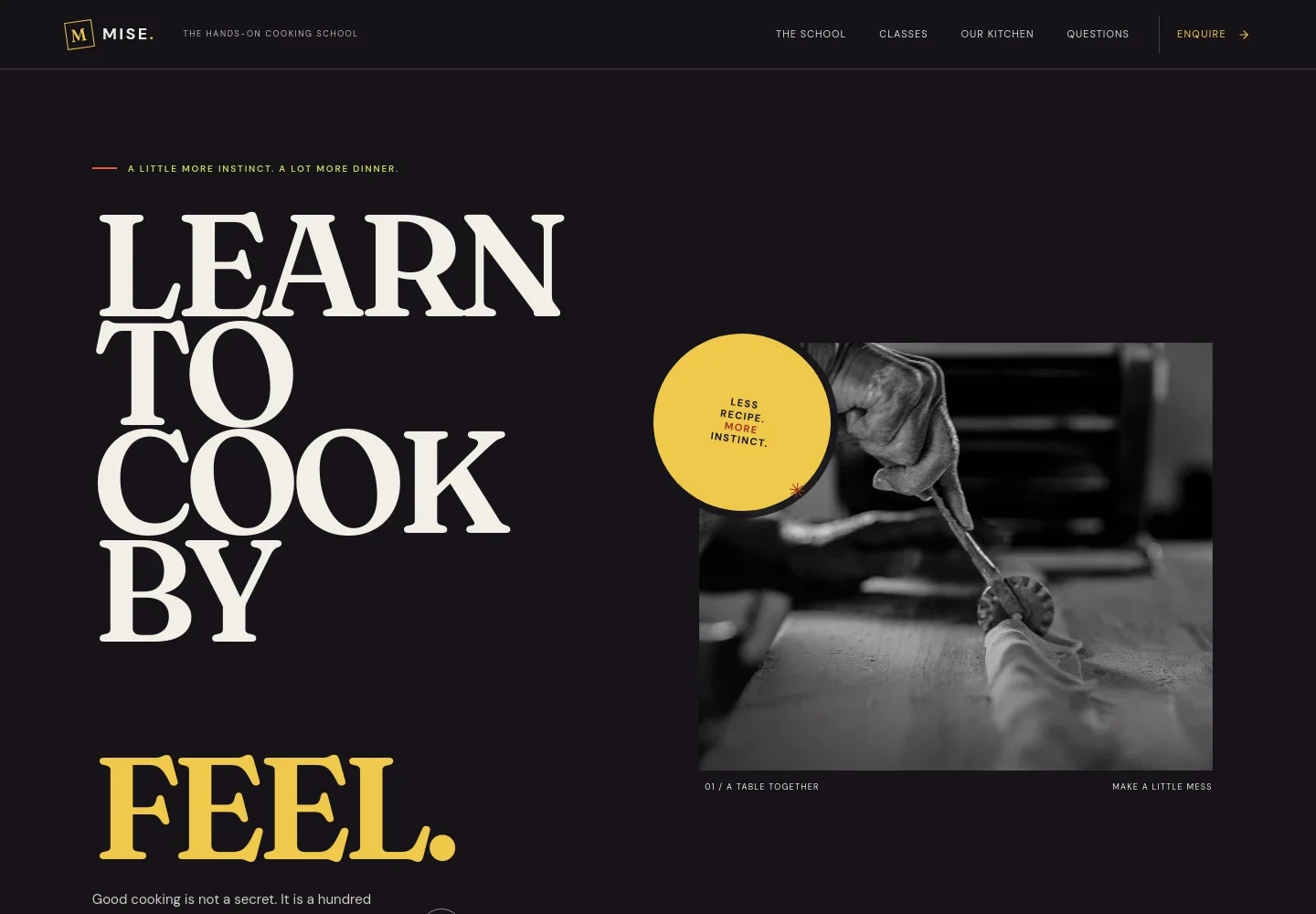
- Cooking school introduction
- A prominent headline and pasta-making photograph introduce the hands-on approach, while the opening copy emphasizes learning through practice, tasting and repetition.
- Teaching approach
- Explains skills that recipes alone cannot teach, such as judging when ingredients are ready and adjusting flavor, alongside a photograph of knife work.
- How students learn
- A four-part sequence moves from noticing to practicing, tasting and sharing, showing the active, shared-table style of instruction.
- Sample classes
- Four listed sessions cover handmade pasta, knife skills, seasonal vegetables and bread. Each has a short description and visible duration or experience-level details.
- What to expect
- A bread-making image and welcome message explain that the school provides ingredients, tools and guidance, and invite students to arrive ready to take part.
- Enquiries and visitor questions
- A class enquiry prompt sits alongside answers about beginners, dietary needs and what to bring, helping visitors know what to ask before contacting the school.
How to use this template
Open in Revamp
Click Use this template and sign in or create an account. You’ll start with your own copy of the design, ready to personalize.
Bring your content
Replace the sample text, photos, and logo with your own. Share your content, a document, or an existing website, and ask Revamp to adapt the template to your business.
Refine and publish
Ask Revamp to adjust the colors, layout, or sections, or edit directly on the page. Review desktop and mobile, then publish. You can keep making changes after launch.
Put your website to work
Make it easier for students to reserve a place, pay for a class and hear about upcoming sessions. Ask Revamp to add or connect tools that fit the way your school manages enrolments.
-

Simplify class reservations
CalendlyAsk Revamp to add appointment booking with Calendly so visitors can choose an available class or consultation time.
-

Collect class payments
StripeAsk Revamp to add payment collection with Stripe for class fees or deposits.
-

Keep prospective students informed
MailchimpAsk Revamp to connect Mailchimp so you can share class announcements and updates with your mailing list.
Frequently asked questions
Is this cooking class template free?
Yes. This premium template is free to use when you select Use this template. The template itself is free; hosting or other services may have separate costs.
Can I use my own class details and photos?
Yes. Ask Revamp to personalize the page with your class descriptions, schedule, images, contact details and other content.
Do I need coding skills to customize it?
No coding skills are needed. Ask Revamp to update the content or design in plain language.
Can I change the design to fit my cooking school?
Yes. Ask Revamp to adjust the colors, typography, imagery and layout to suit your school's identity and the classes you offer.
Can I keep editing the site after publishing?
Yes. You can continue asking Revamp to update your content and design after the site has launched.


