About this template
Help prospective learners understand your course approach, what the experience involves, and how to take the next step. This design introduces a hands-on learning offer through clear course details, a visual learning journey, and focused invitations to get in touch.
The page pairs editorial typography and warm classroom photography with concise sections about the teaching method, course format, intended audience, and instructor presence. Its narrative flow suits programs that value curiosity, practical exercises, and personal discovery.
Who it’s for
Independent educators, course creators, workshop leaders, and learning businesses presenting a guided course or hands-on educational program.
What’s included
A complete course presentation page that guides visitors from your learning philosophy to course details and a clear enquiry invitation.
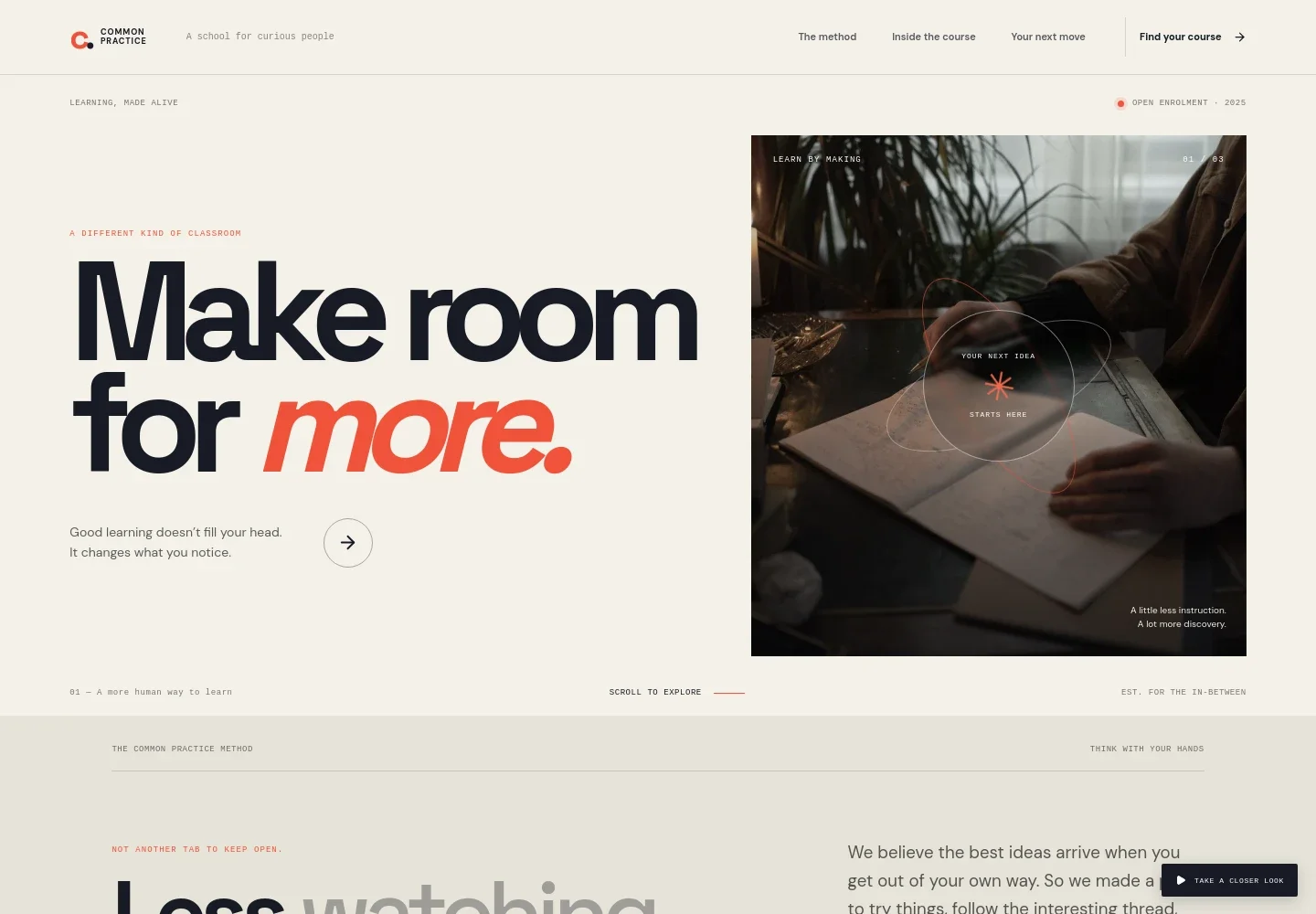
- Course introduction
- A prominent headline, short learning statement, and classroom photograph introduce the offer and give visitors a direct route to course details.
- Teaching method
- A dedicated section explains the learning philosophy, emphasizing curiosity, trying ideas, and learning alongside others.
- Learning journey
- A three-part interactive sequence presents the stages Notice, Make, and Become, with supporting text for each stage.
- Course details
- A workshop image and course overview sit alongside practical details about short lessons, exercises, and who the course may suit.
- Instructor note
- A reflective quote and educator photograph add a personal voice and show learning as a supported, people-centered experience.
- Course enquiry
- A closing invitation gives interested visitors a clear way to contact the provider about finding a starting point.
How to use this template
Open in Revamp
Click Use this template and sign in or create an account. You’ll start with your own copy of the design, ready to personalize.
Bring your content
Replace the sample text, photos, and logo with your own. Share your content, a document, or an existing website, and ask Revamp to adapt the template to your business.
Refine and publish
Ask Revamp to adjust the colors, layout, or sections, or edit directly on the page. Review desktop and mobile, then publish. You can keep making changes after launch.
Put your website to work
Make it easier to manage course enquiries, schedule conversations, and share updates. Ask Revamp to add or connect tools that fit the way you run your learning business.
-

Schedule course consultations
CalendlyGive prospective learners a convenient way to book a conversation. Ask Revamp to add consultation booking with Calendly.
-

Manage course enquiries
HubSpotKeep track of prospective learners and follow-up conversations in one place. Ask Revamp to connect HubSpot for enquiry management.
-

Share course updates
MailchimpGive interested visitors a way to hear about upcoming learning opportunities. Ask Revamp to add an email signup with Mailchimp.
-

Collect course payments
StripeMake it easier for learners to pay for enrollment. Ask Revamp to connect Stripe for course payments.
Frequently asked questions
Is this template free?
Yes. This premium template is free to use when you select Use this template. Hosting or other services may have separate costs.
Can I use my own content?
Yes. Ask Revamp to personalize the page with your course description, teaching approach, instructor information, imagery, and contact details.
Do I need coding skills?
No. Ask Revamp to personalize the content and design in plain language. You do not need coding skills.
Can I change the design?
Yes. Ask Revamp to adjust the colors, typography, imagery, layout, or other design details to suit your course.
Can I keep editing after publishing?
Yes. You can keep editing your site after launch. Ask Revamp to update course information, refine the design, or make other changes as your program develops.


