About this template
Help prospective students and their families understand how a dental college approaches education, clinical practice, and patient care. The page introduces a learning philosophy centered on scientific grounding, hands-on practice, reflection, and seeing the whole person.
A photo-led layout pairs close views of dental learning with clear explanations of the educational approach and learning stages. Visitors can move from the college’s point of view to its teaching model, student culture, and a direct invitation to start a conversation.
Who it’s for
Dental colleges, dentistry programs, and health education institutions looking to explain their teaching approach and help prospective students take a next step.
What’s included
The page guides prospective students through the college’s educational philosophy, learning stages, everyday culture, and a contact invitation. Its editorial typography and dental training imagery make the subject and human focus of the program clear.
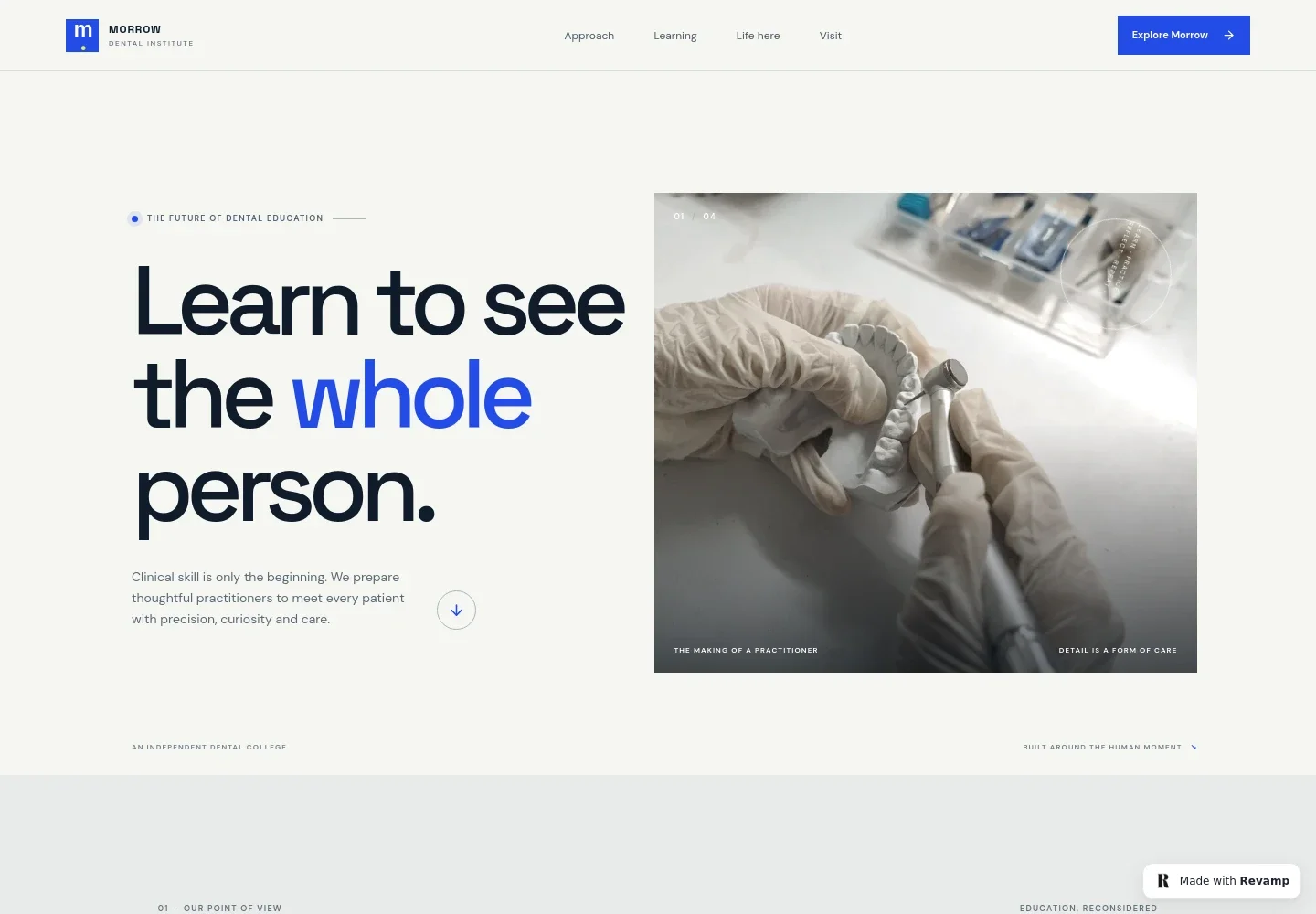
- Hero and college introduction
- A prominent headline and dental laboratory image introduce the college’s focus on clinical skill and thoughtful care, with navigation to the main information sections.
- Educational approach
- An introductory statement explains how scientific rigor, observation, questions, and patient trust inform the college’s approach to dentistry.
- Learning stages
- Three numbered stages describe foundations in oral health sciences, practice from simulation to supervised clinical experiences, and learning alongside peers and educators.
- Student learning culture
- A dedicated section presents curiosity and reflection as part of learning, supported by an image of a dental model under close examination.
- Visit and contact invitation
- A closing section invites visitors to explore dental education and start a conversation, with an illustrative contact address that can be personalized.
- Footer navigation
- The footer repeats the college identity, provides a back-to-top link, and identifies the page as a conceptual dental college template.
How to use this template
Open in Revamp
Click Use this template and sign in or create an account. You’ll start with your own copy of the design, ready to personalize.
Bring your content
Replace the sample text, photos, and logo with your own. Share your content, a document, or an existing website, and ask Revamp to adapt the template to your business.
Refine and publish
Ask Revamp to adjust the colors, layout, or sections, or edit directly on the page. Review desktop and mobile, then publish. You can keep making changes after launch.
Put your website to work
Help prospective students take a clear next step by asking Revamp to add tools for campus visits, inquiries, and admissions follow-up.
-

Make campus visits easier to arrange
CalendlyAsk Revamp to add visit or information-session booking with Calendly so prospective students can choose a suitable time.
-

Organize prospective student inquiries
HubSpotAsk Revamp to connect inquiry forms with HubSpot so staff can keep prospective student conversations organized.
-

Coordinate admissions conversations
Google CalendarAsk Revamp to add appointment scheduling with Google Calendar for admissions discussions and prospective student meetings.
Frequently asked questions
Is this dental college website template free?
Yes. The premium template is free to use through Use this template. This applies to the template itself, not hosting or other services.
Can I use my own college content?
Yes. Ask Revamp to personalize the page with your institution’s name, program information, images, contact details, and other content.
Do I need coding skills to customize it?
No. Ask Revamp to personalize the content and design in plain language, without coding.
Can I change the design?
Yes. Ask Revamp to adjust the visual style, imagery, layout, or other design details to suit your college.
Can I keep editing after publishing?
Yes. You can continue editing after launch. Ask Revamp to update content or make further design changes as your needs evolve.


