About this template
Present an independent design publication with a clear editorial point of view. The opening combines a bold journal headline with abstract artwork, then leads readers into writing about design, culture, architecture, and the made world.
The layout gives recent articles room to stand out with large imagery, category labels, reading times, headlines, and short introductions. A point-of-view section and an about area help visitors understand the journal’s perspective and how to get in touch.
Who it’s for
For design writers, independent editors, creative studios, and publishers building an editorial home for thoughtful coverage of design, architecture, visual culture, or material culture.
What’s included
The page is organized as a visual editorial journey: introduce the journal, explain its perspective, feature recent writing, and close with publication details and a contact prompt.
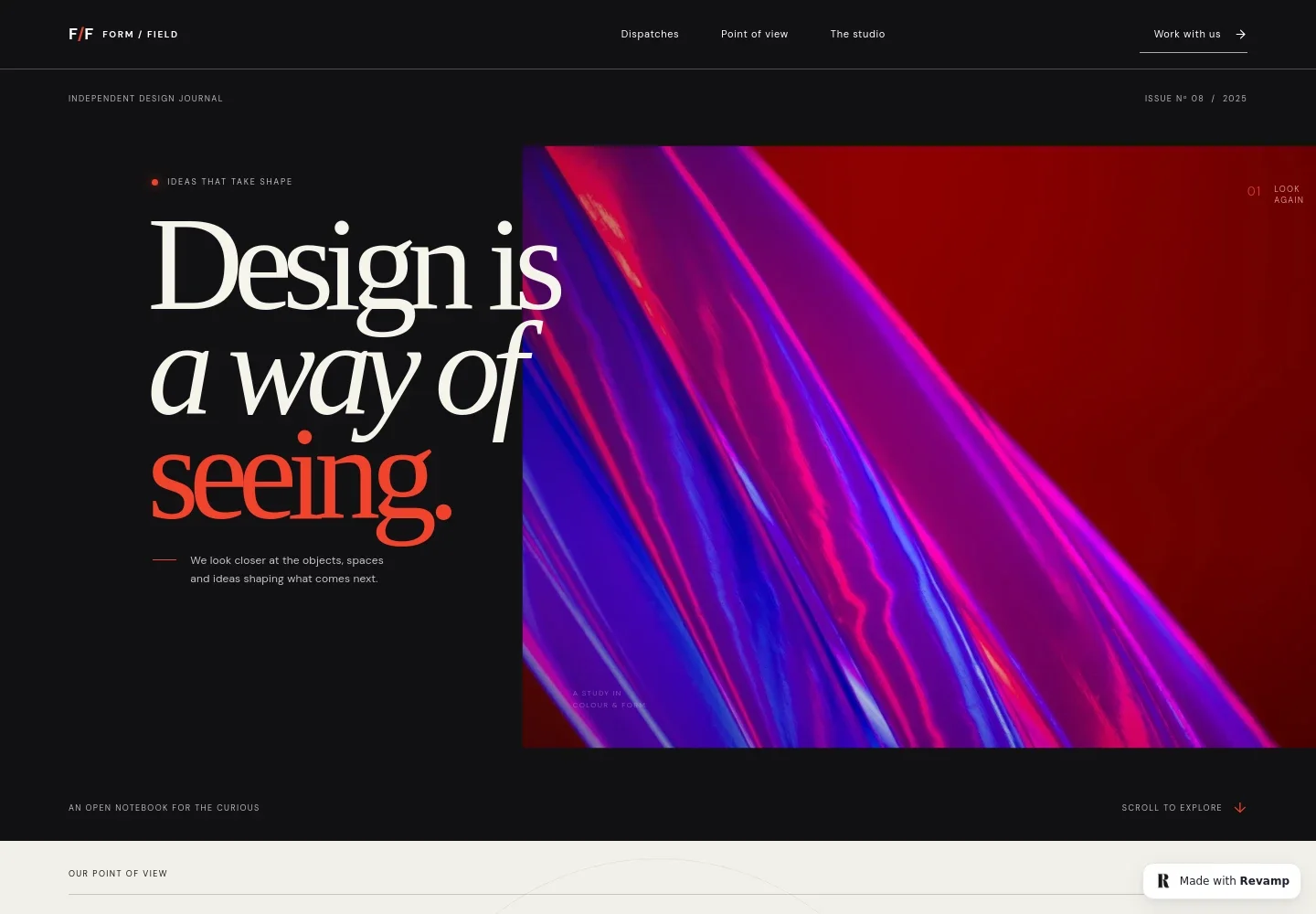
- Journal introduction
- A large headline, abstract image, issue marker, and brief statement establish the publication’s design focus and invite readers into the journal.
- Point of view
- A prominent editorial statement and supporting copy explain the journal’s interest in the choices and details behind designed objects, spaces, and cities.
- Recent dispatches
- Two featured article cards pair photography with subject labels, estimated reading times, headlines, and short summaries, giving readers a useful preview of the writing.
- About the journal and contact
- The closing studio section introduces the publication and includes a prompt for readers to get in touch about a story.
- Publication navigation and footer
- Top navigation links to the dispatches, point of view, and studio sections. The footer repeats the journal identity and publication year.
How to use this template
Open in Revamp
Click Use this template and sign in or create an account. You’ll start with your own copy of the design, ready to personalize.
Bring your content
Replace the sample text, photos, and logo with your own. Share your content, a document, or an existing website, and ask Revamp to adapt the template to your business.
Refine and publish
Ask Revamp to adjust the colors, layout, or sections, or edit directly on the page. Review desktop and mobile, then publish. You can keep making changes after launch.
Put your website to work
Support publishing, reader updates, and editorial planning by asking Revamp to add connections to tools your publication already uses.
-

Send new stories to your readers
MailchimpBuild an email audience for new articles and publication updates. Ask Revamp to add a newsletter signup with Mailchimp.
-

Plan and track editorial work
Google SheetsOrganize article ideas, assignments, and publication dates in a shared spreadsheet. Ask Revamp to connect an editorial planning workflow with Google Sheets.
Frequently asked questions
Is this template free?
Yes. This premium template is free to use when you select Use this template. Free refers to the template itself, not hosting or other services.
Can I use my own content?
Yes. Ask Revamp to personalize the journal name, articles, images, categories, and publication details with your own content.
Do I need coding skills?
No. Ask Revamp to personalize the content and design in natural language, without coding.
Can I change the design?
Yes. Ask Revamp to adjust the colors, typography, imagery, and layout to suit your publication.
Can I keep editing after publishing?
Yes. You can keep editing after launch. Ask Revamp to update articles, publication details, or design as your journal develops.