About this template
Help prospective students understand your design school's approach, learning experiences, and areas of study. The page introduces a hands-on philosophy centered on visual thinking, making, and sharing ideas.
A bold editorial layout pairs oversized headlines and vivid studio photography with clear sections for your teaching approach, studio topics, learning method, and an invitation to start a conversation.
Who it’s for
Independent design schools, creative educators, and visual arts programs introducing their learning philosophy and studio offerings to prospective students.
What’s included
The page guides visitors from your school's point of view to its studio topics and learning approach, then invites them to ask where to begin. Strong typography, colorful imagery, and numbered sections make the content easy to scan.
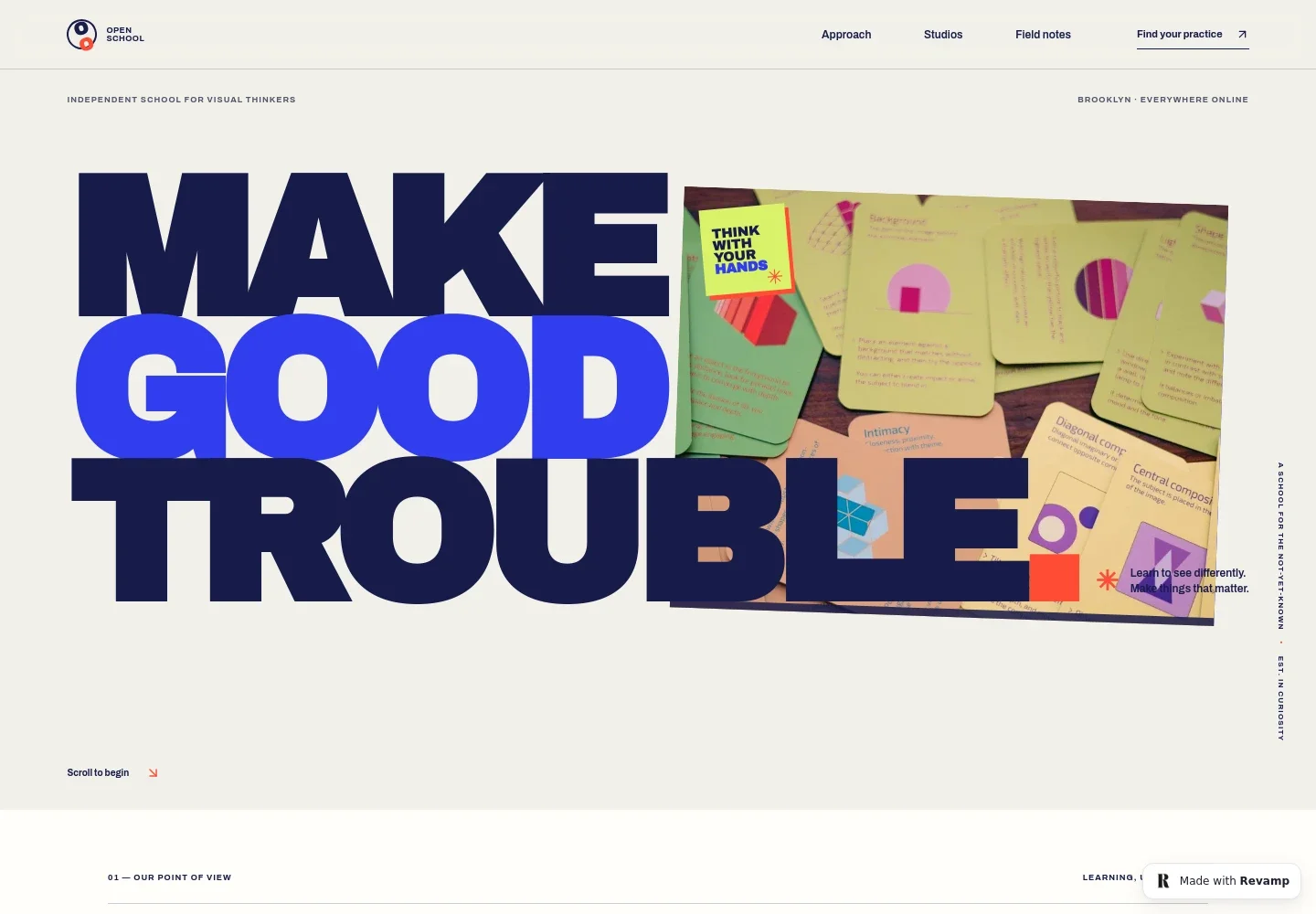
- School introduction
- A large headline, a photograph of colorful printed materials, and a concise statement introduce a school for visual thinkers.
- Teaching approach
- Explain the school's perspective on design through copy about noticing, questioning, connecting, and turning ideas into tangible work.
- Learning method
- A circular visual organizes four learning ideas: see, question, make, and share. Short notes around the diagram add detail to the school's method.
- Studio topics
- Three clearly distinguished studio areas cover visual thinking, image and type, and making in public, each with a short description.
- Learning by making
- A studio image and supporting text describe an iterative, hands-on approach that includes trying ideas, critique, and making.
- Start a conversation
- An invitation asks visitors what they are curious about and directs them to a contact link to discuss a place to start.
How to use this template
Open in Revamp
Click Use this template and sign in or create an account. You’ll start with your own copy of the design, ready to personalize.
Bring your content
Replace the sample text, photos, and logo with your own. Share your content, a document, or an existing website, and ask Revamp to adapt the template to your business.
Refine and publish
Ask Revamp to adjust the colors, layout, or sections, or edit directly on the page. Review desktop and mobile, then publish. You can keep making changes after launch.
Put your website to work
To help prospective students discover courses and stay in touch, Ask Revamp to request additions such as course booking or an email newsletter signup.
-

Let students book course sessions
CalendlyAsk Revamp to add appointment booking with Calendly for introductory conversations or scheduled course sessions.
-

Keep prospective students informed
MailchimpAsk Revamp to add a Mailchimp newsletter signup for school news, studio updates, and course announcements.
Frequently asked questions
Is this design school template free?
Yes. The premium template is free to use when you select Use this template. This applies to the template, not hosting or other services.
Can I use my own school content?
Yes. Ask Revamp to personalize the text, images, studio topics, and contact details for your school.
Do I need coding skills to customize it?
No coding skills are needed. Ask Revamp to make content and design changes for you.
Can I change the design?
Yes. Ask Revamp to adjust the colors, typography, imagery, layout, or other design details to suit your school's identity.
Can I keep editing after publishing?
Yes. You can keep asking Revamp to update your site after launch as your courses, school information, or design needs change.


