About this template
Help prospective learners understand your teaching approach, areas of study, and how to take a first step. The design presents an institute built around hands-on learning, shared inquiry, and practical projects.
Dedicated sections explain the learning principles, show example program paths in design, creative technology, and culture, and share a field note about learning through early drafts and collaboration. A closing visit section invites visitors to begin with a conversation.
Who it’s for
Designed for independent learning institutes, continuing education providers, and education organizations offering practice-led programs to curious adults and prospective learners.
What’s included
The page moves visitors from the institute’s learning philosophy to example study paths and a clear invitation to get in touch. Editorial typography, learner and studio photography, and numbered content sections make the information easy to scan while giving the institute a distinctive voice.
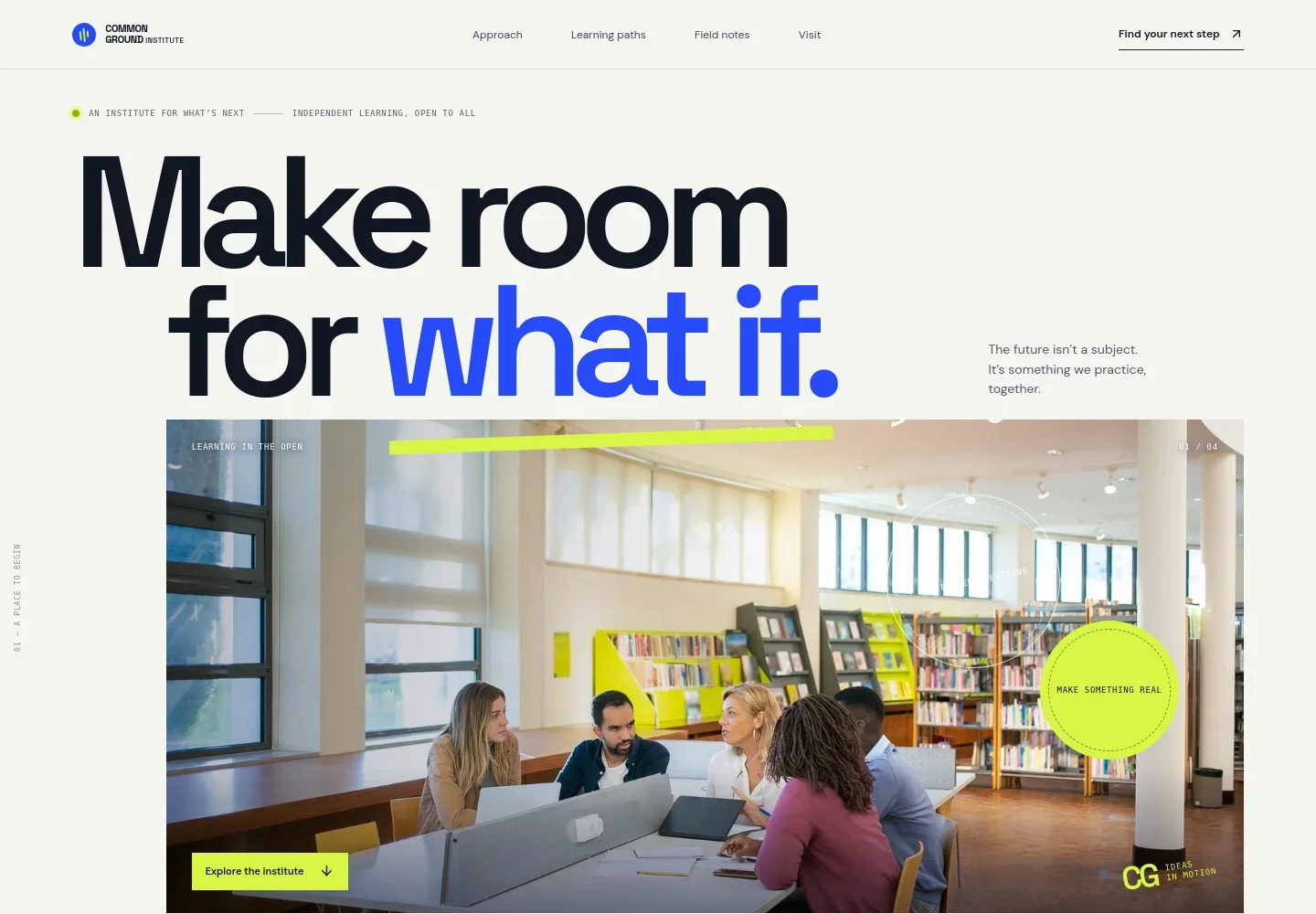
- Institute introduction
- A large headline, learner photo, and concise supporting copy establish the institute’s focus on curiosity, collaborative learning, and making ideas tangible.
- Learning approach
- An overview explains the institute’s point of view, followed by three principles: start with a question, learn by making, and think with others.
- Learning cycle
- A studio image and supporting text describe a process of noticing, making, sharing, and repeating, helping visitors see how ideas move into practice.
- Learning paths
- Three example program concepts cover design for the living world, creative technology, and culture and the public good. Each includes a short overview, subject label, and sample duration.
- Field notes
- A featured reflection on practicing while work is still unfinished pairs a campus conversation photo with copy about questions, first drafts, and learning with others.
- Visit and contact
- A closing invitation encourages visitors to start a conversation, with a prominent email link and space for institute contact and location details.
- Navigation and footer
- Navigation links lead to the approach, learning paths, field notes, and visit sections. The footer repeats the institute identity and provides a back-to-top link.
How to use this template
Open in Revamp
Click Use this template and sign in or create an account. You’ll start with your own copy of the design, ready to personalize.
Bring your content
Replace the sample text, photos, and logo with your own. Share your content, a document, or an existing website, and ask Revamp to adapt the template to your business.
Refine and publish
Ask Revamp to adjust the colors, layout, or sections, or edit directly on the page. Review desktop and mobile, then publish. You can keep making changes after launch.
Put your website to work
Help prospective learners book a conversation, keep inquiry details organized, and share program updates. Ask Revamp to add connections suited to how your institute communicates with learners.
-

Schedule introductory conversations
CalendlyMake it easier for prospective learners to find a time to talk. Ask Revamp to add consultation booking with Calendly.
-

Keep prospective learner inquiries organized
HubSpotTrack inquiries and follow-up conversations in one place. Ask Revamp to connect HubSpot for contact management.
-

Share program news with your community
MailchimpSend updates about learning opportunities and institute news to subscribers. Ask Revamp to connect Mailchimp for email campaigns.
Frequently asked questions
Is this template free?
Yes. This premium template is free to use when you select Use this template. This applies to the template itself, not hosting or other services.
Can I use my own content?
Yes. Ask Revamp to personalize the text, program details, images, and contact information for your institute.
Do I need coding skills?
No coding skills are needed. Ask Revamp to personalize the content and design in plain language.
Can I change the design?
Yes. Ask Revamp to adjust the colors, typography, imagery, layout, and other design choices to suit your institute.
Can I keep editing after publishing?
Yes. You can keep editing after launch. Ask Revamp to update your content or design as your programs and needs change.


