About this template
Help prospective learners understand what your education portal offers and find a starting point that fits their interests. The page introduces an open-ended approach to learning, then organizes the offer into three paths: building a skill, exploring ideas, and finding direction.
A prominent classroom image, concise learning principles, and a dedicated community section give visitors a feel for both independent exploration and shared learning. The final call to action brings the experience back to a simple next step: choose an idea and begin.
Who it’s for
For online learning platforms, education portals, training providers, and learning communities that want to introduce their approach, organize learning themes, and encourage prospective learners to explore.
What’s included
The page moves from a clear learning-focused introduction to your approach, learning paths, community, and a closing prompt to get started. The numbered sections and repeated calls to explore help visitors follow the story and find a relevant next step.
- Hero introduction
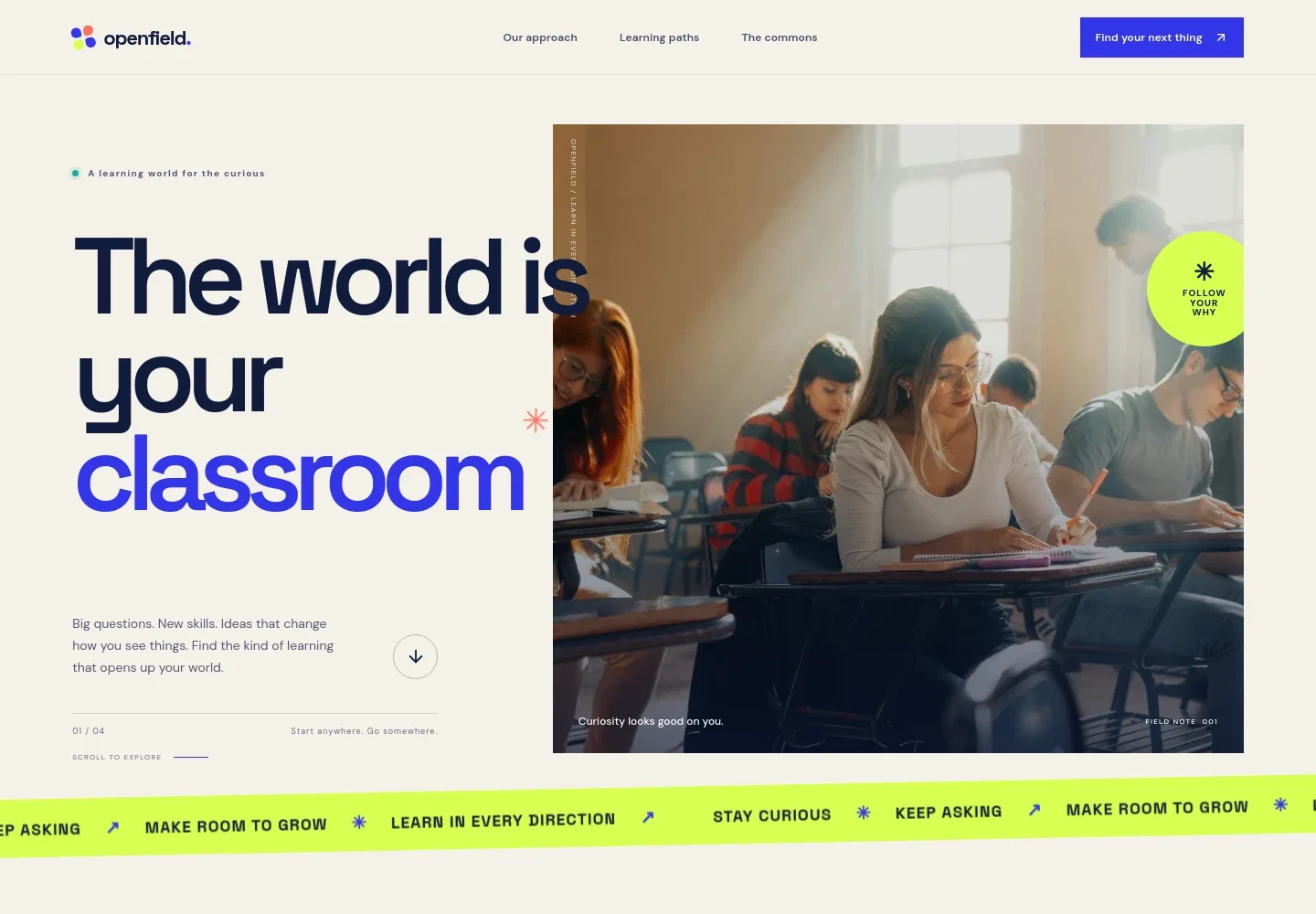
- A large headline and classroom photo introduce the idea of learning beyond a traditional classroom. Supporting copy sets an inviting tone and points visitors toward the approach section.
- Learning approach
- A prominent statement and three principles explain the portal's perspective: start with curiosity, connect learning to real life, and keep growing. A supporting paragraph describes practical courses, guides, and learning from others.
- Learning paths
- Three clearly separated options help visitors choose a direction: build a new skill, understand the world, or find personal direction. Each includes a short explanation of what that path is about.
- Learning community
- A contrasting section with a group-study photo presents learning as a shared activity, with copy about comparing notes and exchanging perspectives.
- Getting started
- A closing section encourages visitors to begin with one question or idea and links back to the learning paths. A short reminder reinforces that learners can start without having everything figured out.
- Navigation and footer
- The header links to the approach, learning paths, and community sections, with a prominent call to action. The footer repeats the brand and offers a return-to-top link.
How to use this template
Open in Revamp
Click Use this template and sign in or create an account. You’ll start with your own copy of the design, ready to personalize.
Bring your content
Replace the sample text, photos, and logo with your own. Share your content, a document, or an existing website, and ask Revamp to adapt the template to your business.
Refine and publish
Ask Revamp to adjust the colors, layout, or sections, or edit directly on the page. Review desktop and mobile, then publish. You can keep making changes after launch.
Put your website to work
Make it easier to organize courses, guide learners through materials, and keep your learning community informed. Ask Revamp to add connections with tools your education team uses.
-

Organize courses and learner progress
MoodleKeep course materials, activities, and learner progress together. Ask Revamp to connect Moodle for course delivery and learning management.
-

Manage courses and registrations
LearnWorldsCoordinate online courses, learners, and class sessions in one learning platform. Ask Revamp to connect LearnWorlds for your course catalog and learner experience.
-

Share course updates with learners
MailchimpSend course announcements and learning updates to your audience. Ask Revamp to add email marketing with Mailchimp.
Frequently asked questions
Is this education portal template free?
Yes. The premium template is free to use when you select Use this template. This applies to the template itself, not hosting or other services.
Can I use my own content?
Yes. Ask Revamp to personalize the copy, images, learning paths, and other page content for your programs and learners.
Do I need coding skills to customize it?
No. Ask Revamp to make changes to the content or design in natural language. You do not need coding skills.
Can I change the design?
Yes. Ask Revamp to adjust the colors, typography, imagery, or layout to suit your education brand and the way you present learning.
Can I keep editing the site after publishing?
Yes. You can keep asking Revamp to update your content and design after launch.


