About this template
Help prospective learners and business clients understand your training focus, how you approach learning, and where to start a conversation. The design presents a learning studio centered on practical skills, reflection, and applying ideas in the flow of work.
Learning paths highlight creative confidence, people-first leadership, and learning to learn. A separate section explains how you work with teams to test assumptions, practice new approaches, and shape learning around their needs.
Who it’s for
Independent training providers, learning and development consultants, workshop facilitators, and professional educators serving individuals or teams.
What’s included
The page guides visitors from your learning philosophy to specific learning paths, team offerings, and a clear invitation to get in touch. Its editorial layout pairs concise explanations with workshop and learning imagery.
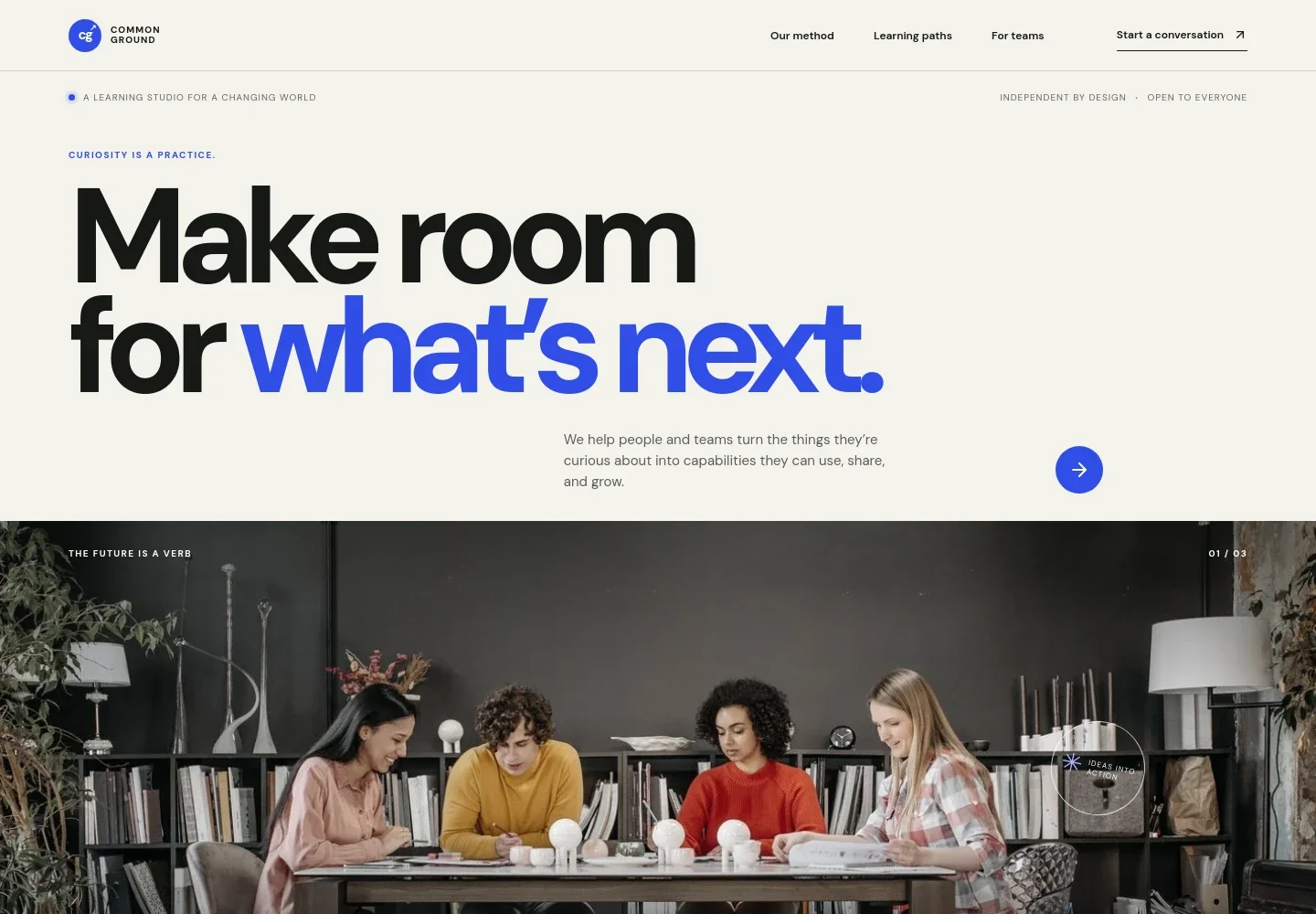
- Learning studio hero
- Introduces the learning studio with a clear statement about turning curiosity into practical capabilities, supported by a photograph of adult learners in a workshop.
- Learning approach
- Explains the view that learning continues through practice, with a simple notice, try, reflect, and repeat sequence to make the approach easy to grasp.
- Learning paths
- Presents three focus areas: creative confidence, people-first leadership, and learning to learn. Brief descriptions help visitors identify a relevant starting point.
- Training for teams
- Describes partnering with teams to learn through real work, test assumptions, and practice new ways of working. The copy emphasizes listening first and shaping an experience around the team’s challenge.
- Contact invitation
- Closes with a prompt to share a challenge, possibility, or question, followed by a direct email link for starting a conversation.
How to use this template
Open in Revamp
Click Use this template and sign in or create an account. You’ll start with your own copy of the design, ready to personalize.
Bring your content
Replace the sample text, photos, and logo with your own. Share your content, a document, or an existing website, and ask Revamp to adapt the template to your business.
Refine and publish
Ask Revamp to adjust the colors, layout, or sections, or edit directly on the page. Review desktop and mobile, then publish. You can keep making changes after launch.
Put your website to work
Make it easier to schedule training conversations, manage prospective client inquiries, and communicate with your learning community. Ask Revamp to add or connect tools that fit your workflow.
-

Simplify consultation scheduling
CalendlyGive prospective clients a straightforward way to choose a time for an introductory conversation. Ask Revamp to add consultation booking with Calendly.
-

Keep training inquiries organized
HubSpotTrack prospective client conversations and follow-ups in one place. Ask Revamp to connect HubSpot for contact and inquiry management.
-

Stay in touch with learners
MailchimpShare course news and learning resources with an email audience. Ask Revamp to connect Mailchimp for newsletter sign-ups and campaign management.
Frequently asked questions
Is this template free?
Yes. This premium template is free to use through Use this template. The offer is for the template itself, not hosting or other services.
Can I use my own content?
Yes. Ask Revamp to personalize the page with your training topics, audience, learning approach, images, and contact details.
Do I need coding skills?
No. Ask Revamp to personalize the content and design in plain language, without coding.
Can I change the design?
Yes. Ask Revamp to adjust the colors, typography, imagery, layout, and other design details to suit your training business.
Can I keep editing after publishing?
Yes. You can continue editing the site after launch. Ask Revamp to update your content or design as your training offer changes.


