About this template
Help schools, families and community partners understand your education trust’s purpose and how you work together. The page introduces a shared commitment to learner opportunity, then explains the trust’s work through three clear priorities: supporting teaching, connecting learning to wider opportunities, and strengthening collaboration.
A considered editorial layout pairs classroom photography with concise, prominent statements and practical descriptions. A dedicated section explains how the trust partners with schools, while a closing conversation prompt gives prospective partners a clear next step.
Who it’s for
Education trusts, school partnerships, education foundations and nonprofit organizations seeking to explain their mission, work with schools, and approach to supporting learners.
What’s included
The page guides visitors from the trust’s shared belief about education to its areas of work, partnership approach and invitation to start a conversation.
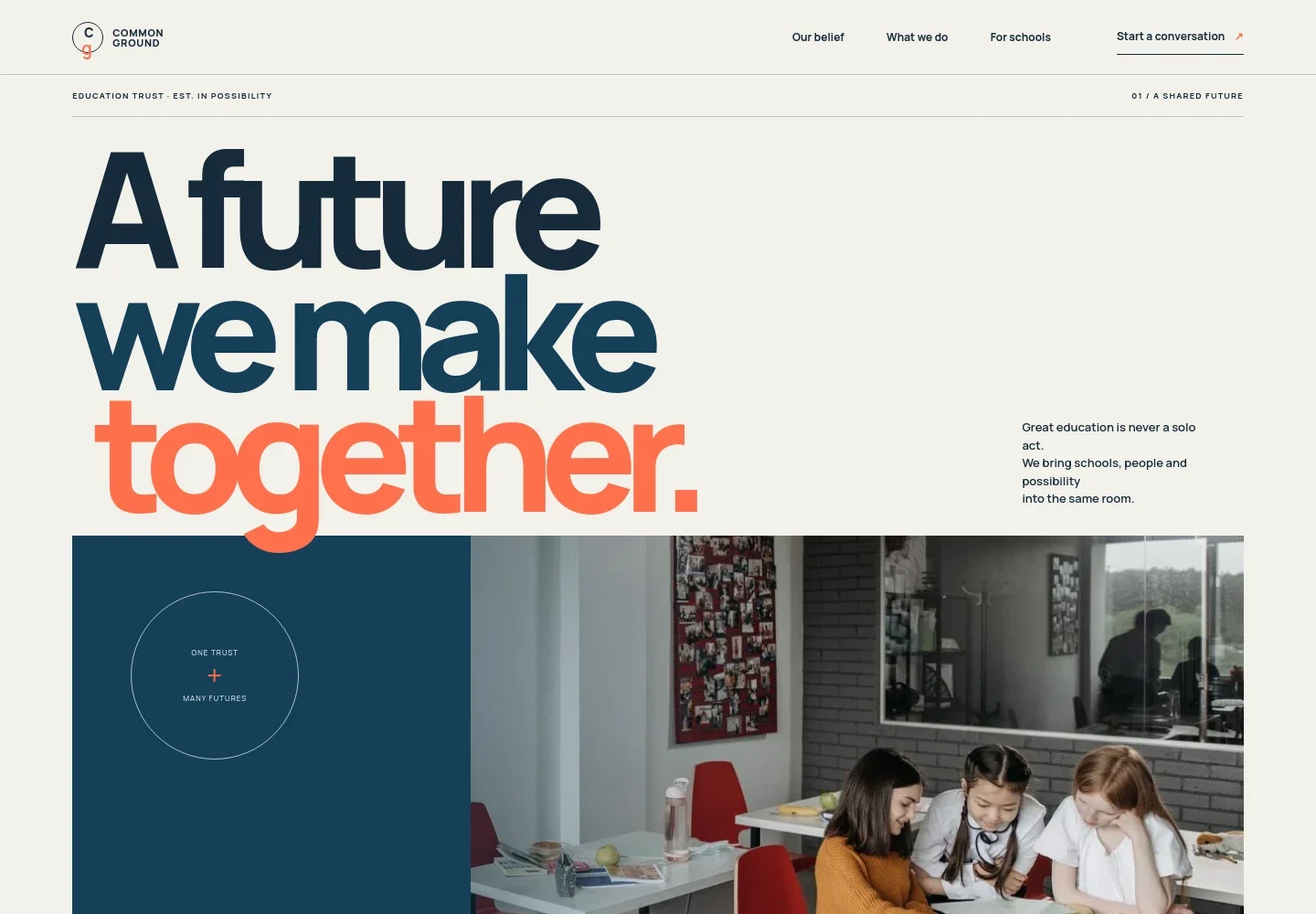
- Education trust introduction
- A large headline, classroom photograph and short statement introduce the idea of bringing schools, people and possibility together.
- Our belief
- A prominent statement about opportunity for every learner is followed by a paragraph explaining the trust’s purpose and its commitment to inclusive, lasting education.
- What we do
- Three numbered priorities describe support for teaching, connections between learning and wider opportunities, and collaboration among schools, families and partners.
- Working with schools
- A classroom image and supporting copy explain a listening-first partnership approach, with practical support shaped alongside schools.
- Shared promise
- A brief manifesto statement presents the trust’s guiding principle of making opportunity possible for everyone.
- Start a conversation
- The closing section invites visitors to discuss what may be possible and includes a direct email contact link.
How to use this template
Open in Revamp
Click Use this template and sign in or create an account. You’ll start with your own copy of the design, ready to personalize.
Bring your content
Replace the sample text, photos, and logo with your own. Share your content, a document, or an existing website, and ask Revamp to adapt the template to your business.
Refine and publish
Ask Revamp to adjust the colors, layout, or sections, or edit directly on the page. Review desktop and mobile, then publish. You can keep making changes after launch.
Put your website to work
Make it easier to keep school communities informed and coordinate conversations with partners. Ask Revamp to add or connect tools such as:
-

Coordinate partner conversations
CalendlyAsk Revamp to add consultation booking with Calendly so school leaders and partners can request a suitable meeting time.
-

Share trust updates with your community
MailchimpAsk Revamp to connect Mailchimp to support an email newsletter for schools, families and community partners.
-

Keep partnership meetings organized
Google CalendarAsk Revamp to add Google Calendar scheduling so staff can coordinate meetings with school and community partners.
Frequently asked questions
Is this education trust template free?
Yes. This premium template is free to use through Use this template. The free offer applies to the template itself.
Can I use my own content?
Yes. Ask Revamp to personalize the page with your trust’s name, mission, priorities, school partnership information, images and contact details.
Do I need coding skills?
No. You can ask Revamp to personalize the content and design without coding.
Can I change the design?
Yes. Ask Revamp to adjust the visual design, layout, colors and typography to better reflect your education trust.
Can I keep editing after publishing?
Yes. You can continue asking Revamp to update the page after launch as your trust’s information and priorities change.


