About this template
Help families and educators understand what an educational assessment can reveal about a learner’s skills, learning patterns and next steps. The page introduces an assessment approach that looks beyond a score to consider the whole learner.
Visitors can review assessment areas including learning differences, academic skills, cognitive profile and school readiness. Clear explanations and a direct contact section give families and educators a useful starting point for discussing their questions.
Who it’s for
Educational testing providers, independent assessment practices and learning specialists serving families, schools and educators.
What’s included
The design guides visitors from the purpose of assessment to specific areas of inquiry, then toward a conversation. A numbered process and clearly labeled assessment topics help families and educators find the information most relevant to their concerns.
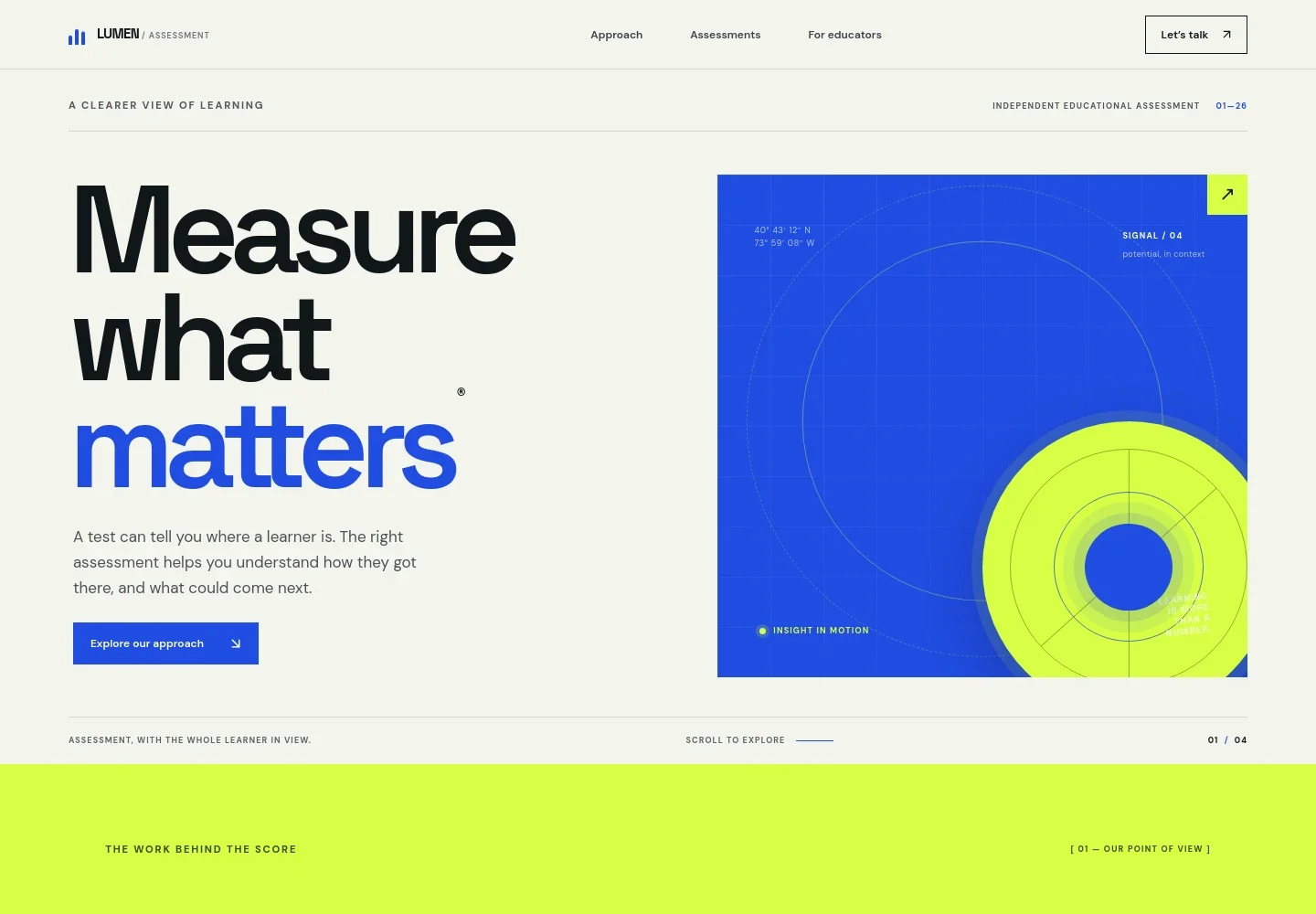
- Assessment-focused hero
- Opens with a concise message about understanding how a learner arrived at a result, supported by a prominent link to the assessment approach.
- Assessment point of view
- Frames a score as a starting point and explains the importance of making evidence useful while keeping the learner’s experience in view.
- Three-step assessment approach
- Shows a sequence from starting with a question, to looking for patterns across skills and context, to identifying a practical next step.
- Areas of assessment
- Presents learning differences, academic skills, cognitive profile and school readiness as distinct topics, each with a short explanation.
- For families and educators
- Explains how assessment findings can support a shared conversation between families and educators, alongside a photo and a link to get in touch.
- Contact and footer
- Closes with an invitation to describe a concern and a sample email contact, followed by the practice name and a return-to-top link.
How to use this template
Open in Revamp
Click Use this template and sign in or create an account. You’ll start with your own copy of the design, ready to personalize.
Bring your content
Replace the sample text, photos, and logo with your own. Share your content, a document, or an existing website, and ask Revamp to adapt the template to your business.
Refine and publish
Ask Revamp to adjust the colors, layout, or sections, or edit directly on the page. Review desktop and mobile, then publish. You can keep making changes after launch.
Put your website to work
Make it easier to organize inquiries, coordinate assessment conversations and share appropriate updates. Ask Revamp to add or connect tools that fit your practice.
-

Coordinate consultation times
CalendlyGive families a convenient way to request an introductory conversation. Ask Revamp to add consultation booking with Calendly.
-

Keep inquiry follow-up organized
HubSpotTrack prospective family inquiries and follow-up conversations in one place. Ask Revamp to connect HubSpot for contact management.
-

Plan appointments around your schedule
Google CalendarCoordinate consultation availability with your calendar. Ask Revamp to connect Google Calendar.
Frequently asked questions
Is this template free?
Yes. This premium template is free to use when you select Use this template. This applies to the template itself, not hosting or other services.
Can I use my own content?
Yes. Ask Revamp to personalize the page with your practice name, assessment information, contact details, imagery and other content.
Do I need coding skills?
No. Ask Revamp to personalize the content and design without coding.
Can I change the design?
Yes. Ask Revamp to adjust the layout, colors, typography, imagery or sections to suit your assessment practice.
Can I keep editing after publishing?
Yes. You can keep editing after launch. Ask Revamp to update your content or design as your practice changes.


