About this template
Help families understand your elementary learning approach, what a day can feel like, and how to start a conversation. The design introduces a curiosity-led classroom through clear principles and a simple learning cycle.
Warm classroom photography, expressive headings, and friendly accents give the page an inviting, child-centered feel. Its structured sections make the educational approach easy to follow before guiding families toward contact.
Who it’s for
Designed for elementary teachers, primary educators, and small schools who want to introduce their teaching approach and share useful context with prospective families.
What’s included
The page moves from a clear introduction to learning principles, a visual learning cycle, and a family-focused contact section, helping visitors understand the classroom and know how to begin a conversation.
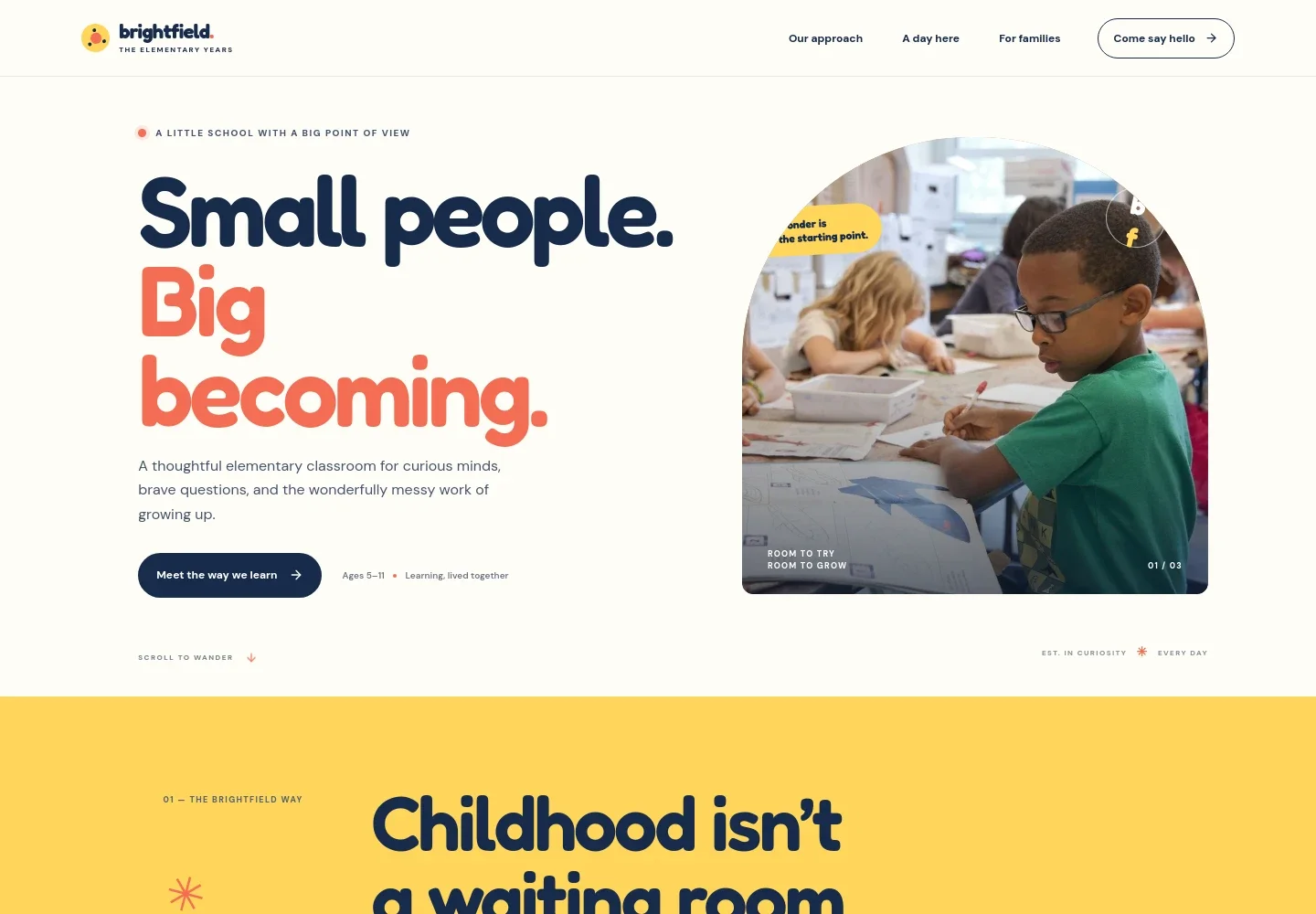
- Classroom introduction
- A prominent headline, short introduction, age range, and classroom photo quickly establish the elementary focus and invite visitors to learn about the approach.
- Teaching approach
- A concise statement explains the value placed on childhood, curiosity, purposeful work, and joyful learning.
- Learning principles
- Three principles describe starting with children’s questions, learning through meaningful projects, and building a classroom community.
- A learning cycle
- A four-step sequence, Notice, Wonder, Make, and Share, gives families a concrete view of how inquiry and hands-on exploration are presented.
- Information for families
- A welcoming closing section acknowledges that choosing a school brings questions and invites families to start a conversation by email.
- Footer
- A compact footer repeats the school identity, a short closing thought, and a link back to the top of the page.
How to use this template
Open in Revamp
Click Use this template and sign in or create an account. You’ll start with your own copy of the design, ready to personalize.
Bring your content
Replace the sample text, photos, and logo with your own. Share your content, a document, or an existing website, and ask Revamp to adapt the template to your business.
Refine and publish
Ask Revamp to adjust the colors, layout, or sections, or edit directly on the page. Review desktop and mobile, then publish. You can keep making changes after launch.
Put your website to work
Make it easier for families to arrange a visit or receive school updates. Ask Revamp to add the communication tools that suit your school.
-

Offer a simple way to book school visits
CalendlyGive families a convenient way to choose a time for a classroom tour. Ask Revamp to add visit booking with Calendly.
-

Keep school dates organized
Google CalendarHelp families keep track of visits, open days, and school events. Ask Revamp to connect a shared Google Calendar.
-

Share school news with families
MailchimpSend classroom or school updates to families who choose to subscribe. Ask Revamp to add an email signup connected to Mailchimp.
Frequently asked questions
Is this template free?
Yes. This premium template is free to use when you select Use this template. Free refers to the template itself.
Can I use my own content?
Yes. Ask Revamp to personalize the page with your school or classroom name, teaching approach, photos, contact details, and information for families.
Do I need coding skills?
No. You can ask Revamp to personalize the content and design without coding.
Can I change the design?
Yes. Ask Revamp to adjust the colors, typography, layout, imagery, and other design details to better suit your school.
Can I keep editing after publishing?
Yes. You can keep editing the site after launch and ask Revamp to make further changes.


