About this template
Help prospective students and families understand an engineering college’s approach to learning, the disciplines it offers, and what students can experience on campus. The page leads with hands-on engineering, then connects that idea to academic fields, workshop learning, and an invitation to visit.
The layout pairs editorial headlines and workshop photography with concise program descriptions and a clear visit section. This gives visitors a useful path from the college’s educational point of view to the practical details they may want to discuss.
Who it’s for
Engineering colleges and university engineering departments introducing their learning approach, academic disciplines, campus experience, and opportunities for prospective students to get in touch.
What’s included
The page moves from an overview of hands-on engineering education to specific disciplines, workshop learning, and a closing invitation to visit or start a conversation.
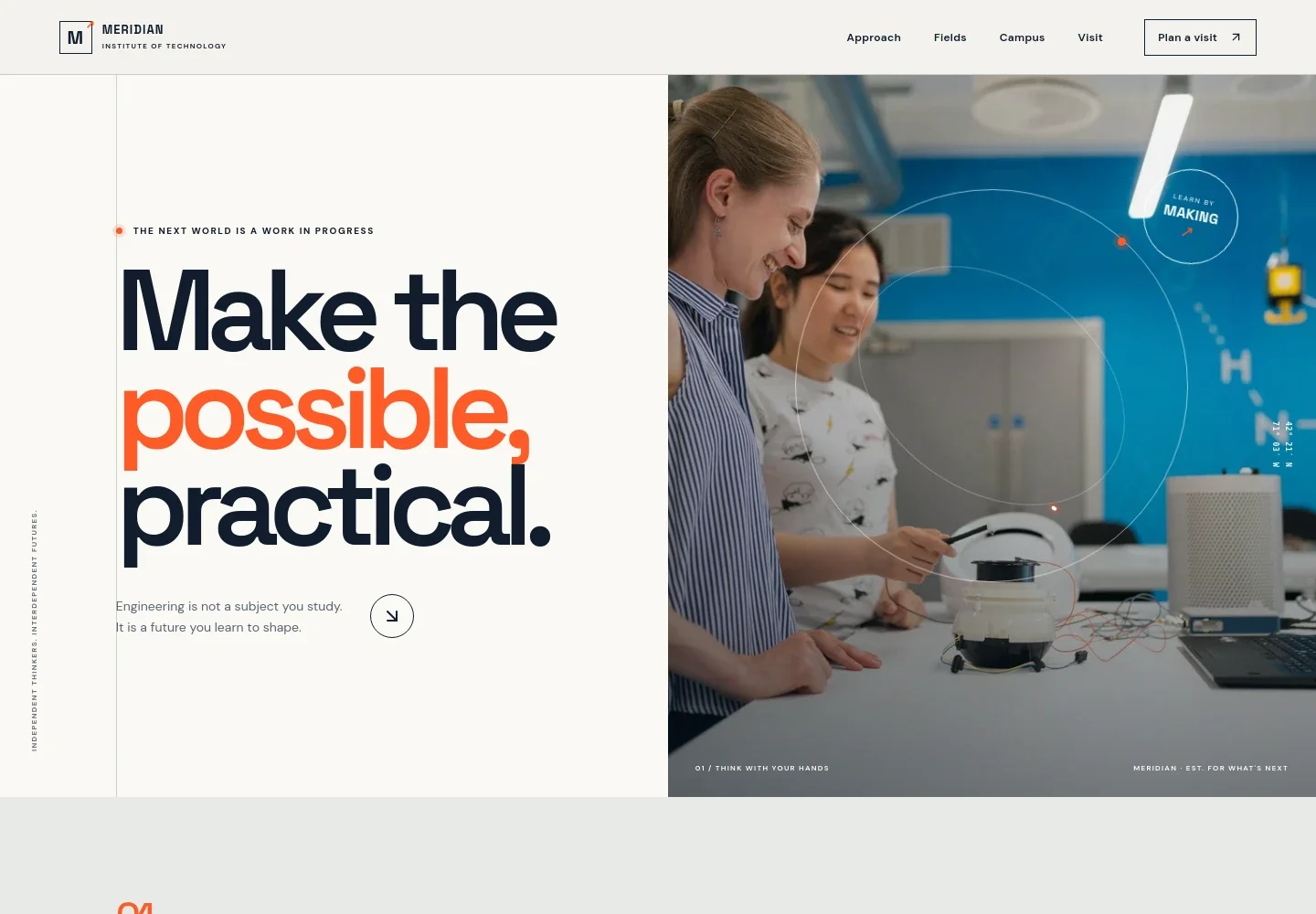
- Hero and navigation
- Introduces the institute with a prominent engineering-focused message, a photograph of people working at a prototype bench, and navigation to the approach, fields, campus, and visit sections.
- Educational approach
- Explains the college’s emphasis on curiosity, engineering fundamentals, and putting ideas to work in the workshop, the field, and communities.
- Learning sequence
- Presents a three-part method, Notice, Imagine, and Make, to show how students can move from observing a problem to testing an idea and improving a build.
- Engineering fields
- Introduces mechanical systems, electrical and computer engineering, and civil and environmental engineering, with a short description of the work in each field.
- Workshop learning
- Uses a close-up circuit-building image and supporting copy to describe practical learning through testing, modeling, and prototyping.
- Visit invitation
- Encourages prospective students to walk through studios, talk with a student, and learn about the college. The contact link can be personalized with the institution’s preferred contact details.
- Footer
- Closes with the institute identity, a back-to-top link, and a brief note identifying the sample institution and contact details as illustrative.
How to use this template
Open in Revamp
Click Use this template and sign in or create an account. You’ll start with your own copy of the design, ready to personalize.
Bring your content
Replace the sample text, photos, and logo with your own. Share your content, a document, or an existing website, and ask Revamp to adapt the template to your business.
Refine and publish
Ask Revamp to adjust the colors, layout, or sections, or edit directly on the page. Review desktop and mobile, then publish. You can keep making changes after launch.
Put your website to work
Make it easier for prospective students to take the next step by asking Revamp to add tools for campus visits, admissions inquiries, or event communication.
-

Let prospective students choose a convenient campus visit time
CalendlyAsk Revamp to add campus visit scheduling with Calendly so visitors can request a time to tour studios or meet with the admissions team.
-

Organize inquiry follow-up for prospective students
HubSpotAsk Revamp to connect HubSpot to help manage admissions inquiries and follow-up communication.
-

Keep prospective students informed about college events
MailchimpAsk Revamp to add Mailchimp for sending updates about open houses, campus events, and admissions information.
Frequently asked questions
Is this engineering college website template free?
Yes. This premium template is free to use through Use this template. Free refers to the template itself, not hosting or other services.
Can I use my college’s own content?
Yes. Ask Revamp to personalize the page with your college’s name, programs, campus information, photography, and contact details.
Do I need coding skills to personalize it?
No. Ask Revamp to change the content or design in natural language, without coding.
Can I change the design?
Yes. Ask Revamp to adjust the layout, colors, images, typography, and other design choices to suit your institution.
Can I keep editing after publishing?
Yes. You can keep editing the website after launch. Ask Revamp to update content or make design changes as your needs develop.


