About this template
Help prospective learners see how your English courses connect to real conversations, daily life, and work. The page introduces a teaching approach focused on listening, trying language in a supportive setting, and building confidence to speak.
Visitors can compare Everyday English, English at Work, and one-to-one lessons, then read how small classes make room for practice, useful language, and kind correction. A clear closing invitation encourages learners to share what they want to do in English and start a conversation.
Who it’s for
English language schools, independent English teachers, and course providers serving adult learners who want practical speaking practice for everyday situations or work.
What’s included
The design moves from a learner-focused introduction to the teaching approach, course options, class experience, and a direct contact invitation. Its course list and explanatory sections help visitors understand what they could study and how the learning environment is framed.
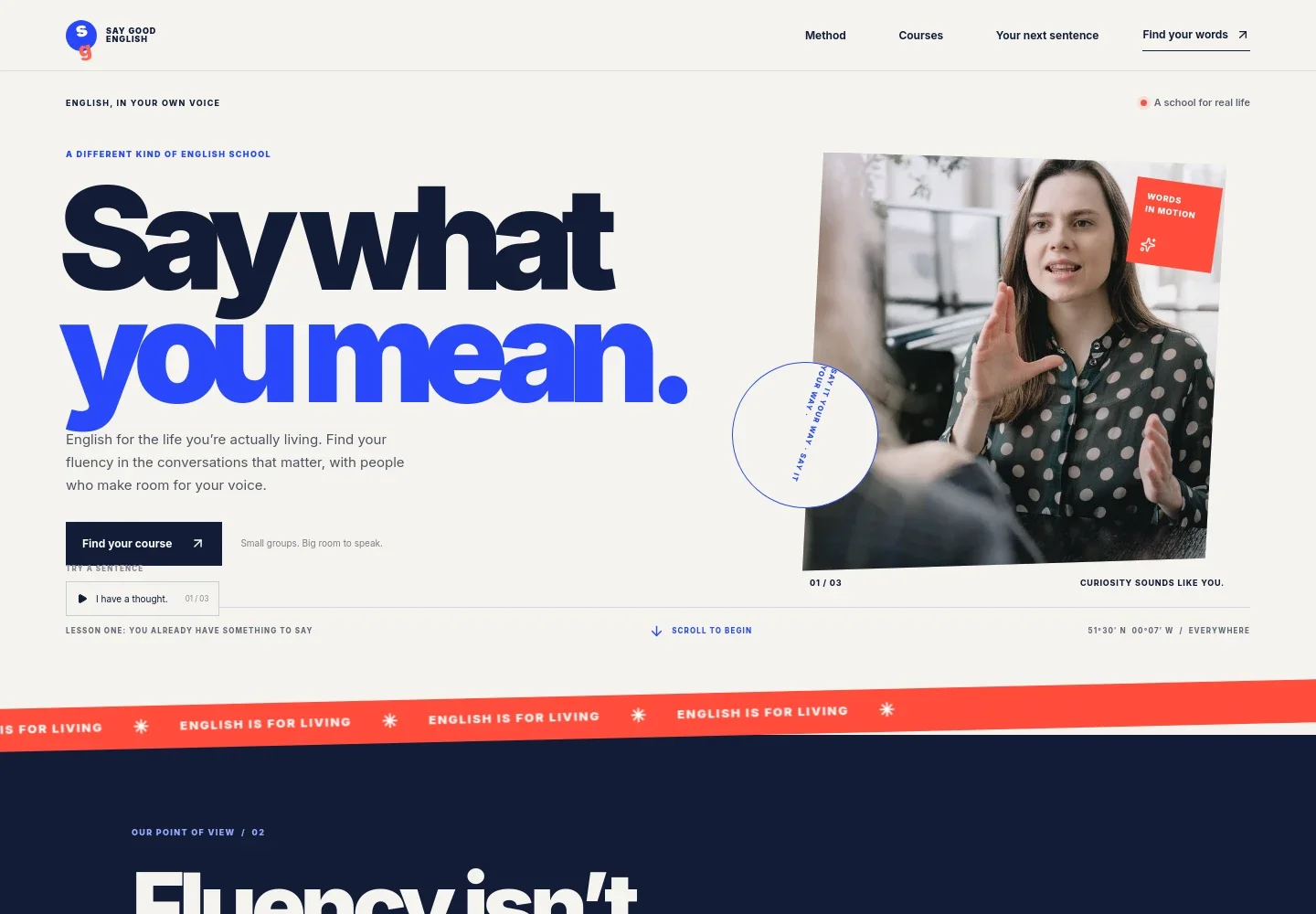
- Hero and course invitation
- A prominent headline and learner-focused image introduce English for everyday life, with a clear link to the course options and a note about small groups.
- Teaching approach
- A short explanation of the school's view of fluency is paired with a three-step sequence: listen to how people speak, try language in good company, and let your voice take space.
- Course options
- Three course rows describe Everyday English, English at Work, and one-to-one lessons. Each explains the learning focus and labels the format, helping visitors compare options at a glance.
- Class experience
- A conversation-class image and supporting copy describe small, lively classes, useful language, kind correction, and practice shaped around learner goals.
- Contact invitation
- The closing section asks visitors what they want to say in English and invites them to start a conversation about finding a suitable place to begin.
How to use this template
Open in Revamp
Click Use this template and sign in or create an account. You’ll start with your own copy of the design, ready to personalize.
Bring your content
Replace the sample text, photos, and logo with your own. Share your content, a document, or an existing website, and ask Revamp to adapt the template to your business.
Refine and publish
Ask Revamp to adjust the colors, layout, or sections, or edit directly on the page. Review desktop and mobile, then publish. You can keep making changes after launch.
Put your website to work
Make it easier to arrange lessons, manage learner enquiries, and keep students informed. Ask Revamp to add or connect tools that suit the way you run your English courses.
-

Let learners request a lesson time
CalendlyAsk Revamp to add consultation or lesson scheduling with Calendly so prospective students can request a convenient time to talk.
-

Organize prospective student enquiries
HubSpotAsk Revamp to connect HubSpot to help you track course enquiries and follow up with prospective learners.
-

Share course news with learners
MailchimpAsk Revamp to connect Mailchimp so you can manage email updates about course information and learning opportunities.
Frequently asked questions
Is this English courses template free?
Yes. This premium template is free to use when you select Use this template. Free refers to the template itself, not hosting or other services.
Can I use my own course content?
Yes. Ask Revamp to personalize the course names, lesson details, teaching approach, images, and contact information for your English school.
Do I need coding skills to customize the template?
No. You can ask Revamp to personalize the content and design without coding.
Can I change the design?
Yes. Ask Revamp to adjust the colors, imagery, layout, and other design details to suit your school.
Can I keep editing after publishing?
Yes. You can keep editing the website after launch. Ask Revamp to update your courses, content, or design as your school changes.


