About this template
Help prospective students see how English coaching can support the conversations that matter to them, from everyday exchanges to workplace meetings and presentations. The page presents one-to-one online lessons as personal, practical coaching shaped around each learner’s goals.
An editorial layout pairs bold, expressive typography with a central graphic and candid lifestyle photography. Dedicated sections explain the teaching approach, outline lesson areas, introduce the learning philosophy, and invite visitors to get in touch.
Who it’s for
Independent English teachers, tutors, and language coaches offering online one-to-one lessons to adult learners who want to communicate more comfortably in everyday life, at work, or in writing.
What’s included
The design gives visitors a clear path from understanding the coaching approach to comparing lesson focus areas and starting a conversation. Its personal tone and specific lesson descriptions suit an independent English teacher building trust with prospective students.
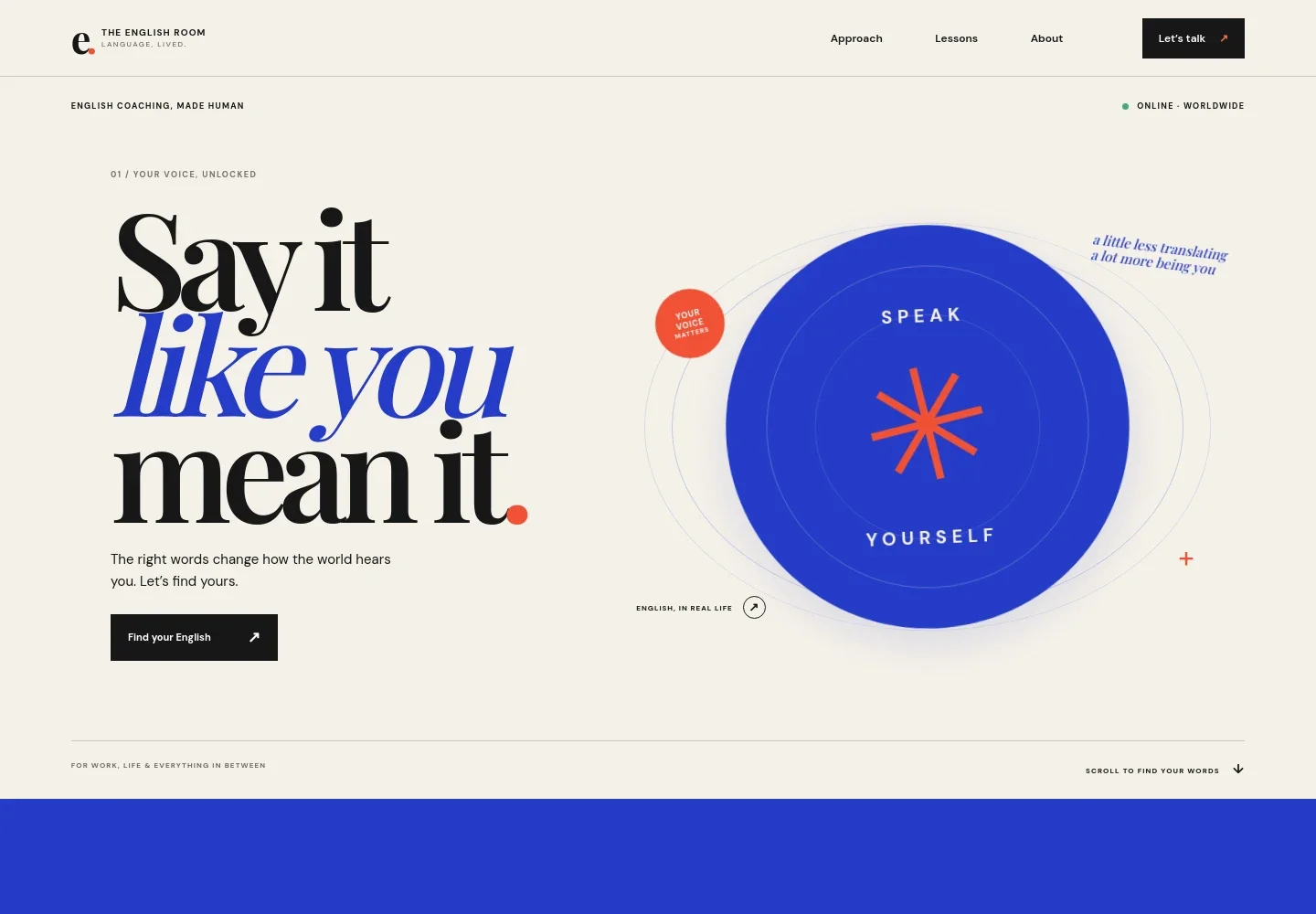
- Hero and navigation
- A branded header links to the approach, lessons, and about sections, with a prominent contact link. The hero introduces the coaching offer and positions English practice around the learner’s own voice.
- Teaching approach
- A focused statement explains the emphasis on practicing real conversations, thoughtful guidance, and learning without the pressure to speak perfectly.
- Lesson areas
- Three clearly separated lesson descriptions cover everyday conversation, work and presentations, and writing and fluency, helping learners identify the support relevant to them.
- About the learning experience
- A photograph and supporting copy describe a welcoming place to practice, build structure, and work toward feeling understood.
- Contact invitation
- A closing message invites prospective students to share what they want English to make possible, with an email link as the next step.
- Footer
- A compact footer repeats the teaching brand, notes online availability, and links visitors back to the top of the page.
How to use this template
Open in Revamp
Click Use this template and sign in or create an account. You’ll start with your own copy of the design, ready to personalize.
Bring your content
Replace the sample text, photos, and logo with your own. Share your content, a document, or an existing website, and ask Revamp to adapt the template to your business.
Refine and publish
Ask Revamp to adjust the colors, layout, or sections, or edit directly on the page. Review desktop and mobile, then publish. You can keep making changes after launch.
Put your website to work
Make it easier for learners to book lessons and keep in touch. Ask Revamp to add a scheduling or email tool that suits your teaching routine.
-

Let learners book a lesson time
CalendlyAsk Revamp to add lesson scheduling with Calendly so prospective students can request a suitable time.
-

Organize lesson times around your calendar
Google CalendarAsk Revamp to add booking options connected to Google Calendar to help coordinate lesson availability.
-

Share teaching updates by email
MailchimpAsk Revamp to add an email signup connected to Mailchimp for lesson news and useful English-learning updates.
Frequently asked questions
Is this English teacher website template free?
Yes. This premium template is free to use through Use this template. The offer is for the template itself, not hosting or other services.
Can I use my own teaching content?
Yes. Ask Revamp to personalize the page with your teaching approach, lesson descriptions, contact details, and other content.
Do I need coding skills to make changes?
No. You can ask Revamp to personalize the content and design without coding.
Can I change the design?
Yes. Ask Revamp to adjust the colors, typography, imagery, layout, or other design details to suit your teaching practice.
Can I keep editing the site after publishing?
Yes. You can keep asking Revamp to update your content and design after launch.


