About this template
Help prospective students understand how your language school teaches, which languages they can study, and how to take a first step. The design presents small-group conversation as the heart of learning, with language options including Spanish, French, Italian, Japanese, German, and Portuguese.
A clear learning approach, a dedicated studio section, and a direct contact invitation give visitors a path from discovering your teaching philosophy to getting in touch. The editorial typography and illustrated conversation scene give the school a warm, human feel without obscuring the practical details.
Who it’s for
Independent language schools, language tutors, and education businesses offering conversation-led language classes.
What’s included
The page moves from a concise introduction to the language options, teaching approach, class experience, and a contact invitation. Its visible sections help visitors quickly see what is taught and how to begin a conversation with the school.
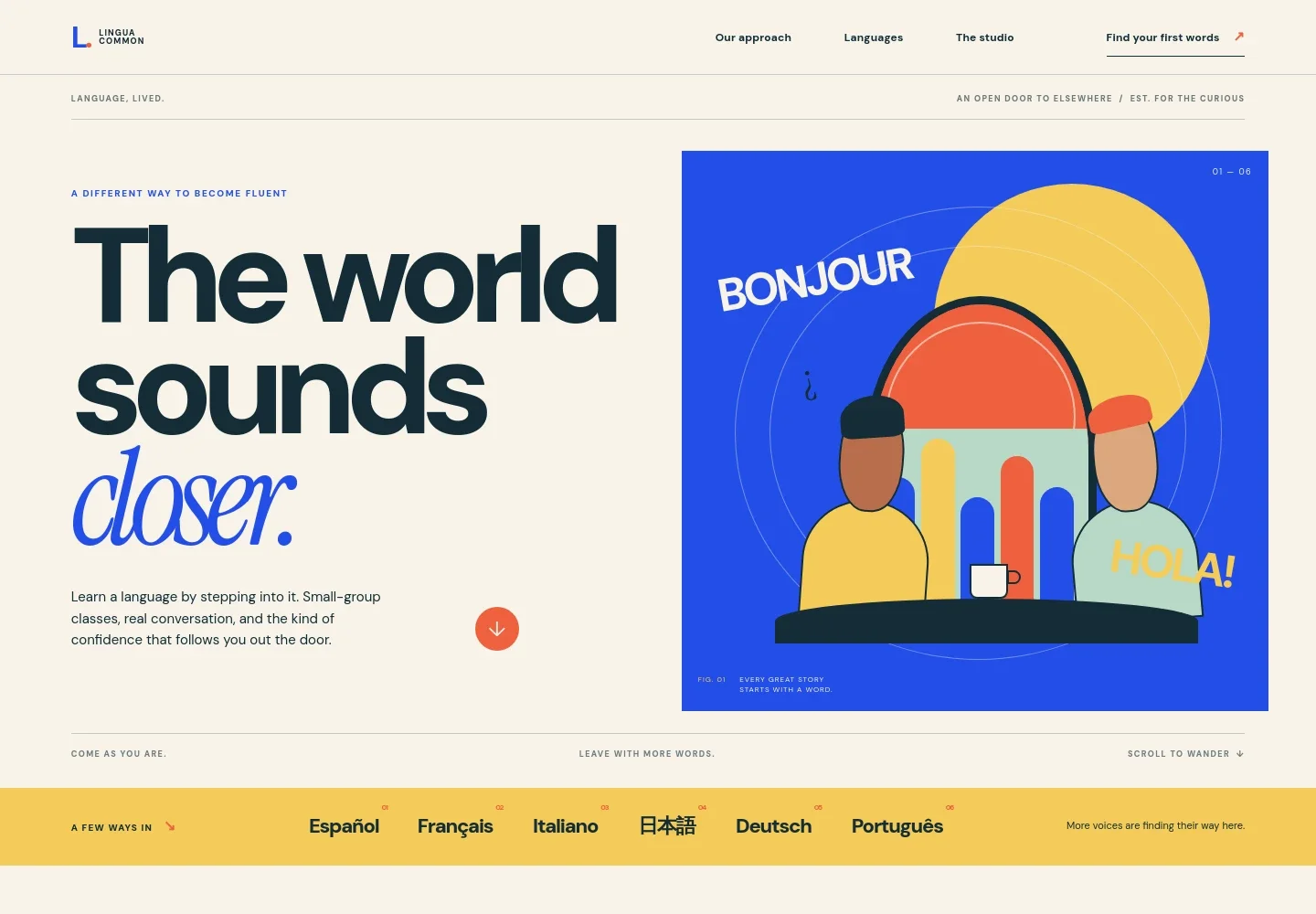
- Hero introduction
- A prominent headline and short description introduce the school’s conversation-focused approach, supported by an illustration of people talking across a table.
- Language options
- A dedicated list names six languages: Spanish, French, Italian, Japanese, German, and Portuguese. Visitors can scan the available subjects at a glance.
- Learning approach
- Three principles explain the emphasis on speaking early, learning useful everyday language with cultural context, and making space for a learner’s life.
- The studio
- A visual of a shared table and language-learning materials accompanies a description of live, small-group sessions built around real conversations.
- Contact invitation
- A closing section invites visitors to share the language they want to learn and get in touch. The displayed email address is illustrative and should be personalized.
- Footer navigation
- The footer repeats the school identity and includes a short motto and a link back to the top of the page.
How to use this template
Open in Revamp
Click Use this template and sign in or create an account. You’ll start with your own copy of the design, ready to personalize.
Bring your content
Replace the sample text, photos, and logo with your own. Share your content, a document, or an existing website, and ask Revamp to adapt the template to your business.
Refine and publish
Ask Revamp to adjust the colors, layout, or sections, or edit directly on the page. Review desktop and mobile, then publish. You can keep making changes after launch.
Put your website to work
Make it easier for prospective students to arrange an introductory conversation and for your school to manage inquiries. Ask Revamp to add or connect tools that fit your enrollment process.
-

Schedule introductory conversations
CalendlyLet prospective students choose a suitable time to discuss language goals. Ask Revamp to add consultation booking with Calendly.
-

Organize prospective student inquiries
HubSpotKeep track of prospective students and follow-up conversations in one place. Ask Revamp to connect HubSpot for contact management.
-

Coordinate introductory meetings
Google CalendarHelp staff keep prospective student meetings in sync with their calendars. Ask Revamp to add scheduling with Google Calendar.
Frequently asked questions
Is this template free?
Yes. This premium template is free to use through Use this template. The offer applies to the template itself, not hosting or other services.
Can I use my own content?
Yes. Ask Revamp to personalize the page with your school name, languages, class details, teaching approach, and contact information.
Do I need coding skills?
No coding skills are needed. Ask Revamp to make content and design changes for you.
Can I change the design?
Yes. Ask Revamp to adjust the colors, typography, layout, illustrations, or other design details to suit your language school.
Can I keep editing after publishing?
Yes. You can keep editing the site after launch. Ask Revamp whenever you want to update your content or design.


