About this template
Help prospective students understand a hospitality college’s people-first approach to learning. This design connects hotel operations, guest experience, food and service, and team leadership through clear sections and hospitality-focused photography.
A guided pathway section gives visitors ways to consider their interests, from guest experience and front office to hotel operations, food, service, and event craft. The page closes with a direct invitation to start a conversation.
Who it’s for
Hotel management colleges, hospitality schools, and university departments introducing their learning approach and helping prospective students identify areas of interest.
What’s included
The layout moves from the college’s approach to practical learning, areas of study, and possible directions in hospitality. Large editorial photography and clearly labeled sections help prospective students follow the story and find a next step.
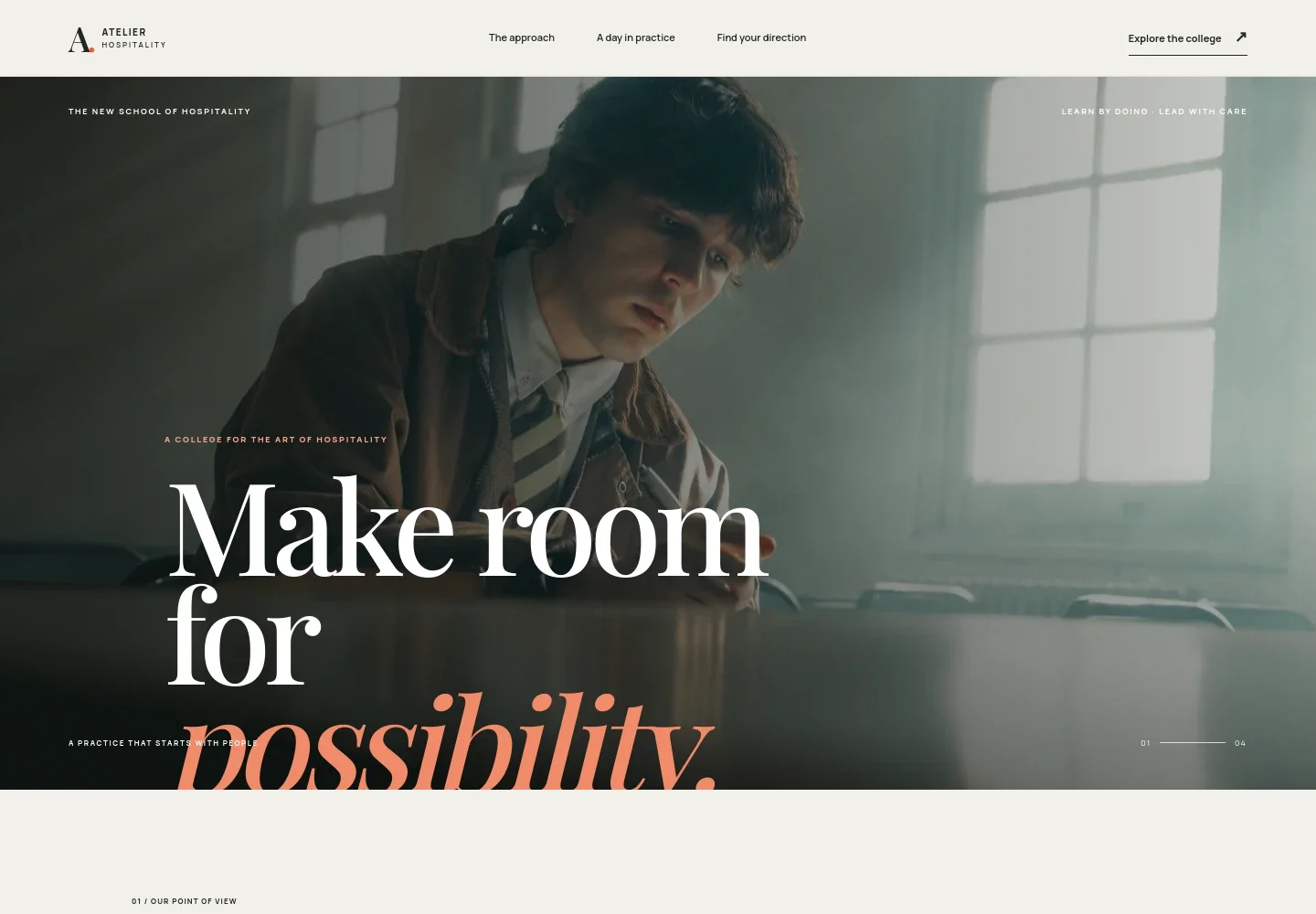
- Hospitality-focused hero
- A full-width classroom photograph, college positioning, and a concise introduction frame the site around learning the craft of making guests feel welcome.
- College approach
- A statement about the human side of hospitality explains how operational precision and attention to guests work together.
- Learning in practice
- A professional kitchen image and accompanying copy present hands-on learning as a way to understand service, food, and the guest experience.
- Areas of study
- Four clear topic rows introduce guest experience, hotel operations, food and service, and people and leadership, helping visitors scan the college’s subject areas.
- Human side of service
- A reception image and supporting copy focus on responding with attention and care, adding context to the practical learning approach.
- Hospitality pathways
- Three interest-led options connect welcoming people, making a room work, and bringing people together with related hospitality fields. A conversation link gives prospective students a visible next step.
How to use this template
Open in Revamp
Click Use this template and sign in or create an account. You’ll start with your own copy of the design, ready to personalize.
Bring your content
Replace the sample text, photos, and logo with your own. Share your content, a document, or an existing website, and ask Revamp to adapt the template to your business.
Refine and publish
Ask Revamp to adjust the colors, layout, or sections, or edit directly on the page. Review desktop and mobile, then publish. You can keep making changes after launch.
Put your website to work
A student information system or admissions platform can help organize prospective-student inquiries and application information. Ask Revamp to request a connection that fits your college’s admissions process.
-

Organize student applications
SlateKeep application records, enrollment details, and student information together. Ask Revamp to add an admissions workflow with Slate.
-

Manage student records
Ellucian BannerBring academic records and student administration into a shared system. Ask Revamp to connect your college website with Ellucian Banner.
-

Coordinate prospective-student communications
Salesforce Education CloudTrack inquiries and coordinate follow-up with prospective students. Ask Revamp to connect a student recruitment CRM such as Salesforce Education Cloud.
Frequently asked questions
Is this template free?
Yes. The premium template is free to use through Use this template. This applies to the template itself, not hosting or other services.
Can I use my own content?
Yes. Ask Revamp to personalize the page with your college name, program information, admissions details, photography, and contact information.
Do I need coding skills?
No coding skills are needed. Ask Revamp to make content and design changes in plain language.
Can I change the design?
Yes. Ask Revamp to adjust the colors, typography, imagery, layout, or sections to suit your institution.
Can I keep editing after publishing?
Yes. You can continue asking Revamp to update your content and design after launch.


