About this template
Help prospective students understand what you teach, how you guide learning, and where they can begin. This design presents an instructor or teaching studio through a clear teaching approach, three learning areas, a featured studio image, and a direct contact invitation.
The page is organized around learning through practice. Visitors can follow the Notice, Try, Make it yours method, then see how it relates to movement and body classes, creative practice, and practical life skills. An approachable studio section and contact area give them a natural next step.
Who it’s for
Independent instructors, educators, workshop leaders, and teaching studios offering movement, creative practice, or practical skills classes.
What’s included
The layout takes visitors from the instructor's teaching philosophy to the subjects offered, then to a personal introduction and contact invitation. Its distinct sections help explain both what people can learn and what the learning experience is like.
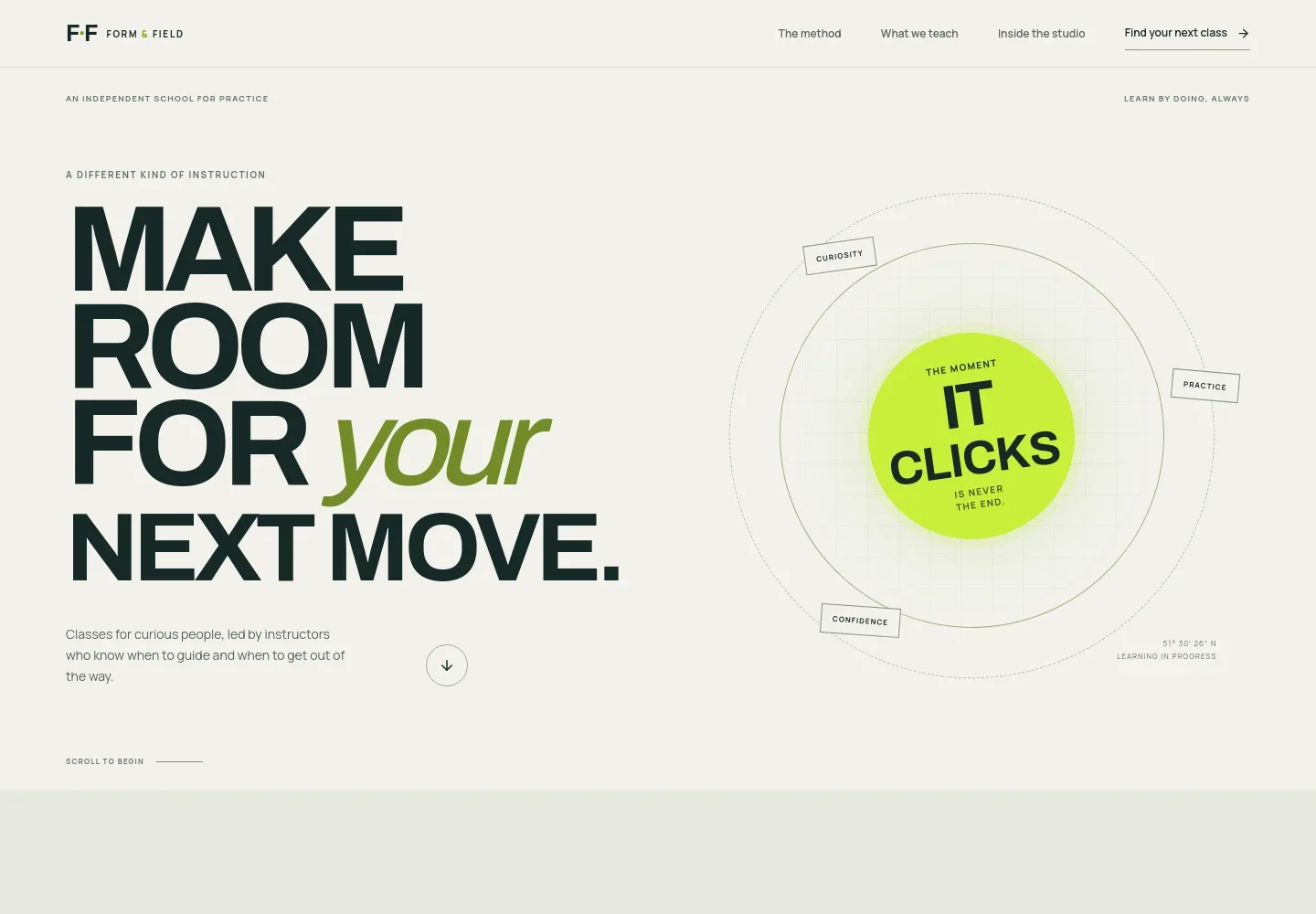
- Teaching-focused hero
- A prominent headline and short introduction frame the offer around hands-on learning, supported by an abstract illustration of curiosity, practice, and confidence.
- Learning philosophy
- A concise statement explains the focus on taking useful abilities away from a lesson, giving visitors context for the instructor's approach.
- Three-part teaching approach
- Notice, Try, and Make it yours describe a progression from paying attention to experimenting and building a personal practice.
- Classes and learning areas
- Three linked rows introduce Movement and body, Creative practice, and Skills for life, each with a short description of its subject.
- Studio introduction
- A large lesson image sits alongside copy about meeting learners where they are and making the next step feel possible.
- Contact invitation
- A closing section invites visitors to share what they want to learn and provides a direct email contact link.
How to use this template
Open in Revamp
Click Use this template and sign in or create an account. You’ll start with your own copy of the design, ready to personalize.
Bring your content
Replace the sample text, photos, and logo with your own. Share your content, a document, or an existing website, and ask Revamp to adapt the template to your business.
Refine and publish
Ask Revamp to adjust the colors, layout, or sections, or edit directly on the page. Review desktop and mobile, then publish. You can keep making changes after launch.
Put your website to work
Make it easier for learners to find a class, book a place, or stay informed. Ask Revamp to add connections suited to how you run your teaching business.
-

Simplify class scheduling
CalendlyAsk Revamp to add appointment booking with Calendly so prospective learners can choose an available time for a lesson or introductory conversation.
-

Keep class dates organized
Google CalendarAsk Revamp to connect Google Calendar so visitors can find relevant class dates and you can manage your teaching schedule.
-

Share class news with learners
MailchimpAsk Revamp to add an email signup connected to Mailchimp for sharing class announcements and learning updates.
Frequently asked questions
Is this instructor template free?
Yes. This premium template is free to use when you select Use this template. The offer applies to the template itself, not hosting or other services.
Can I use my own content?
Yes. Ask Revamp to personalize the page with your teaching approach, classes, images, contact details, and other content.
Do I need coding skills?
No. Ask Revamp to personalize the content and design for your teaching business without coding.
Can I change the design?
Yes. Ask Revamp to adjust the layout, colors, typography, imagery, or other design details to suit your classes and brand.
Can I keep editing after publishing?
Yes. You can continue editing after launch. Ask Revamp to update your teaching information, class offerings, or design as your business changes.


