About this template
Help event organizers, academic teams, and prospective audiences quickly understand your lecture formats and how to start a conversation. The design presents keynotes, guest lectures, and participatory learning labs with clear details about their format and duration.
A bold editorial layout pairs a lecturer portrait with a statement-led introduction, an explanation of the teaching approach, and a visual three-part sequence. The closing invitation asks organizers to share who will attend, what questions they are working through, and what they hope people take away.
Who it’s for
Independent lecturers, keynote speakers, educators, and academic professionals who want to present speaking formats and invite inquiries from event organizers, universities, and teams.
What’s included
The page moves from a clear introduction to the lecturer’s approach, speaking formats, and a direct invitation to begin a conversation, helping organizers find the details they need to consider an engagement.
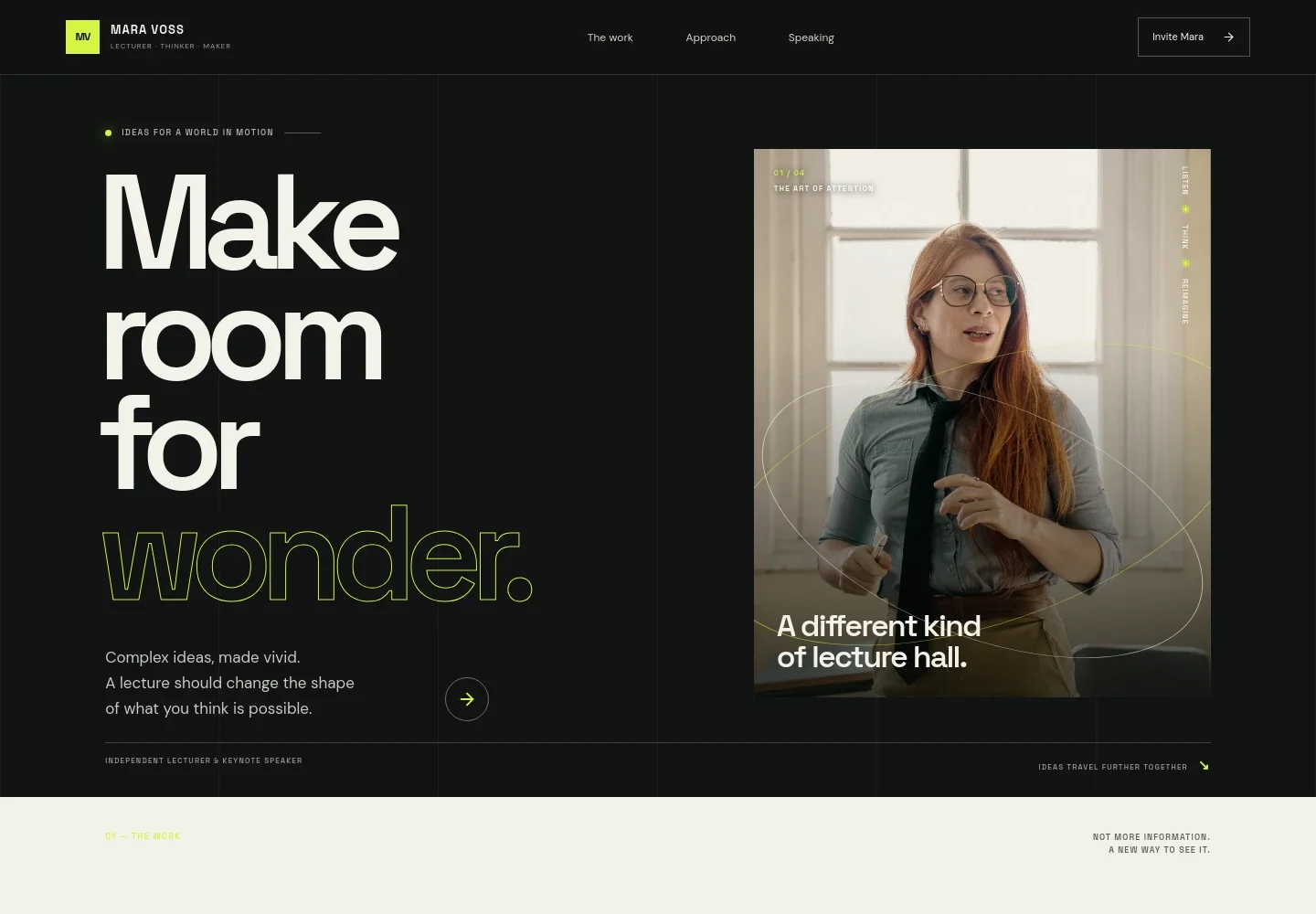
- Lecturer introduction
- A prominent headline, short statement about making complex ideas vivid, and lecturer image establish the focus of the practice and invite visitors to explore.
- The work
- An editorial statement explains the aim of a talk: to make ideas linger, connect, and give audiences a new way to see familiar subjects.
- Approach in three acts
- A chalkboard image accompanies a three-part sequence: notice a hidden pattern, connect unexpected ideas, and rethink the subject with a wider lens.
- Speaking formats
- Separate listings describe keynotes, guest lectures, and learning labs, with stated durations and brief explanations of the intended format.
- Start a conversation
- A closing inquiry section prompts organizers to share who will attend, what they are considering, and what they hope the audience takes away.
How to use this template
Open in Revamp
Click Use this template and sign in or create an account. You’ll start with your own copy of the design, ready to personalize.
Bring your content
Replace the sample text, photos, and logo with your own. Share your content, a document, or an existing website, and ask Revamp to adapt the template to your business.
Refine and publish
Ask Revamp to adjust the colors, layout, or sections, or edit directly on the page. Review desktop and mobile, then publish. You can keep making changes after launch.
Put your website to work
Make it easier to coordinate speaking inquiries and keep interested organizers informed. Ask Revamp to add or connect tools that suit the way you manage events and communications.
-

Coordinate event inquiries
CalendlyGive organizers a way to propose a time to discuss a lecture or event. Ask Revamp to add consultation booking with Calendly.
-

Keep event details organized
Google CalendarManage proposed talks and calendar availability in one place. Ask Revamp to connect Google Calendar for scheduling.
-

Share updates with interested organizers
MailchimpBuild an email audience for lecture announcements and related updates. Ask Revamp to connect Mailchimp for mailing-list signups.
Frequently asked questions
Is this template free?
Yes. The premium template is free to use through Use this template. This applies to the template, not hosting or other services.
Can I use my own content?
Yes. Ask Revamp to personalize the page with your own biography, lecture topics, formats, images, and contact details.
Do I need coding skills?
No coding is needed. Ask Revamp to personalize the content and design for your lecturer or speaking practice.
Can I change the design?
Yes. Ask Revamp to adjust the layout, colors, typography, imagery, or other design details to suit your work.
Can I keep editing after publishing?
Yes. You can keep editing after launch. Ask Revamp to update your content or design as your lecture formats and work change.


