About this template
Present a magazine’s editorial perspective, featured stories, and current issue in one cohesive publication homepage. The design pairs a large issue-cover feature with a short point-of-view section, story highlights, issue details, and a subscription enquiry section.
Bold display headlines, editorial photography, issue numbering, and clear story categories give visitors a sense of the publication’s identity and what they can read next. The layout gives print and digital magazines space to introduce an issue and guide readers from the cover to individual stories.
Who it’s for
Independent magazine publishers, editorial teams, and publishers of print or digital magazines who want to introduce their publication, feature stories, present a current issue, and invite subscription enquiries.
What’s included
The page moves from the magazine’s identity and current cover to its editorial perspective, selected stories, issue information, and subscription enquiry. Its clear editorial hierarchy helps visitors understand the publication and find a next step.
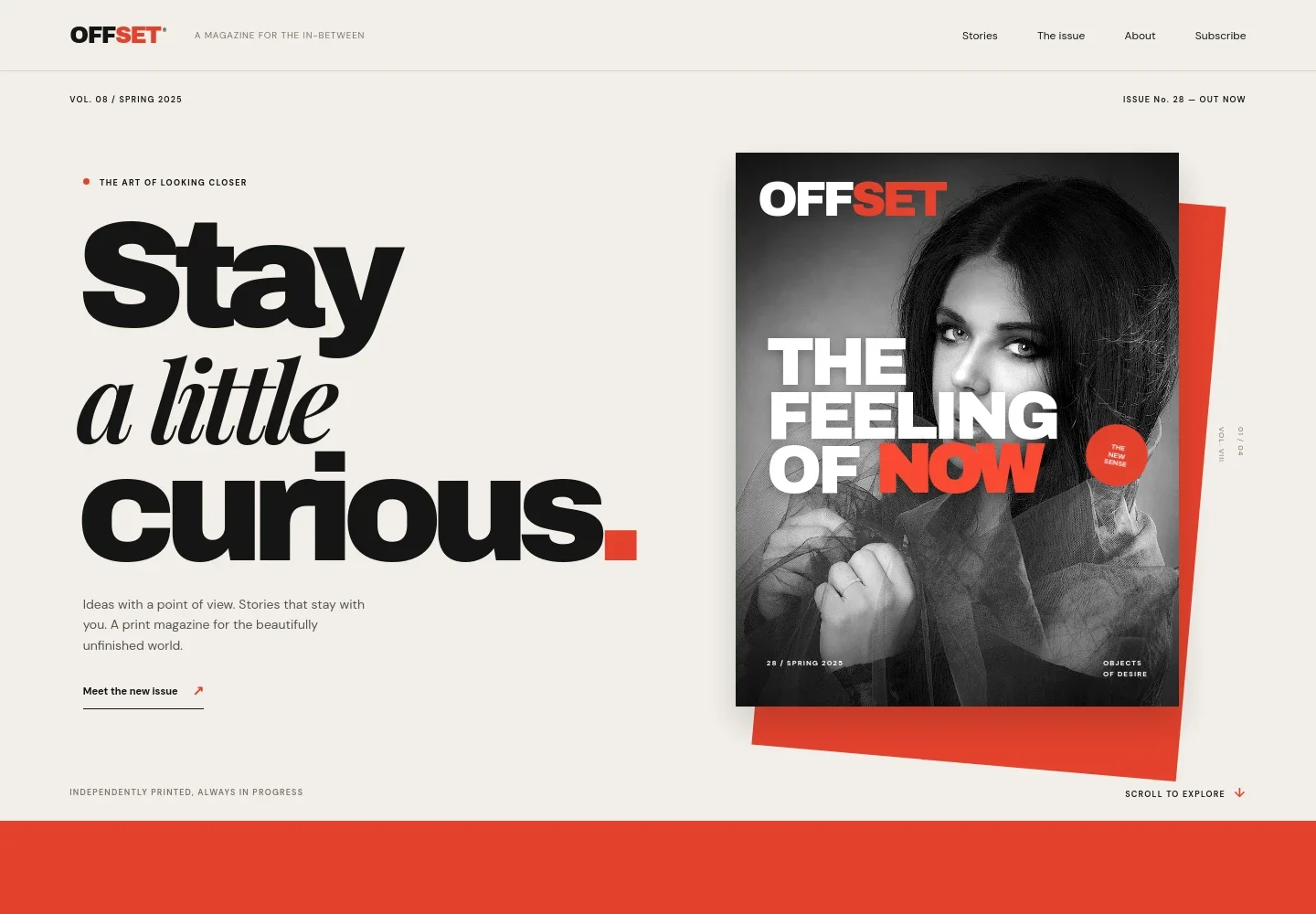
- Magazine cover and introduction
- A prominent issue-cover treatment sits beside an editorial headline, short introduction, and link to the current issue. Issue and volume labels help establish the publication’s rhythm.
- Editorial point of view
- A manifesto-style section introduces the magazine’s perspective with a large statement and concise supporting paragraph, giving readers context before they browse stories.
- Featured stories
- A lead story receives a large image, category label, headline, short summary, and reading link. Two additional story rows show their topics and titles, making the editorial selection easy to scan.
- Current issue
- A dedicated issue feature presents the issue number, season, print and digital formats, theme, and a short introduction, with a link toward getting a copy.
- Subscription enquiry
- A closing callout describes a monthly magazine note and invites visitors to ask about subscribing, followed by a footer with publication identity and back-to-top navigation.
How to use this template
Open in Revamp
Click Use this template and sign in or create an account. You’ll start with your own copy of the design, ready to personalize.
Bring your content
Replace the sample text, photos, and logo with your own. Share your content, a document, or an existing website, and ask Revamp to adapt the template to your business.
Refine and publish
Ask Revamp to adjust the colors, layout, or sections, or edit directly on the page. Review desktop and mobile, then publish. You can keep making changes after launch.
Put your website to work
Build a reader list and organize subscription enquiries by asking Revamp to add or connect tools such as these.
-

Grow a reader email list
MailchimpKeep readers informed about new stories and issue announcements. Ask Revamp to add newsletter signup with Mailchimp.
-

Track subscription enquiries
HubSpotOrganize incoming reader enquiries and follow-up. Ask Revamp to connect HubSpot for contact management.
Frequently asked questions
Is this magazine template free?
Yes. This premium template is free to use through Use this template. This applies to the template itself, not hosting or other services.
Can I use my own magazine content?
Yes. Ask Revamp to personalize the publication name, issue details, photography, editorial copy, story categories, and subscription wording for your magazine.
Do I need coding skills?
No. You can ask Revamp to personalize the content and design without coding.
Can I change the design?
Yes. Ask Revamp to adjust the colors, typography, layout, imagery, and other design details to suit your publication.
Can I keep editing after publishing?
Yes. You can keep asking Revamp to update your site after launch, including new issue information, stories, and design changes.