About this template
Help prospective students see what they can learn, how lessons are taught, and where to begin. This music academy design features private lessons, group music-making, and programs for young musicians, with piano, voice, guitar, bass, strings, and production represented.
The page presents a student-centered teaching approach: start with music a learner enjoys, build technique through one-to-one instruction, then make room to play with others. Studio photography and a clear invitation to start a conversation help visitors picture the learning environment and take a next step.
Who it’s for
Music schools, independent academies, and teaching studios offering private instruction, group sessions, or music programs for young people.
What’s included
The page guides prospective students from the academy’s teaching approach to learning options, a look at the studio, and a clear invitation to ask about getting started.
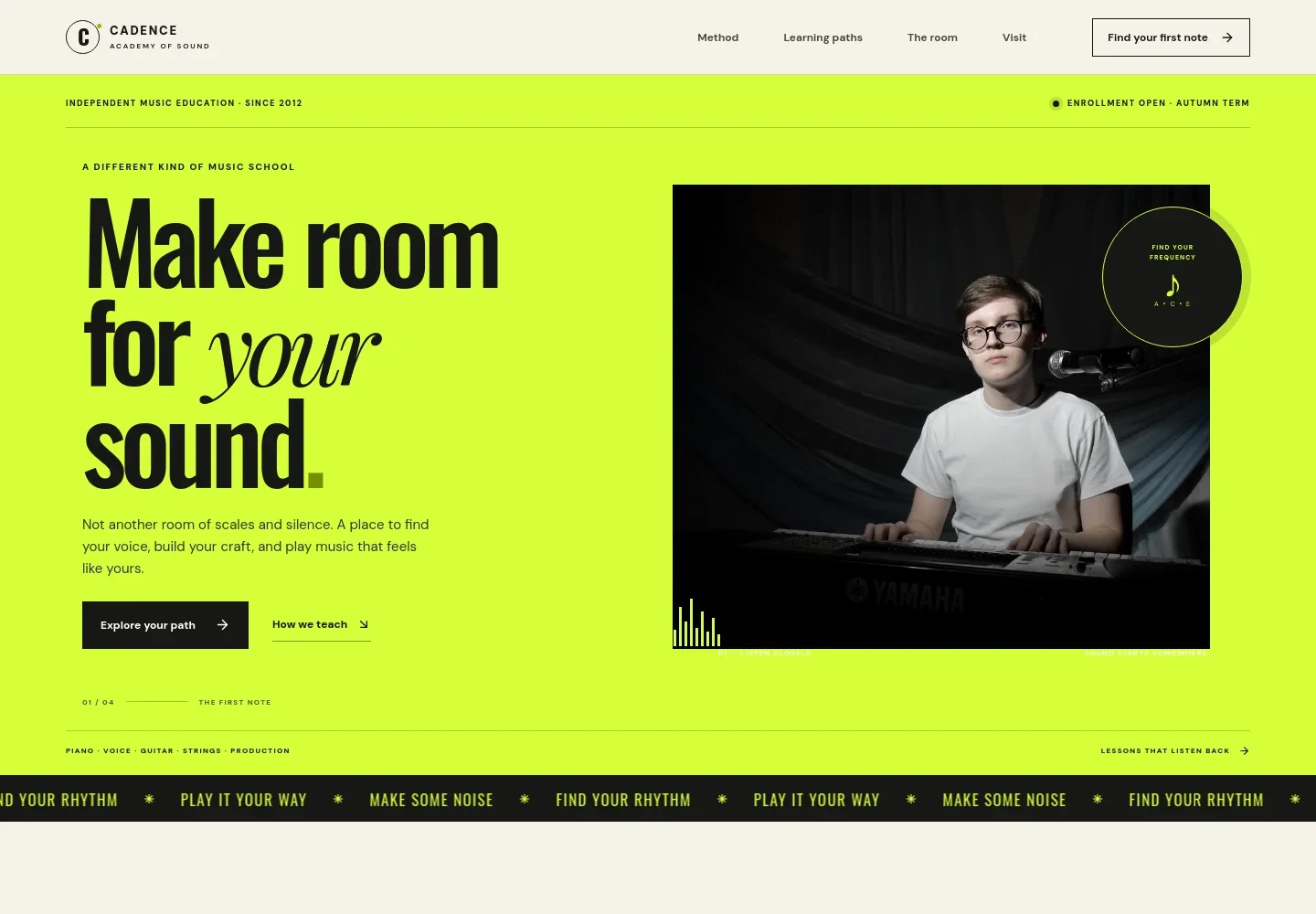
- Academy introduction
- A prominent headline, student-at-keyboard image, instrument list, and enrollment note introduce the academy and give visitors an immediate sense of its focus.
- Teaching method
- Explains an approach that begins with each learner’s musical interests, builds skills through individual teaching, and encourages students to make music with others.
- Learning paths
- Three distinct options describe private lessons, group playing such as ensembles and songwriting, and programs for young musicians ages 6 to 17.
- Studio
- A rehearsal image and studio overview help visitors picture a welcoming place to learn, practice, and make music.
- Start a conversation
- A final contact prompt invites prospective students to discuss instruments, teachers, and a suitable place to begin.
How to use this template
Open in Revamp
Click Use this template and sign in or create an account. You’ll start with your own copy of the design, ready to personalize.
Bring your content
Replace the sample text, photos, and logo with your own. Share your content, a document, or an existing website, and ask Revamp to adapt the template to your business.
Refine and publish
Ask Revamp to adjust the colors, layout, or sections, or edit directly on the page. Review desktop and mobile, then publish. You can keep making changes after launch.
Put your website to work
Make it easier to coordinate lesson times and keep students and families informed. Ask Revamp to add scheduling or communication tools that suit your academy.
-

Simplify lesson scheduling
CalendlyAsk Revamp to add appointment booking with Calendly so prospective students can request a time to discuss lessons.
-

Keep lesson dates organized
Google CalendarAsk Revamp to connect Google Calendar to help students and families keep track of lesson times and academy events.
-

Share academy updates
MailchimpAsk Revamp to connect Mailchimp for sending newsletters about term dates, programs, and academy news.
Frequently asked questions
Is this music academy template free?
Yes. This premium template is free to use when you select Use this template. Free refers to the template itself.
Can I use my own academy content?
Yes. Ask Revamp to personalize the page with your academy name, lesson options, instruments, teaching approach, studio images, and contact details.
Do I need coding skills?
No coding skills are needed. Ask Revamp to personalize the content and design for your academy.
Can I change the design?
Yes. Ask Revamp to adjust the colors, imagery, typography, or layout to better suit your music school.
Can I keep editing after publishing?
Yes. You can keep asking Revamp to update your content and design after your site launches.


