About this template
Help families understand your music classes, teaching approach, and how a child can get started. The page introduces a learning style centered on listening, trying sounds, making music, and sharing it.
A clear program list organizes classes by age and interests, from early music activities to instrument exploration, band practice, and songwriting. A first-visit section explains how families can get acquainted without an audition or prior experience.
Who it’s for
For children's music schools, independent music teachers, and class providers who want to explain their programs to parents and caregivers.
What’s included
The design leads families from the teaching approach to age-based class options, a simple first-visit outline, and a contact invitation. Its welcoming language and prominent program descriptions help parents find a suitable starting point.
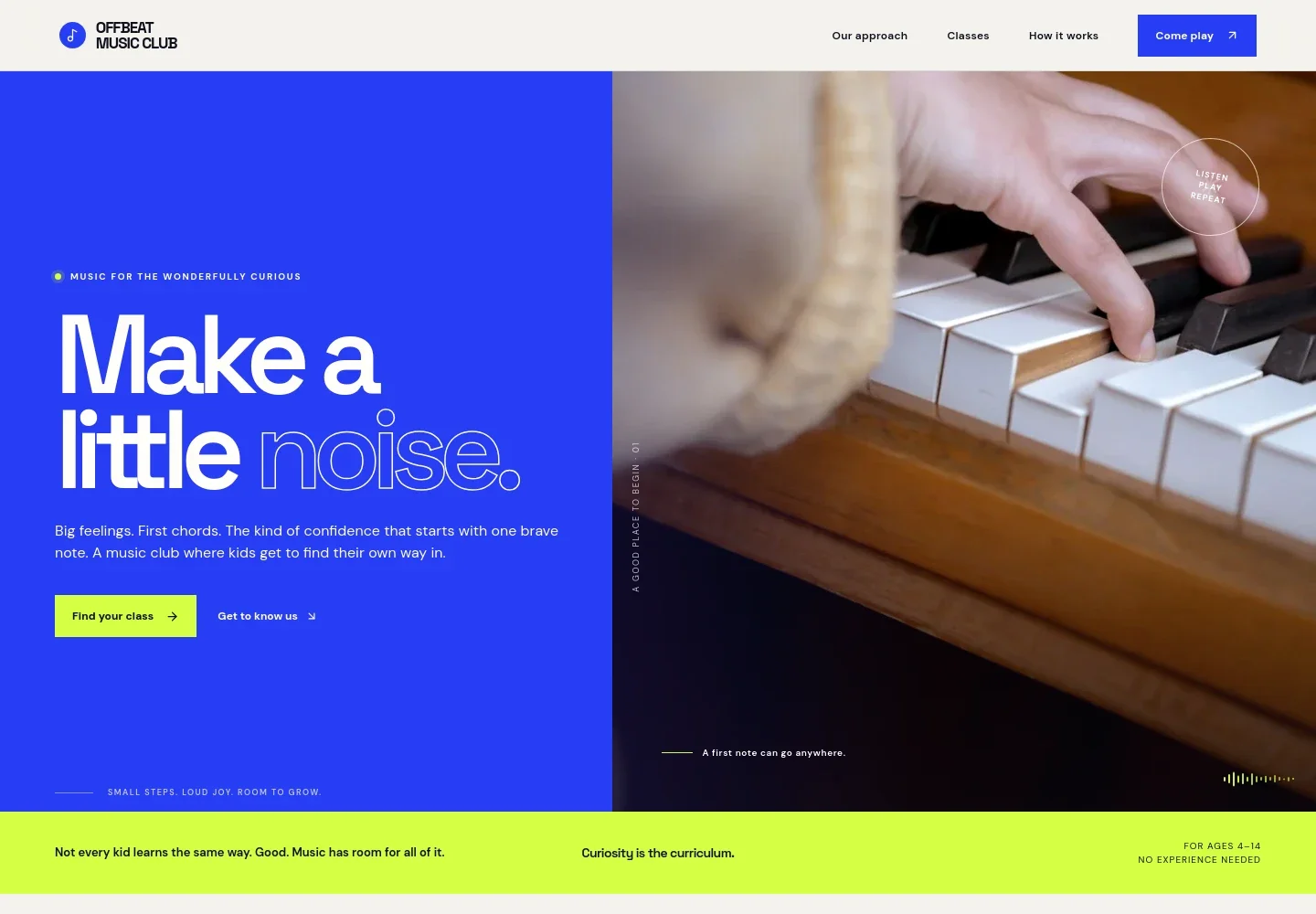
- Hero and introduction
- Opens with a music-making image, a concise welcome, and links to the classes and teaching approach. An age range and note about beginners help families quickly see whether the offering may suit their child.
- Teaching approach
- Explains a hands-on learning sequence: listen, explore, make, and share. The short steps make the school's approach easy for parents to understand.
- Class programs
- Presents four distinct options with age ranges and descriptions: Tiny Tempo, Instrument Lab, Band Practice, and Songmakers. Families can compare early music activities, instrument exploration, group playing, and songwriting.
- Making music together
- Pairs a family music-making image with copy about listening, taking turns, and making room for different ideas, emphasizing the shared side of learning music.
- First visit
- Outlines three steps for getting started, from sharing a child's interests to trying a session and finding a fitting class and pace.
- Contact invitation
- Encourages parents to get in touch with questions or share what their child wants to try, with a direct email link.
How to use this template
Open in Revamp
Click Use this template and sign in or create an account. You’ll start with your own copy of the design, ready to personalize.
Bring your content
Replace the sample text, photos, and logo with your own. Share your content, a document, or an existing website, and ask Revamp to adapt the template to your business.
Refine and publish
Ask Revamp to adjust the colors, layout, or sections, or edit directly on the page. Review desktop and mobile, then publish. You can keep making changes after launch.
Put your website to work
A scheduling tool can help families find a convenient time to visit or discuss classes. Ask Revamp to add a booking option that fits your enrollment process.
-

Schedule introductory conversations
CalendlyMake it easier for parents to choose a time to talk about class options. Ask Revamp to add consultation booking with Calendly.
Frequently asked questions
Is this music class template free?
Yes. This premium template is free to use when you select Use this template. Free refers to the template itself.
Can I use my own content?
Yes. Ask Revamp to personalize the class names, age groups, teaching approach, images, and contact details with your own content.
Do I need coding skills?
No. You can ask Revamp to personalize the content and design without coding.
Can I change the design?
Yes. Ask Revamp to adjust the layout, colors, imagery, and other design details to suit your music program.
Can I keep editing after publishing?
Yes. You can continue editing the site after launch. Ask Revamp to update class information, content, or design as your program changes.


