About this template
Help prospective learners understand your approach to live online education, see an example classroom, and find a clear way to get in touch. The layout introduces learning through participation, small groups, shared activities, and practical next steps.
A featured classroom section gives visitors a concrete example of a learning offer, while the educator section explains a three-part teaching approach: arrive curious, make it together, and leave with a next step. Replace the sample name, classroom details, images, and contact information with your own.
Use the page to introduce your online school, course business, educator community, or live learning program. Ask Revamp to personalize the content and design around your subjects, audience, and enrollment process.
Who it’s for
For online educators, course providers, training businesses, and learning communities that want to explain their teaching approach and help prospective learners find a class.
What’s included
The page moves from the learning idea to a sample classroom, a clear teaching approach, and a contact invitation. This gives learners and educators a useful overview without making them piece together how the program works.
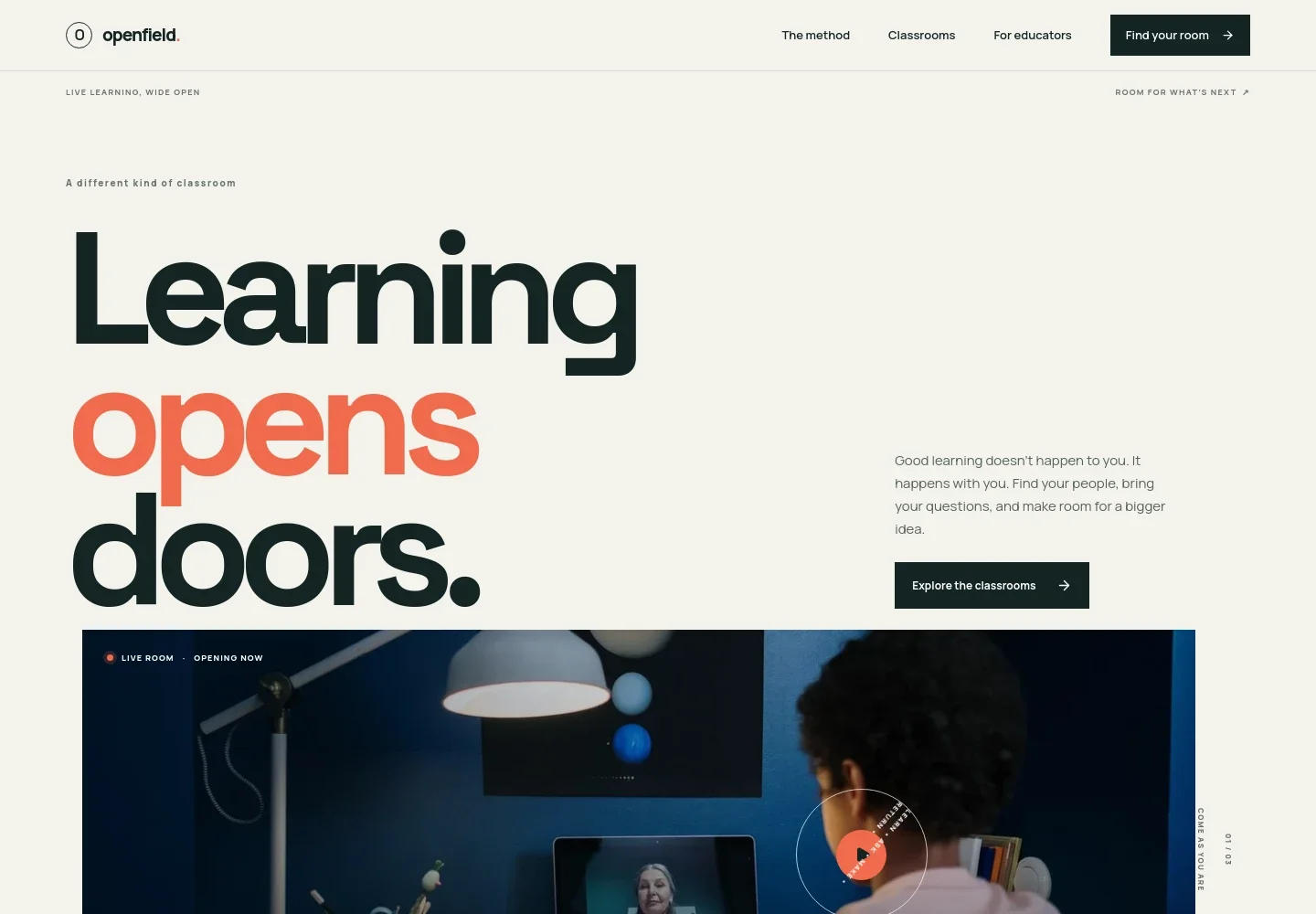
- Learning-focused introduction
- A prominent headline, short explanation, and classroom image introduce the idea of live, participatory learning and direct visitors toward the classroom example.
- Teaching approach
- A concise statement about small live classes explains the learning philosophy, supported by a visual path marked ask, try, and share.
- Featured classroom
- A classroom example presents a guided small-group learning experience, with descriptive copy and tags for live sessions, small groups, and all levels.
- Educator guide
- An educator image accompanies three numbered teaching principles: arrive curious, make it together, and leave with a next step.
- Contact invitation
- A closing call to action invites visitors to get in touch about finding a place in the classroom, with space for contact details.
How to use this template
Open in Revamp
Click Use this template and sign in or create an account. You’ll start with your own copy of the design, ready to personalize.
Bring your content
Replace the sample text, photos, and logo with your own. Share your content, a document, or an existing website, and ask Revamp to adapt the template to your business.
Refine and publish
Ask Revamp to adjust the colors, layout, or sections, or edit directly on the page. Review desktop and mobile, then publish. You can keep making changes after launch.
Put your website to work
Make it easier to schedule live classes, manage course materials, and collect enrollment payments. Ask Revamp to add connections that suit your teaching and enrollment process.
-

Simplify class scheduling
CalendlyGive learners a straightforward way to choose a time for a class or introductory call. Ask Revamp to add appointment booking with Calendly.
-

Organize courses and learner progress
MoodleBring course content, learner activity, and class administration into a learning platform. Ask Revamp to connect your site with Moodle.
-

Collect enrollment payments
StripeOffer a convenient way to pay for courses or class enrollment. Ask Revamp to add payment options with Stripe.
Frequently asked questions
Is this template free?
Yes. This premium template is free to use through Use this template. Free refers to the template itself, not hosting or other services.
Can I use my own content?
Yes. You can personalize the text, images, classroom details, and contact information for your own learning business. Ask Revamp to make those changes.
Do I need coding skills?
No coding skills are needed. Ask Revamp to personalize the content and design in plain language.
Can I change the design?
Yes. Ask Revamp to adjust the layout, colors, imagery, and other design details to fit your school or teaching brand.
Can I keep editing after publishing?
Yes. You can keep editing after launch. Ask Revamp to update your content or design as your classes and learning offer change.


