About this template
Help prospective students understand your online learning approach, browse academic fields, and find a direction that fits their interests and commitments. The page introduces flexible study, course materials, seminars, and tutor guidance in clear, student-focused language.
A strong hero introduces the university and its central promise, followed by a learning-method section and four clearly organized fields of study. Further sections explain how online study and seminars work, then guide visitors toward a conversation about their next academic step.
Who it’s for
Designed for online universities and higher education providers introducing their learning approach and academic subjects to prospective students, including people balancing study with work or other commitments.
What’s included
The page helps prospective students move from understanding the university's approach to comparing study areas and starting a conversation about their options. Its editorial layout pairs concise explanations with student and seminar imagery, making the learning experience and next steps easy to follow.
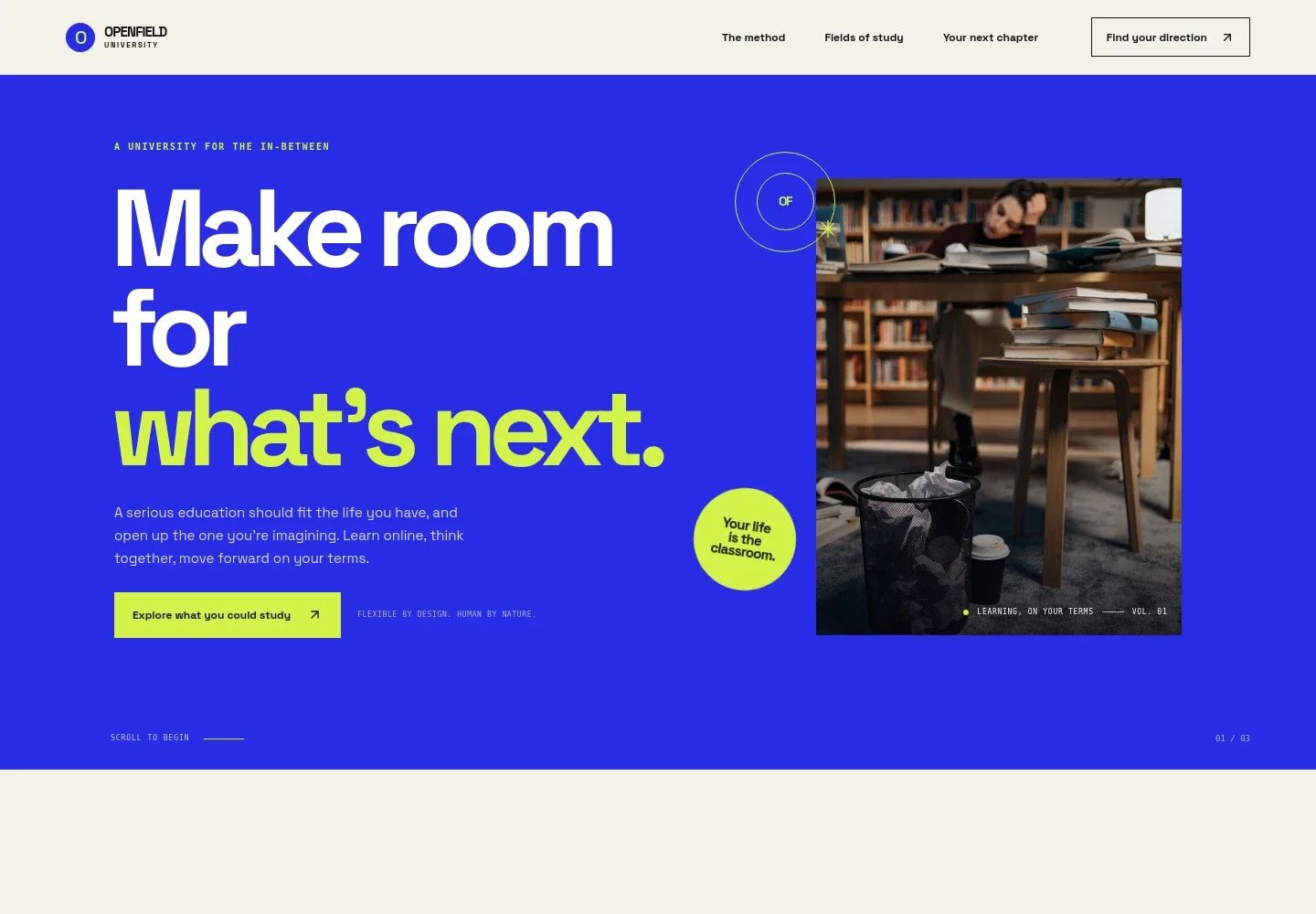
- University introduction
- A prominent headline, student image, and concise introduction present online study as flexible and connected to students' lives. A clear link leads visitors to the study fields.
- Learning approach
- Explains focused online study, lively seminars, and applying new ideas in everyday settings, giving visitors a practical sense of how learning is framed.
- Fields of study
- Four numbered rows introduce business and leadership, technology and data, culture and society, and health and wellbeing. Each row includes a short description and subject tags for quick comparison.
- Seminars and tutor guidance
- A seminar image and supporting copy describe shared discussion, asking questions, and guidance from tutors, helping visitors understand the social side of online learning.
- Study structure
- A three-part list covers clear course structures, seminar discussion, and connecting concepts to real-world questions. The adjacent study image supports this explanation.
- Next-step contact
- A closing section invites prospective students to talk through their options, with a contact link and space for the university's contact details.
How to use this template
Open in Revamp
Click Use this template and sign in or create an account. You’ll start with your own copy of the design, ready to personalize.
Bring your content
Replace the sample text, photos, and logo with your own. Share your content, a document, or an existing website, and ask Revamp to adapt the template to your business.
Refine and publish
Ask Revamp to adjust the colors, layout, or sections, or edit directly on the page. Review desktop and mobile, then publish. You can keep making changes after launch.
Put your website to work
Make it easier for prospective students to ask questions, arrange conversations, and hear about program updates. Ask Revamp to add or connect tools suited to your admissions process.
-

Make admissions conversations easier to schedule
CalendlyAsk Revamp to add consultation booking with Calendly so prospective students can choose a time to discuss study options.
-

Keep prospective students informed about programs
MailchimpAsk Revamp to connect Mailchimp for email updates about academic fields, events, or admissions information.
-

Organize inquiries from prospective students
HubSpotAsk Revamp to connect HubSpot to help manage prospective-student inquiries and follow-up conversations.
Frequently asked questions
Is this online university template free?
Yes. This premium template is free to use when you select Use this template. The offer applies to the template itself.
Can I use my own university content?
Yes. Ask Revamp to personalize the page with your institution's details, academic fields, learning approach, images, and contact information.
Do I need coding skills to customize it?
No. Ask Revamp to personalize the content and design in plain language, without coding.
Can I change the design?
Yes. Ask Revamp to adjust the page's visual style, imagery, colors, or layout to suit your university.
Can I keep editing the site after publishing?
Yes. You can keep asking Revamp to update the site after launch as your programs, information, or design needs change.


