About this template
Help prospective students understand how you guide them from early questions to a considered study-abroad plan. The page introduces your approach to choosing a course and destination, preparing applications, and planning for the move.
A destination overview names the United Kingdom, Europe, the United States and Canada, and Australia and New Zealand. Paired with a visual, editorial layout, it helps visitors see the range of possibilities and start a conversation about what might suit them.
Who it’s for
Overseas education consultants, study-abroad counsellors, and international education advisers who want to explain their guidance to students and families.
What’s included
The design gives visitors a clear path through your offer: understand your approach, consider destinations, see how you support the planning process, and find a way to get in touch.
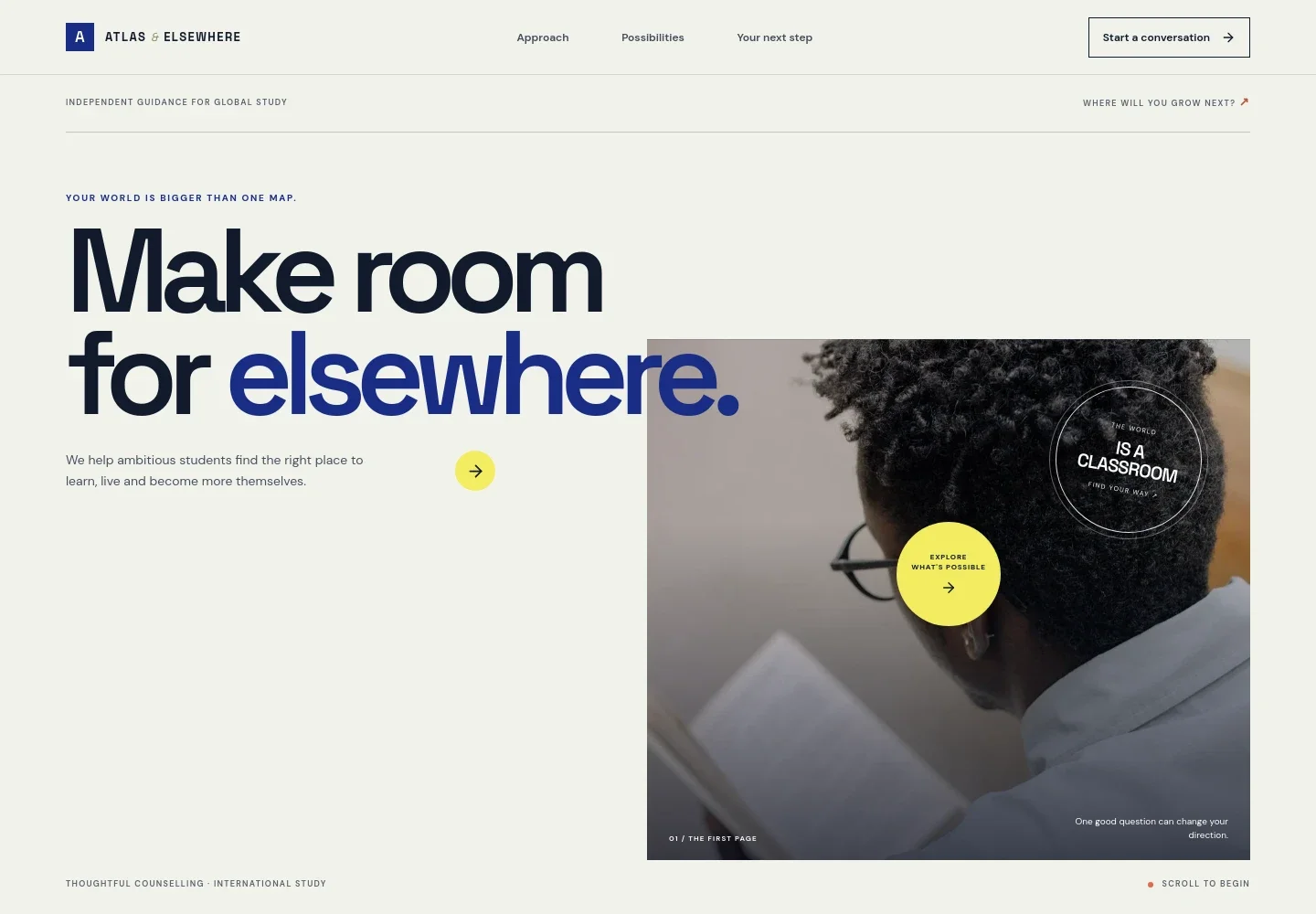
- Study-abroad hero
- A prominent headline, student-in-library image, and concise introduction establish the focus on international study. A visible call to action leads visitors toward learning about your approach.
- Point of view
- A short statement presents education planning as a personal choice, setting out a thoughtful perspective before the practical guidance.
- Three-step study journey
- A connected route explains how students can find a direction, build a shortlist by comparing courses, campuses, and countries, then prepare an application and plan for departure.
- Study destinations
- A destination list covers the United Kingdom, Europe, the United States and Canada, and Australia and New Zealand. Supporting copy emphasizes personal fit and helps visitors begin weighing their options.
- Guidance and support
- Three concise points describe course and destination research, application preparation, and support with next steps. A planning image reinforces the practical focus.
- Contact invitation
- A closing section encourages prospective students to start with a question, idea, or destination they are considering, with a prominent conversation link.
How to use this template
Open in Revamp
Click Use this template and sign in or create an account. You’ll start with your own copy of the design, ready to personalize.
Bring your content
Replace the sample text, photos, and logo with your own. Share your content, a document, or an existing website, and ask Revamp to adapt the template to your business.
Refine and publish
Ask Revamp to adjust the colors, layout, or sections, or edit directly on the page. Review desktop and mobile, then publish. You can keep making changes after launch.
Put your website to work
Make it easier to follow up with prospective students and keep enquiries organized. Ask Revamp to add or connect tools that fit the way you manage consultations and communication.
-

Offer convenient consultation times
CalendlyAsk Revamp to add consultation booking with Calendly so prospective students can request a time to discuss their study plans.
-

Keep student enquiries organized
HubSpotAsk Revamp to connect HubSpot to help track prospective students, enquiry details, and follow-up conversations.
-

Send useful updates to prospective students
MailchimpAsk Revamp to connect Mailchimp for sharing application reminders, planning information, or education updates with your mailing list.
Frequently asked questions
Is this template free?
Yes. This premium template is free to use through Use this template. Free refers to the template itself.
Can I use my own content?
Yes. Ask Revamp to personalize the page with your business name, guidance, destinations, contact details, and other content.
Do I need coding skills?
No. You can ask Revamp to personalize the content and design without coding.
Can I change the design?
Yes. Ask Revamp to adjust the layout, imagery, colors, and other design details to suit your education consultancy.
Can I keep editing after publishing?
Yes. You can keep asking Revamp to update your content and design after launch.


