About this template
Give your writing a clear home with a personal blog layout for essays, observations, and stories from everyday life. The featured journal entry pairs a large image with its headline, short introduction, reading time, and date, helping readers decide what to read next.
A spacious editorial design carries the story from an introductory hero and writing-focused statement to the journal, author introduction, and a letter signup section. Warm photography, refined typography, and small handwritten-style notes create a personal reading experience without crowding the writing.
Who it’s for
Writers, essayists, independent bloggers, and personal publishers who want to introduce their perspective, highlight recent writing, and invite readers to stay in touch.
What’s included
The page is organized around the reader’s path: understand the blog’s point of view, find a featured essay, meet the writer, and follow future notes.
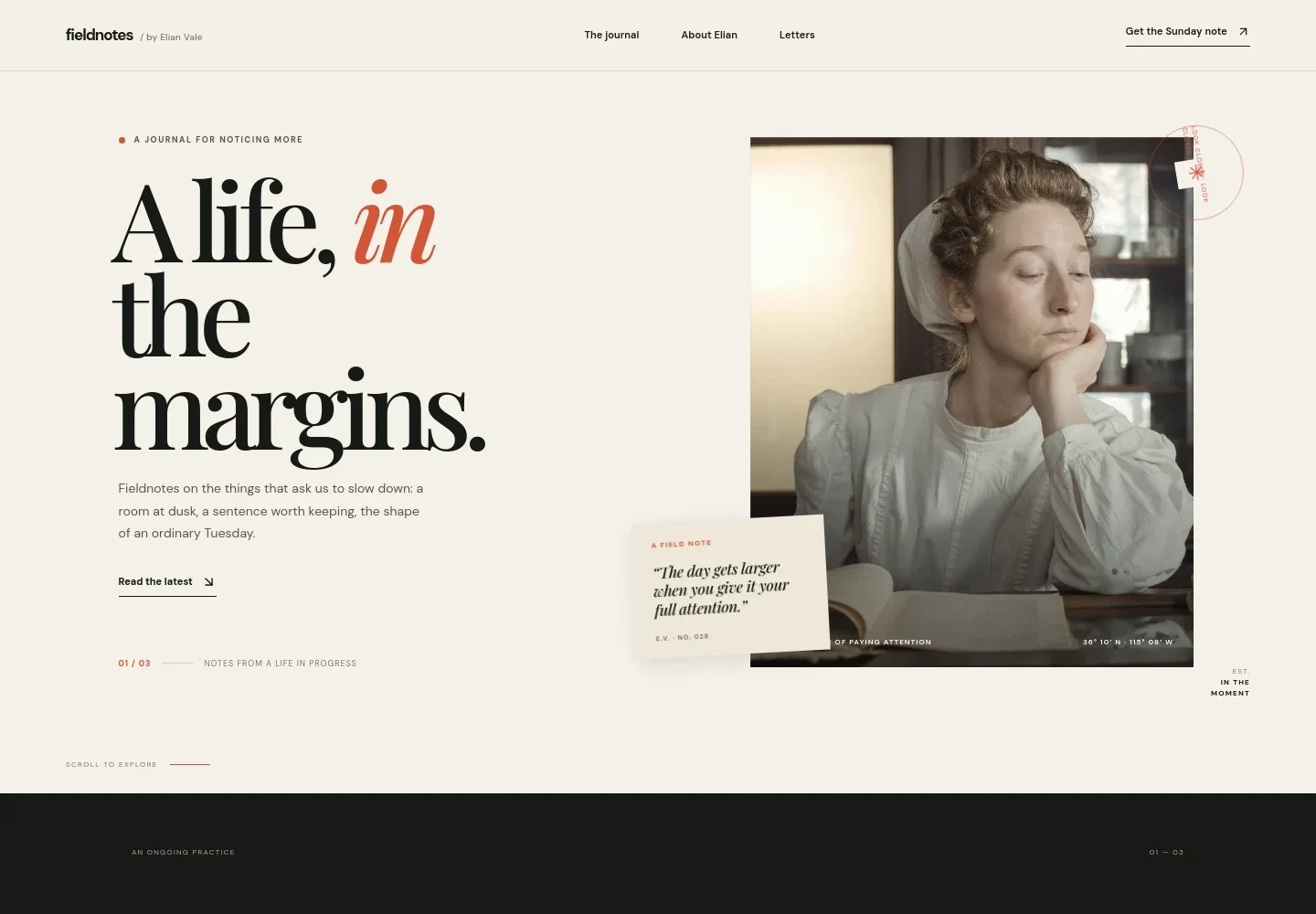
- Hero introduction
- A prominent headline, short editorial introduction, and link to the journal establish the blog’s subject and guide visitors toward the latest writing. A large atmospheric photograph and an overlaid field note add visual character.
- Editorial statement
- A short statement about the blog’s perspective gives readers context for its writing, with a link to learn more about the person behind it.
- Featured journal entry
- A highlighted essay is presented with a large image, category label, reading time, date, title, and brief summary, making the featured story easy to scan.
- Writing interlude
- A square photograph of an open journal and a brief reflective passage create a visual pause between the featured writing and the author introduction.
- About the writer
- A first-person introduction shares the writer’s interests and the reason the journal began, with a link inviting readers to stay in the conversation.
- Letters signup invitation
- A dedicated section describes a recurring Sunday note and invites readers to join by email, giving the blog a clear way to encourage continued readership.
- Footer navigation
- The footer repeats links to the journal and about section, offers a back-to-top link, and closes with the blog identity.
How to use this template
Open in Revamp
Click Use this template and sign in or create an account. You’ll start with your own copy of the design, ready to personalize.
Bring your content
Replace the sample text, photos, and logo with your own. Share your content, a document, or an existing website, and ask Revamp to adapt the template to your business.
Refine and publish
Ask Revamp to adjust the colors, layout, or sections, or edit directly on the page. Review desktop and mobile, then publish. You can keep making changes after launch.
Put your website to work
Ask Revamp to connect tools that help you publish consistently, send new writing to readers, and understand which stories draw interest.
-

Send new writing to subscribers
MailchimpBuild and manage an email audience for new essays and reader updates. Ask Revamp to connect Mailchimp for newsletter signup and campaigns.
-

Plan a steady publishing schedule
Google CalendarKeep writing deadlines and publication dates organized alongside your calendar. Ask Revamp to connect Google Calendar for editorial planning.
Frequently asked questions
Is this personal blog template free?
Yes. This premium template is free to use when you select Use this template. Free refers to the template itself.
Can I use my own writing and images?
Yes. Ask Revamp to personalize the page with your writing, photographs, blog name, author details, and newsletter information.
Do I need coding skills to customize the blog?
No coding skills are needed. Ask Revamp to personalize the content and design in natural language.
Can I change the design?
Yes. Ask Revamp to adjust the layout, colors, typography, imagery, or other design details to suit your blog.
Can I keep editing after publishing?
Yes. You can keep asking Revamp to update your writing, images, and design after launch.