About this template
Help prospective students understand how your photography school teaches: begin by noticing light, make deliberate camera choices, then shape images with care. The design pairs this learning approach with a clear overview of courses and an invitation to enquire.
The course list distinguishes a four-week in-person introduction, a weekend intensive, and a six-week small-group course. Fieldwork imagery and an interactive four-frame contact sheet give visitors a visual sense of a school focused on looking closely, not just talking about equipment.
Who it’s for
Photography schools, independent photography instructors, and workshop providers who want to explain their teaching approach, present class formats, and invite prospective students to get in touch.
What’s included
The page guides visitors from the school’s approach to photography through fieldwork and course options, ending with a direct enquiry invitation. Its editorial typography, generous photography, and numbered learning steps support a thoughtful, practical education offer.
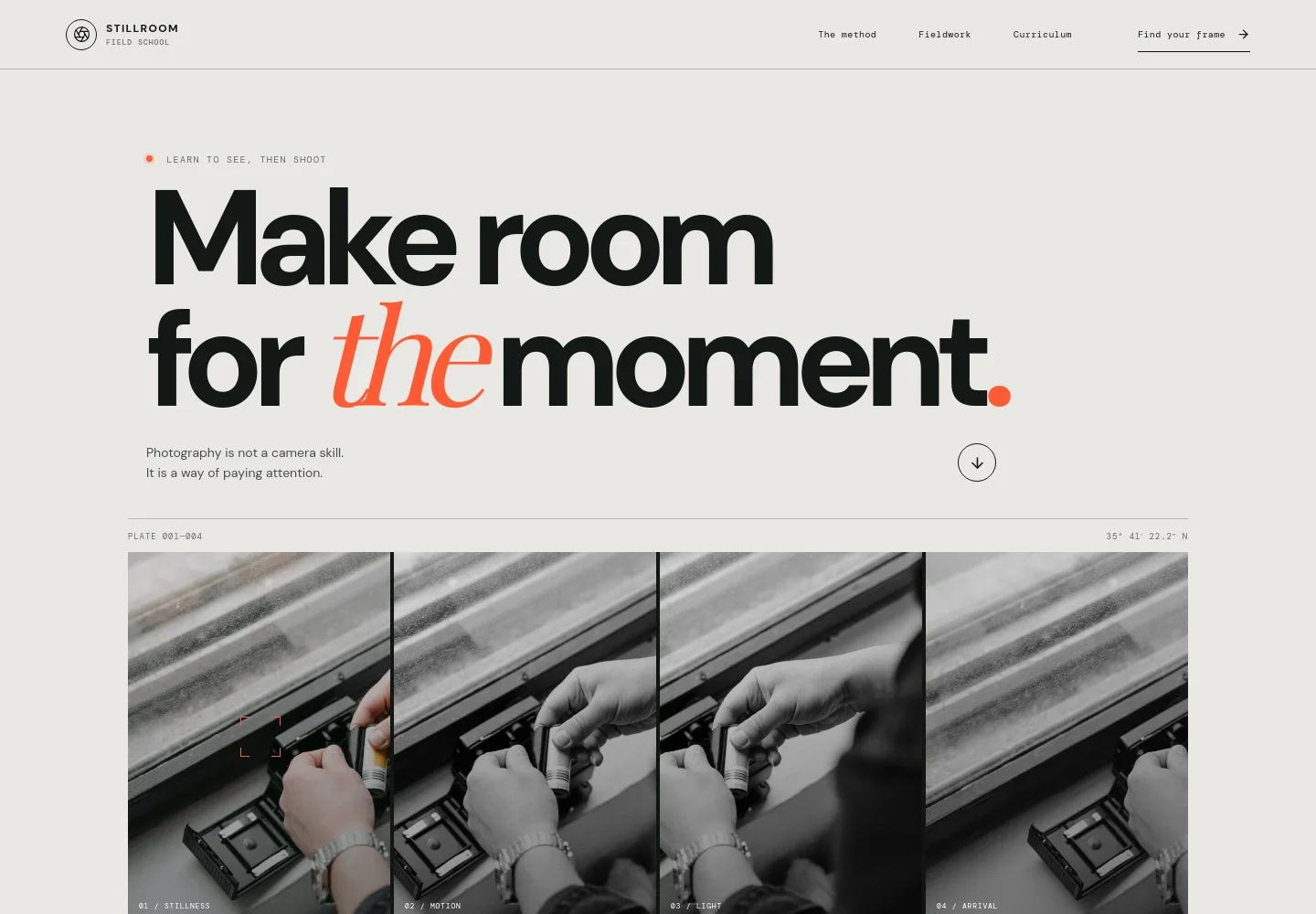
- Photography school introduction
- A prominent headline, short statement about photography as a way of paying attention, and interactive four-frame contact sheet introduce the school’s perspective through imagery.
- Teaching method
- Three numbered steps explain the approach: read the light, make intentional choices with exposure, focus, and composition, then edit with care and trust your eye.
- Fieldwork
- A field-study feature presents learning beyond the classroom, with copy about photographing in the city and following changing light, alongside a large image of film being loaded into a camera.
- Course curriculum
- Three course rows outline The Seeing Practice, Light, Unscripted, and The Edit & The Story, including their subjects and stated formats or durations. Each gives visitors a route to enquire.
- Enquiry invitation
- The closing section invites prospective students to write with a photography school enquiry, giving the page a clear next step after the course overview.
How to use this template
Open in Revamp
Click Use this template and sign in or create an account. You’ll start with your own copy of the design, ready to personalize.
Bring your content
Replace the sample text, photos, and logo with your own. Share your content, a document, or an existing website, and ask Revamp to adapt the template to your business.
Refine and publish
Ask Revamp to adjust the colors, layout, or sections, or edit directly on the page. Review desktop and mobile, then publish. You can keep making changes after launch.
Put your website to work
Make it easier to manage class enquiries and keep students informed. Ask Revamp to add or connect tools such as:
-

Schedule consultations
CalendlyGive prospective students a simple way to book a conversation about course fit. Ask Revamp to add consultation booking with Calendly.
-

Organize course enquiries
HubSpotKeep track of prospective students and follow-up conversations in one place. Ask Revamp to connect HubSpot for enquiry management.
-

Share class updates
MailchimpSend prospective and enrolled students course announcements and email updates. Ask Revamp to connect Mailchimp for mailing-list communications.
Frequently asked questions
Is this photography school template free?
Yes. This premium template is free to use when you select Use this template. The offer is for the template itself, not hosting or other services.
Can I use my own school content?
Yes. Ask Revamp to personalize the page with your school name, teaching approach, course details, photography, and contact information.
Do I need coding skills?
No. You can ask Revamp to personalize the content and design without coding.
Can I change the design?
Yes. Ask Revamp to adjust the layout, colors, typography, imagery, or other design details to suit your photography school.
Can I keep editing after publishing?
Yes. You can keep editing the site after launch. Ask Revamp whenever you want to update course information, images, or design.


