About this template
Help prospective students understand what a hands-on polytechnic teaches and how its learning approach connects ideas with practical work. The page introduces a learn-by-making philosophy, then presents fields of study in engineering and advanced manufacturing, computing and digital systems, design and creative technologies, and health and community practice.
A prominent contact section gives visitors a clear next step if they are unsure which direction fits. The editorial typography, numbered program list, workshop imagery, and direct navigation make the institution's approach and study areas easy to scan.
Who it’s for
Polytechnics, technical colleges, and higher education institutions presenting practical learning and study areas to prospective students.
What’s included
The design moves from the institution's hands-on teaching approach to four study fields and a clear invitation to start a conversation. This helps prospective students understand both how learning works and where their interests might lead.
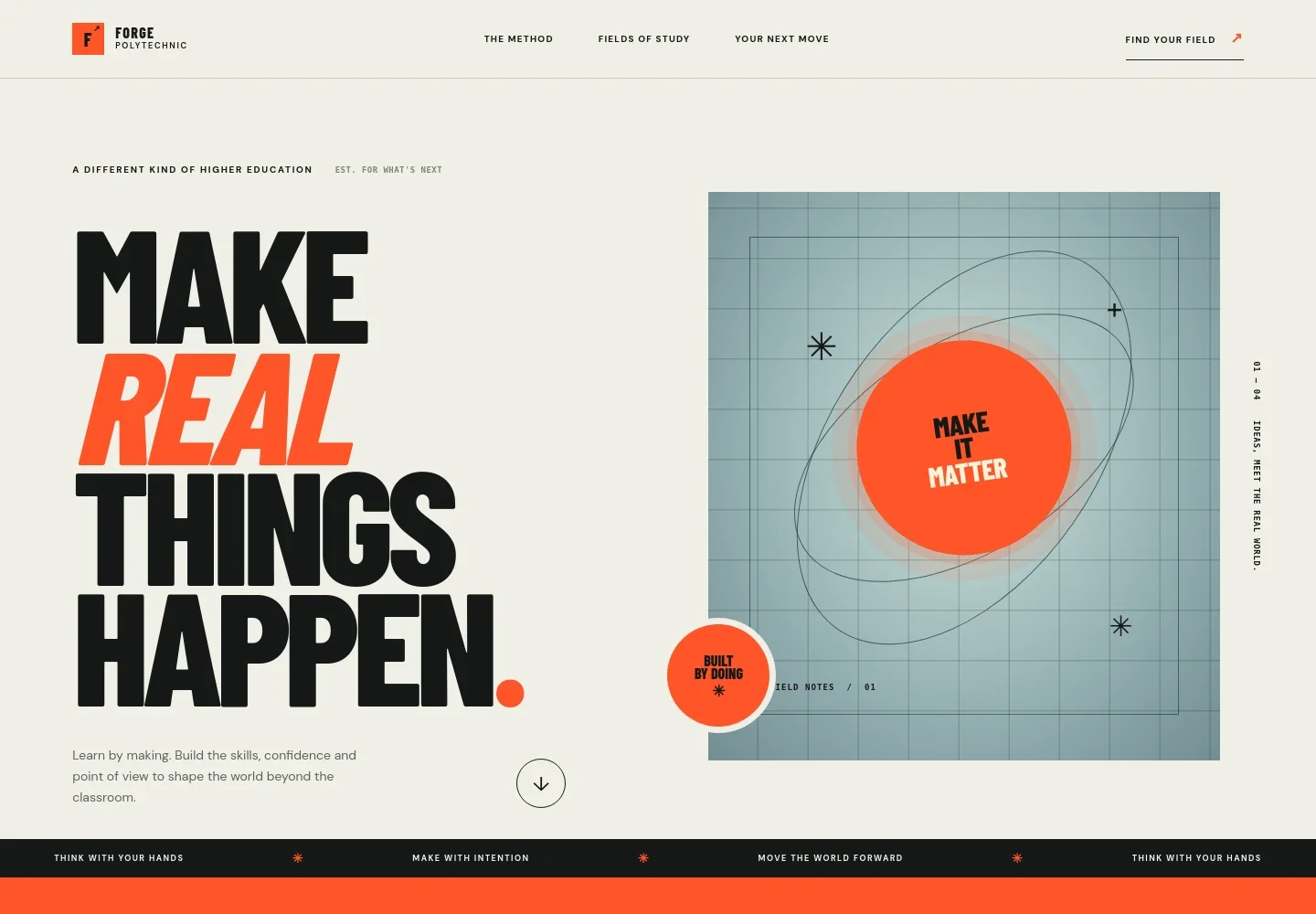
- Hero and primary navigation
- A prominent headline frames learning around making, supported by an introductory statement and links to the teaching method, study fields, and next steps.
- Teaching method
- An overview explains learning through practical exploration, with a simple three-part sequence: question it, try it, and make it real.
- Fields of study
- Four numbered program entries introduce engineering and advanced manufacturing, computing and digital systems, design and creative technologies, and health and community practice. Each includes a short description and a link toward the next step.
- Workshop imagery
- A photograph of hands assembling electronic components reinforces the practical learning message alongside the program list.
- Start a conversation
- The closing section invites prospective students to discuss what interests them, with a contact link, campus atrium image, and return-to-top navigation.
How to use this template
Open in Revamp
Click Use this template and sign in or create an account. You’ll start with your own copy of the design, ready to personalize.
Bring your content
Replace the sample text, photos, and logo with your own. Share your content, a document, or an existing website, and ask Revamp to adapt the template to your business.
Refine and publish
Ask Revamp to adjust the colors, layout, or sections, or edit directly on the page. Review desktop and mobile, then publish. You can keep making changes after launch.
Put your website to work
Give prospective students clearer ways to ask questions, book a campus visit, or hear about programs. Ask Revamp to add or connect tools that support those next steps.
-

Make campus visits easier to arrange
CalendlyAsk Revamp to add visit scheduling with Calendly so prospective students can choose an available time to meet or tour campus.
-

Keep program inquiries organized
HubSpotAsk Revamp to connect HubSpot to help organize prospective-student inquiries and follow-up.
-

Share updates with interested students
MailchimpAsk Revamp to connect Mailchimp so prospective students can receive program and admissions updates by email.
Frequently asked questions
Is this template free?
Yes. This premium template is free to use when you select Use this template. This applies to the template itself.
Can I use my own content?
Yes. Ask Revamp to personalize the program names, descriptions, images, contact details, and other page content for your institution.
Do I need coding skills?
No coding skills are needed. Ask Revamp to make changes to the content or design in plain language.
Can I change the design?
Yes. Ask Revamp to adjust the visual style, layout, colors, or imagery to better suit your institution.
Can I keep editing after publishing?
Yes. You can keep editing after launch. Ask Revamp to update the page as your programs and information change.


