About this template
Help families understand your school’s learning approach, age groups, and what a visit can show them. The design introduces curiosity-led learning through a clear sequence, from starting with a question to making and sharing something.
A large classroom image, editorial-style typography, and an illustrated question card set an exploratory tone. Dedicated sections explain the school’s approach, describe a day of learning, outline early years, lower school, and middle school, and invite prospective families to arrange a visit.
Who it’s for
Independent and private schools introducing their educational approach to prospective families, especially schools serving early years, lower school, and middle school students.
What’s included
The page guides families from a first impression of the school to a clearer view of its teaching approach, student age groups, and next step for visiting.
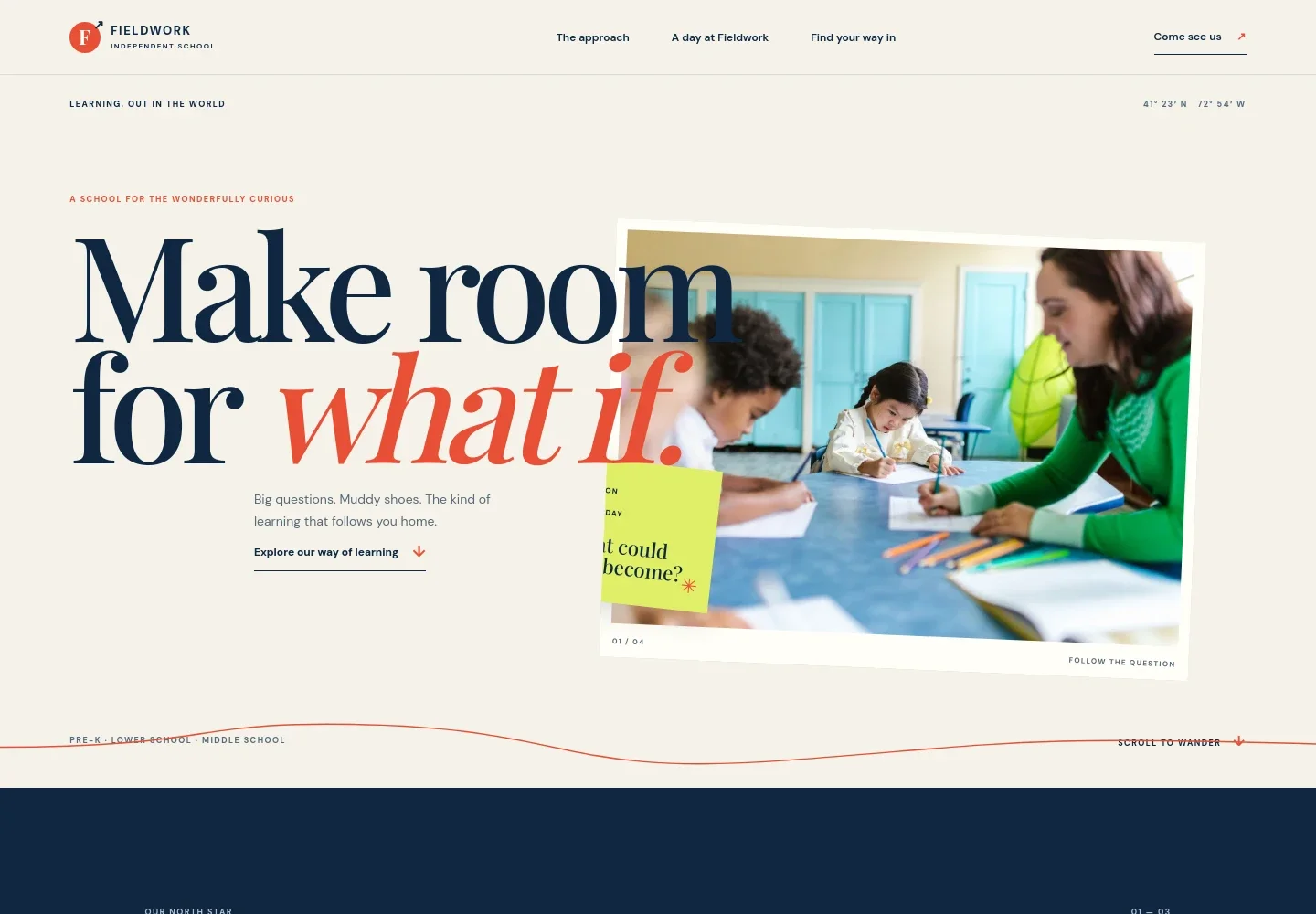
- School introduction
- A prominent classroom photograph, school identity, and concise headline introduce a curious, hands-on learning environment. Navigation links lead visitors to the approach, a day at school, and visit information.
- Educational approach
- A short statement presents curiosity as central to learning, supported by copy about children exploring real-world patterns, questions, and possibilities.
- A day of learning
- Three numbered steps show learning beginning with a question, moving into practical investigation, and ending with children making and sharing their thinking. Reading and mathematics are mentioned alongside making.
- Age groups
- Separate rows introduce early years for ages 3–5, lower school for ages 5–11, and middle school for ages 11–14, with a brief description of each stage.
- Arrange a visit
- A closing invitation encourages families to walk the rooms, meet the people, and see learning in action. A prominent visit button provides a clear contact next step.
- Footer navigation
- The footer repeats the school identity and provides a link back to the top of the page.
How to use this template
Open in Revamp
Click Use this template and sign in or create an account. You’ll start with your own copy of the design, ready to personalize.
Bring your content
Replace the sample text, photos, and logo with your own. Share your content, a document, or an existing website, and ask Revamp to adapt the template to your business.
Refine and publish
Ask Revamp to adjust the colors, layout, or sections, or edit directly on the page. Review desktop and mobile, then publish. You can keep making changes after launch.
Put your website to work
A school can make it easier for families to plan a visit and receive timely admissions information. Ask Revamp to add connections with tools such as these.
-

Schedule school visits
CalendlyGive prospective families a convenient way to choose a tour time. Ask Revamp to add visit booking with Calendly.
-

Organize admissions inquiries
HubSpotKeep family inquiries and follow-ups in one place. Ask Revamp to connect HubSpot for admissions contact management.
-

Send admissions updates
MailchimpShare school news and admissions information with families who want to hear from you. Ask Revamp to connect Mailchimp for email communications.
Frequently asked questions
Is this private school website template free?
Yes. This premium template is free to use when you select Use this template. Free refers to the template itself.
Can I use my own school content?
Yes. Ask Revamp to personalize the text, school information, images, age groups, and visit details for your school.
Do I need coding skills to customize it?
No coding skills are needed. Ask Revamp to personalize the content and design in natural language.
Can I change the design?
Yes. Ask Revamp to adjust the colors, typography, layout, and imagery to suit your school.
Can I keep editing after publishing?
Yes. You can keep asking Revamp to update your website after launch.


