About this template
Help prospective sailors see where to begin, what they can learn, and how your teaching works. The page presents a hands-on approach to sailing, with courses for beginners, developing sailors, and people seeking private coaching.
A full-width sailing photograph and direct course navigation lead into clear course descriptions, an explanation of the learning method, and practical answers about experience, gear, weather, and learning with a friend. A closing contact section invites visitors to ask about finding a suitable course.
Who it’s for
Sailing schools, sailing instructors, and on-water training businesses introducing lessons to beginners and sailors building their skills.
What’s included
The design guides visitors from the first impression of open water to course options and practical next steps. Its course list makes the learning paths easy to compare, while the hands-on teaching explanation and pre-course FAQ help visitors understand what learning involves.
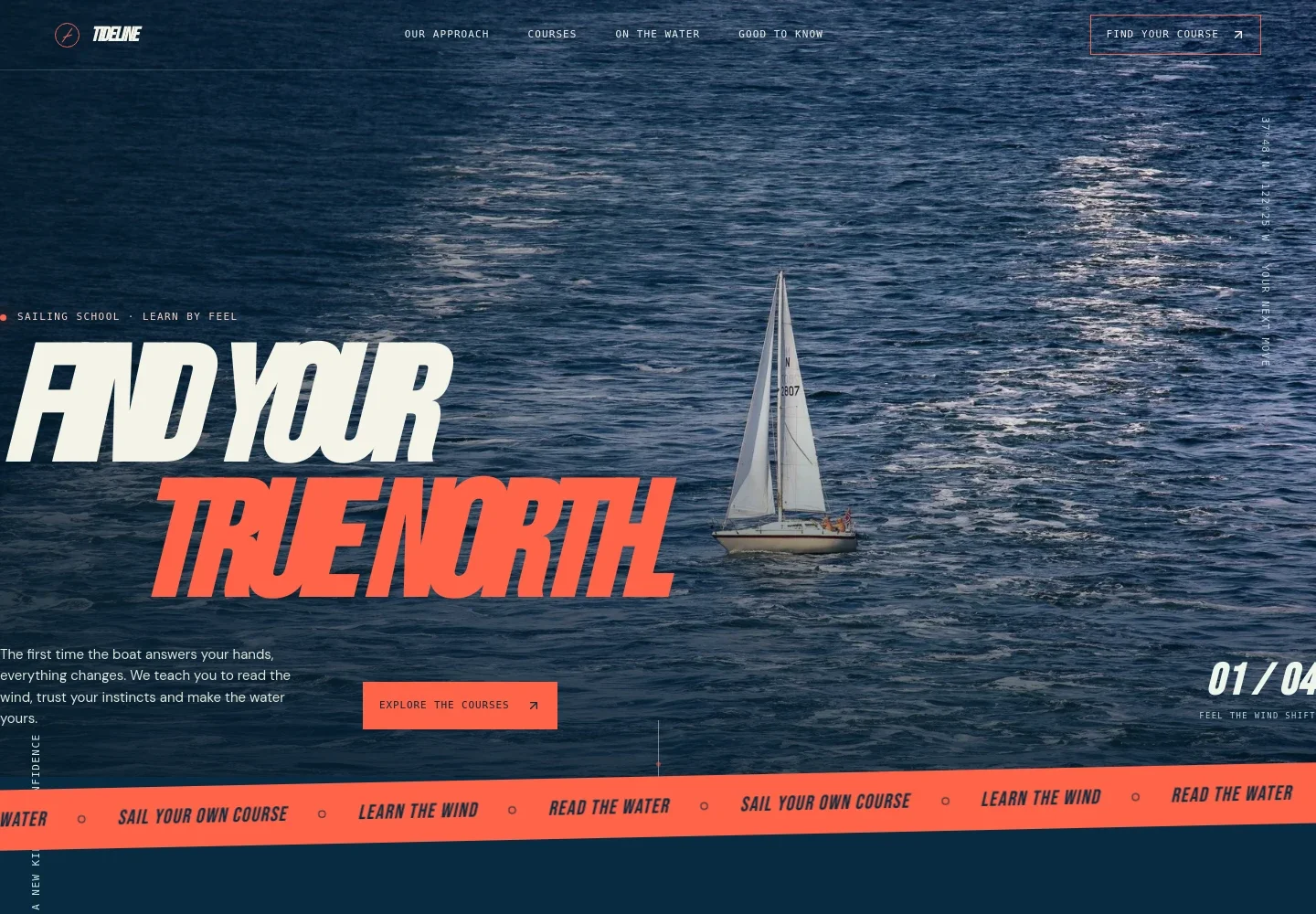
- Sailing hero and navigation
- A prominent sailboat image, concise introduction to learning by feel, and links to the approach, courses, on-water section, and practical information give visitors an immediate sense of the school and where to go next.
- Teaching approach
- Explains the practical, hands-on approach through details such as noticing wind and water, trying an adjustment, and feeling how the boat responds.
- Course options
- Four entries describe a first sail, building sailing experience, taking the helm, and private coaching. Visitors can quickly see which learning stage or format may suit them.
- Learning method
- A short sequence of notice, try, and feel makes the school's on-water teaching approach easy to understand without relying on long blocks of text.
- On-water imagery and learning
- Sailing photographs accompany copy about changing conditions, flexible plans, and developing judgment, helping visitors picture the setting and experience of a lesson.
- Before you come aboard
- Answers common questions about starting without experience, what to bring, weather decisions, and learning with a friend.
- Course inquiry and footer
- A closing invitation gives visitors a clear way to ask about a course, followed by school identification and contact details.
How to use this template
Open in Revamp
Click Use this template and sign in or create an account. You’ll start with your own copy of the design, ready to personalize.
Bring your content
Replace the sample text, photos, and logo with your own. Share your content, a document, or an existing website, and ask Revamp to adapt the template to your business.
Refine and publish
Ask Revamp to adjust the colors, layout, or sections, or edit directly on the page. Review desktop and mobile, then publish. You can keep making changes after launch.
Put your website to work
Course scheduling and customer communication tools can help manage inquiries and lesson bookings. Ask Revamp to add a connection that fits how your school organizes its courses.
-

Make it easier to arrange an introductory lesson
CalendlyAsk Revamp to add consultation or course inquiry booking with Calendly so prospective students can request a suitable time.
-

Keep course dates and instructor availability organized
Google CalendarAsk Revamp to add scheduling with Google Calendar to help visitors request lesson times that fit your school’s calendar.
-

Track new student inquiries in one place
HubSpotAsk Revamp to connect HubSpot so your team can organize prospective-student contacts and follow-up.
Frequently asked questions
Is this template free?
Yes. The premium template is free to use when you select Use this template. This applies to the template itself.
Can I use my own content?
Yes. Ask Revamp to personalize the copy, photos, course descriptions, contact details, and other content for your sailing school.
Do I need coding skills?
No. Ask Revamp to make content and design changes in natural language, without coding.
Can I change the design?
Yes. Ask Revamp to adjust the colors, imagery, layout, and other design details to suit your school.
Can I keep editing after publishing?
Yes. You can continue asking Revamp to update your site after it has launched.


