About this template
Help families understand your secondary school's educational approach, student experience, and community. The page introduces learning through curiosity, interdisciplinary connections, practical work, reflection, and strong subject foundations.
A clear journey moves from the school's central idea to its learning approach, community, family questions, and an invitation to visit or start a conversation. Abstract, editorial-style graphics and prominent headings give each topic a distinct place without crowding the information.
Who it’s for
For secondary schools, middle schools, high schools, and independent schools introducing their educational approach to prospective students and families.
What’s included
The completed design gives families a guided introduction to a secondary school, from its educational outlook through learning and community to a visit invitation.
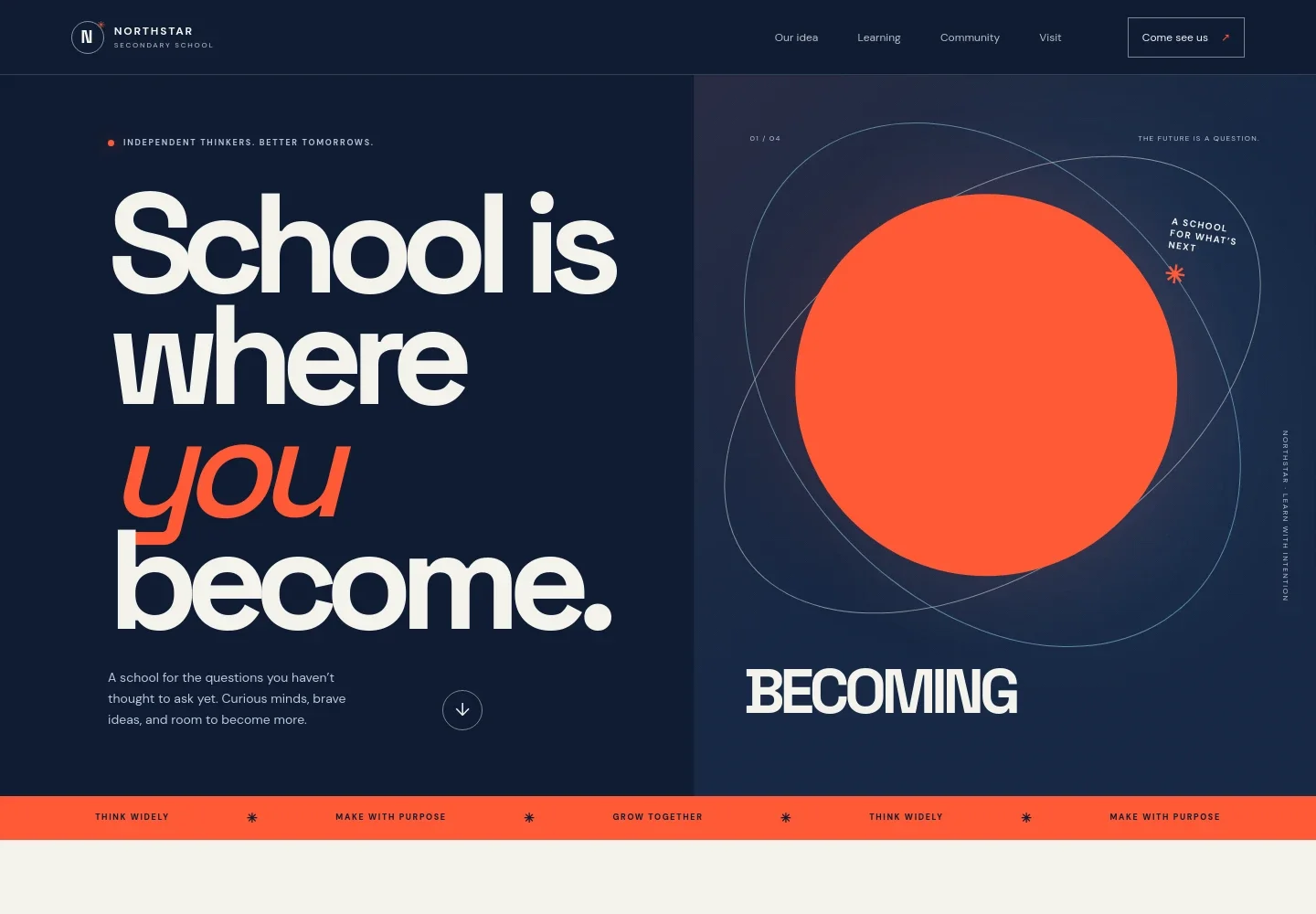
- Hero and school introduction
- A large headline, short introduction, and illustrated graphic establish the school's focus on independent thinking and student growth.
- Our idea
- A concise statement explains the school's emphasis on curiosity, asking questions, and using learning to make something meaningful.
- Learning approach
- A three-stage learning journey describes starting with a question, connecting ideas across disciplines, and using reflection and feedback to consider next steps.
- School community
- This section describes teachers knowing students as people and a community that makes room for different voices and paths.
- Questions for families
- A family-focused FAQ area addresses learner fit, the balance between exploration and academic foundations, and what a school day can feel like.
- Visit and contact invitation
- A closing invitation encourages families to begin a conversation about whether the school feels right, with a contact link that can be personalized.
- Navigation and footer
- Navigation links lead to the school's idea, learning, community, and visit sections. The footer repeats the school identity and offers a return-to-top link.
How to use this template
Open in Revamp
Click Use this template and sign in or create an account. You’ll start with your own copy of the design, ready to personalize.
Bring your content
Replace the sample text, photos, and logo with your own. Share your content, a document, or an existing website, and ask Revamp to adapt the template to your business.
Refine and publish
Ask Revamp to adjust the colors, layout, or sections, or edit directly on the page. Review desktop and mobile, then publish. You can keep making changes after launch.
Put your website to work
Help families keep school information and communications organized by asking Revamp to add connections to tools your school uses.
-

School information system
PowerSchoolKeep family and student records organized in one place. Ask Revamp to add a link or connection to PowerSchool for your school community.
-

Family communications
ParentSquareShare school updates and messages with families through a familiar school communications platform. Ask Revamp to add a link or connection to ParentSquare.
-

School calendar
Google CalendarMake important dates easier for families to find. Ask Revamp to add a school calendar with Google Calendar.
Frequently asked questions
Is this template free?
Yes. This premium template is free to use when you select Use this template.
Can I use my own school content?
Yes. Ask Revamp to personalize the page with your school's name, educational approach, programs, family information, and contact details.
Do I need coding skills?
No. Ask Revamp to personalize the content and design for your school without coding.
Can I change the design?
Yes. Ask Revamp to adjust the layout, colors, typography, imagery, and other design details to suit your school.
Can I keep editing after publishing?
Yes. You can keep asking Revamp to update your school's content and design after launch.


