About this template
Help prospective students understand your seminary’s approach to theological education, from close study of scripture to theology grounded in everyday life and formation in community.
The page moves from a clear statement of the seminary’s convictions to three areas of study and practice, then gives visitors a sample weekly rhythm and a direct invitation to begin a conversation. Its reflective copy and table-inspired visuals suit an institution that presents learning as both rigorous study and shared practice.
Who it’s for
Designed for seminaries, divinity schools, and theological education programs introducing their educational approach to prospective students, ministry leaders, and people discerning whether seminary study fits their lives.
What’s included
The design gives visitors a guided introduction to the seminary’s beliefs about learning, its formation themes, a sample week, and a simple way to make contact.
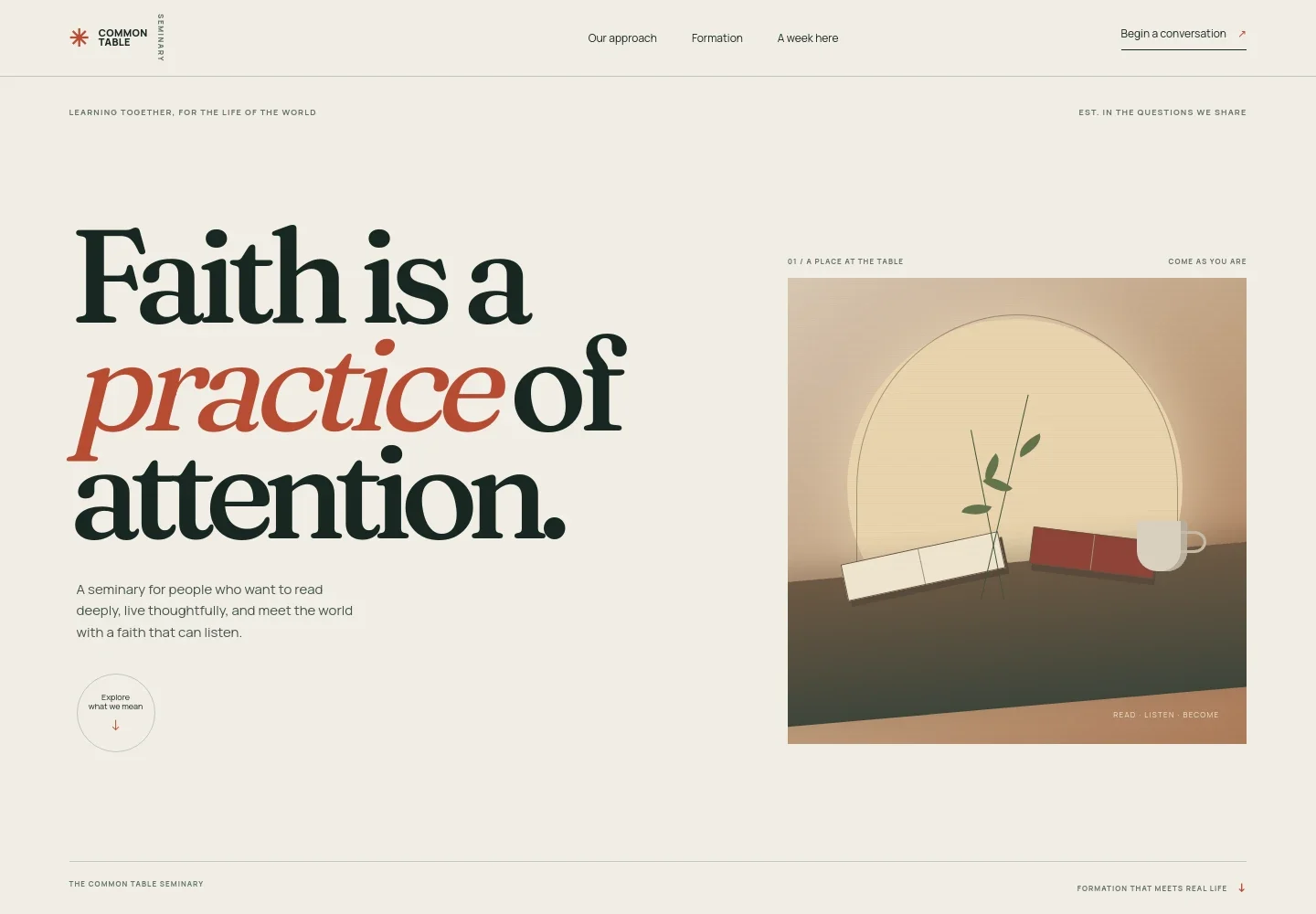
- Welcome and seminary introduction
- A distinctive headline and supporting copy introduce faith as a practice of attention. Table and book imagery sets a welcoming tone, while the navigation points visitors to the approach, formation, and weekly rhythm.
- Educational approach
- A conviction statement explains how theological study connects scripture, shared experience, and the realities of everyday life. A link guides visitors onward to the formation section.
- Three formation practices
- Three focused entries describe close reading of scripture, theology in conversation with contemporary questions, and learning prayer, preaching, and pastoral presence in community.
- A week in the learning rhythm
- A four-day sample shows the balance of reading, theological discussion, shared practice, and engagement with community and vocation. The page identifies it as an example rhythm rather than a fixed schedule.
- Start a conversation
- A closing invitation encourages prospective students to ask whether seminary fits their circumstances and provides an email link as the next step. The displayed contact address is illustrative and can be personalized.
- Footer navigation
- The footer repeats the seminary identity, offers a return-to-top link, and closes with a short line about learning and returning to the world.
How to use this template
Open in Revamp
Click Use this template and sign in or create an account. You’ll start with your own copy of the design, ready to personalize.
Bring your content
Replace the sample text, photos, and logo with your own. Share your content, a document, or an existing website, and ask Revamp to adapt the template to your business.
Refine and publish
Ask Revamp to adjust the colors, layout, or sections, or edit directly on the page. Review desktop and mobile, then publish. You can keep making changes after launch.
Put your website to work
Make it easier to respond to inquiries, arrange conversations, and keep prospective students informed. Ask Revamp to add or connect tools that support those steps.
-

Schedule prospective-student conversations
CalendlyGive prospective students a convenient way to choose a time for an introductory conversation. Ask Revamp to add consultation booking with Calendly.
-

Coordinate admissions conversations
Google CalendarKeep appointment times organized for staff and prospective students. Ask Revamp to add scheduling with Google Calendar.
-

Keep inquiry follow-up organized
HubSpotTrack prospective-student inquiries and follow-up in one place. Ask Revamp to connect HubSpot for contact management.
-

Share program updates by email
MailchimpSend admissions news and program updates to people who want to hear from the seminary. Ask Revamp to connect Mailchimp for email campaigns.
Frequently asked questions
Is this seminary template free?
Yes. This premium template is free to use when you select Use this template. This applies to the template itself, not hosting or other services.
Can I use my own content?
Yes. Ask Revamp to personalize the page with your seminary’s name, educational approach, formation details, contact information, and other content.
Do I need coding skills?
No. Ask Revamp to personalize the content and design in natural language, without coding.
Can I change the design?
Yes. Ask Revamp to adjust the colors, typography, imagery, layout, or other design details to suit your institution.
Can I keep editing after publishing?
Yes. You can keep asking Revamp to update the content and design after launch.


