About this template
Help families discover the stories you create with a storybook website centered on bedtime reading. The opening pairs a moonlit book-cover illustration with a clear invitation to find a story, then leads visitors into a story shelf with three selectable story themes.
An about section introduces the idea behind the books, while a reading-together section speaks directly to grown-ups sharing stories with children. A closing prompt and contact link give interested readers a clear next step.
Who it’s for
For children's book authors, independent publishers, and storybook brands presenting bedtime books to parents, caregivers, and young readers.
What’s included
The page moves from a bedtime-themed introduction to story discovery, a note for adult readers, and a final invitation to get in touch. Its illustrated night-sky details and book imagery make the subject clear while keeping the stories at the center.
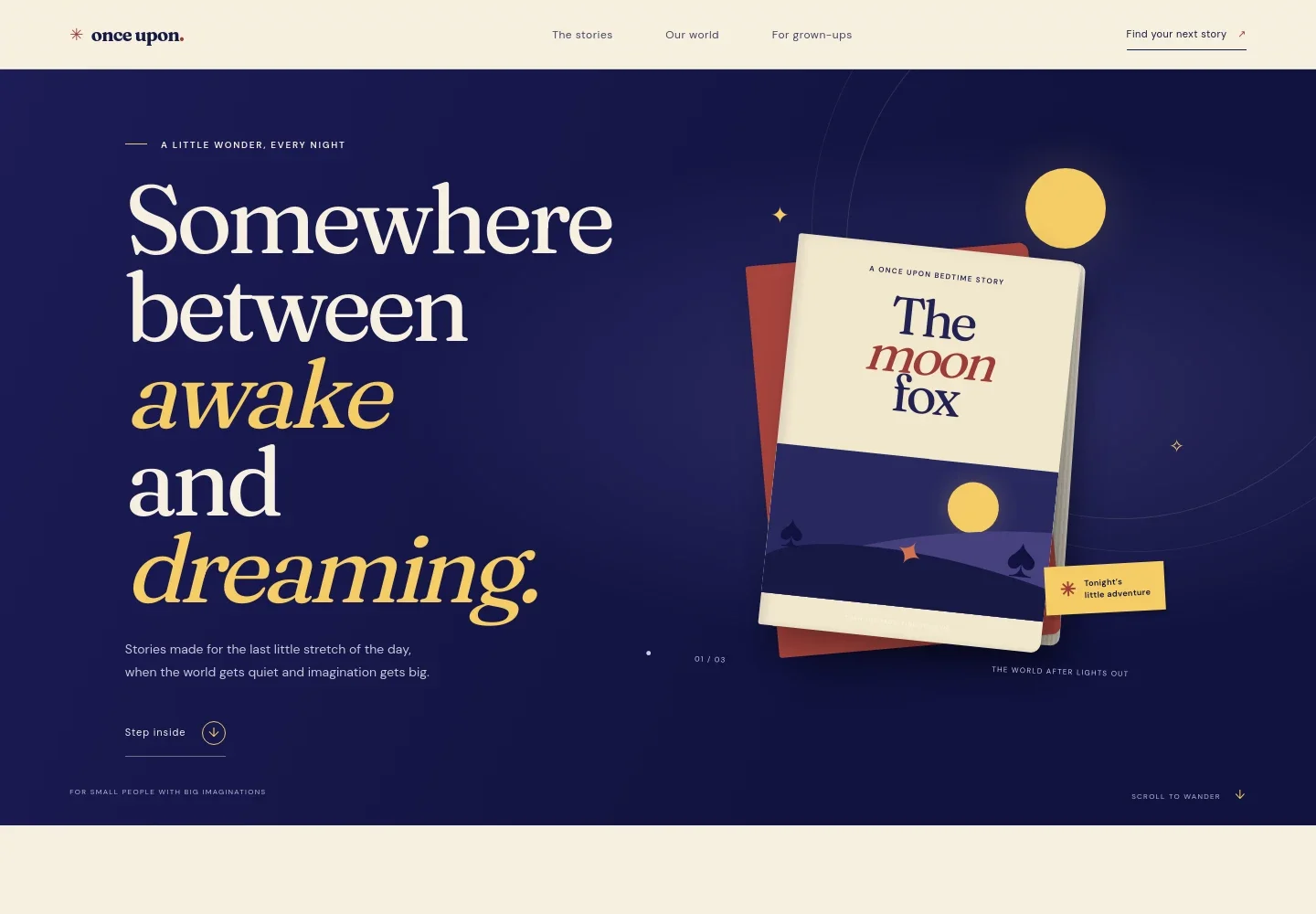
- Bedtime story hero
- A moonlit book-cover illustration, a short introduction to the bedtime reading concept, and a link leading visitors to the story shelf.
- About the storybooks
- A brief statement of the brand's approach to stories for the quiet stretch before sleep, with a link to the reading-together section.
- Story shelf
- Three selectable story themes introduce the collection. The featured panel shows a moonlit fox story with an illustrated scene and a prompt to open it.
- For grown-ups
- A warm reading image accompanies copy about reading aloud and sharing books with children, followed by a contact link.
- Closing invitation and footer
- A final prompt directs visitors back to the story shelf. The footer repeats the brand mark and provides a return-to-top link.
How to use this template
Open in Revamp
Click Use this template and sign in or create an account. You’ll start with your own copy of the design, ready to personalize.
Bring your content
Replace the sample text, photos, and logo with your own. Share your content, a document, or an existing website, and ask Revamp to adapt the template to your business.
Refine and publish
Ask Revamp to adjust the colors, layout, or sections, or edit directly on the page. Review desktop and mobile, then publish. You can keep making changes after launch.
Put your website to work
Support book discovery, reader updates, and direct sales by asking Revamp to add the tools that fit how you publish and reach families.
-

Sell books directly
ShopifyGive readers a familiar way to purchase titles from your own site. Ask Revamp to add an online book shop with Shopify.
-

Keep families informed
MailchimpShare new releases and reading news with subscribers. Ask Revamp to add an email signup connected to Mailchimp.
-

Offer author visits
CalendlyLet schools and families request a time to speak with you. Ask Revamp to add meeting booking with Calendly.
Frequently asked questions
Is this template free?
Yes. This premium template is free to use when you select Use this template.
Can I use my own content?
Yes. Ask Revamp to personalize the stories, book details, images, brand name, and contact information with your own content.
Do I need coding skills?
No. Ask Revamp to make content and design changes in natural language, without coding.
Can I change the design?
Yes. Ask Revamp to adjust the colors, typography, imagery, layout, or other design details to suit your book brand.
Can I keep editing after publishing?
Yes. You can keep asking Revamp to update your site after launch as your books, content, and plans change.