About this template
Help families, educators, and school partners understand your teaching approach and the ways they can learn with you. The page presents curiosity-led learning through a clear belief statement, a practical learning cycle, and three distinct program offers.
The design pairs expressive typography and a circular question motif with concise, editorial-style sections. Visitors can move from your educational philosophy to how learning works, compare programs, and start a conversation.
Who it’s for
Independent educators, teaching studios, learning facilitators, and education organizations presenting programs for young people, professional learning for educators, or project-based work with schools and communities.
What’s included
The page is structured to explain what guides your teaching, show the learning practice in concrete steps, and give prospective learners and partners a clear way to explore program options and get in touch.
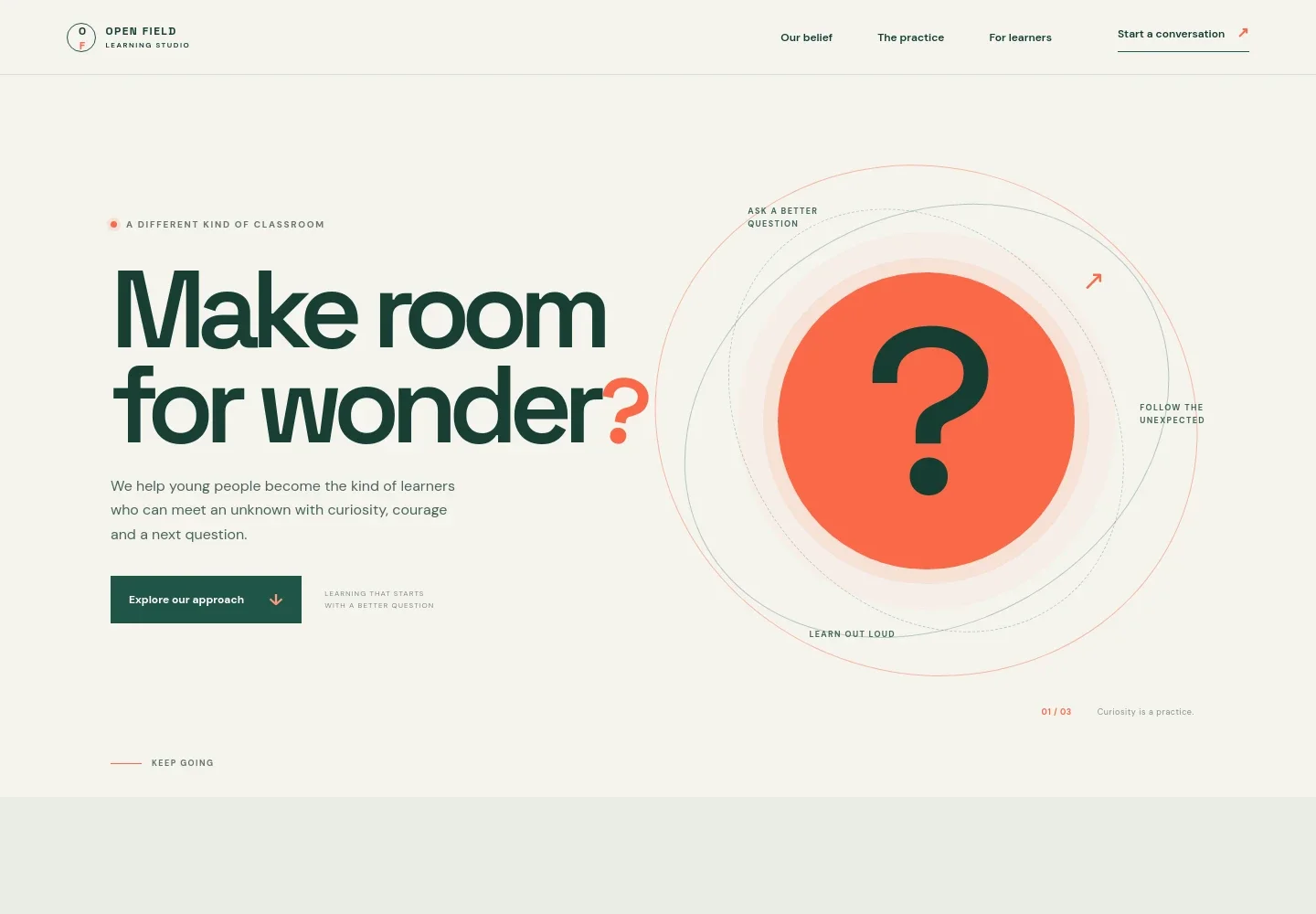
- Teaching approach hero
- A prominent message introduces a different kind of classroom and frames learning around curiosity, courage, and asking the next question. A clear link leads visitors into the approach.
- Teaching beliefs
- This section explains the studio's emphasis on asking, testing, listening, and beginning again, helping visitors understand the values behind the teaching.
- Learning practice
- A circular diagram and supporting notes present learning as three steps: notice, make, and share. Short descriptions make the process easy for families and educators to follow.
- Learning programs
- Three linked program rows introduce small-group learning labs, practical learning experiences for educators, and open projects for schools and communities.
- Conversation invitation
- A closing prompt invites visitors to describe what they hope to make possible, with a prominent email link for starting a conversation.
- Studio footer
- The footer repeats the learning studio identity, adds a short closing line, and provides a link back to the top of the page.
How to use this template
Open in Revamp
Click Use this template and sign in or create an account. You’ll start with your own copy of the design, ready to personalize.
Bring your content
Replace the sample text, photos, and logo with your own. Share your content, a document, or an existing website, and ask Revamp to adapt the template to your business.
Refine and publish
Ask Revamp to adjust the colors, layout, or sections, or edit directly on the page. Review desktop and mobile, then publish. You can keep making changes after launch.
Put your website to work
Make it easier to coordinate learning conversations and keep families or educators informed. Ask Revamp to add the tools that fit your enrollment and communication process.
-

Book introductory conversations
CalendlyLet prospective families or education partners choose a time to talk. Ask Revamp to add consultation booking with Calendly.
-

Coordinate teaching schedules
Google CalendarKeep meetings, workshops, and learning sessions organized around a shared calendar. Ask Revamp to connect Google Calendar.
-

Share program updates
MailchimpSend families and educators news about learning opportunities and upcoming activities. Ask Revamp to add email updates with Mailchimp.
Frequently asked questions
Is this teaching website template free?
Yes. This premium template is free to use when you select Use this template. Free refers to the template itself.
Can I use my own teaching content?
Yes. Ask Revamp to personalize the page with your teaching philosophy, program details, audience information, and contact content.
Do I need coding skills to customize it?
No coding skills are needed. Ask Revamp to update the content and design in plain language.
Can I change the design?
Yes. Ask Revamp to adjust the layout, colors, typography, and other design details to suit your teaching practice.
Can I keep editing after publishing?
Yes. You can keep asking Revamp to update your website after launch as your teaching approach, programs, or information changes.


