About this template
Help prospective students understand how your institute teaches and which technical fields they can pursue. The design opens with a hands-on learning message, then explains a practical approach built around questioning, making, testing, and improving.
A dedicated field list introduces mechatronics, robotics and advanced manufacturing; electrical, renewable energy and power systems; and software, cybersecurity and applied AI. A closing contact section invites visitors to start a conversation about their next step.
Who it’s for
Technical institutes, vocational schools, and career-focused education providers presenting practical training, technical study areas, and a direct way for prospective students to get in touch.
What’s included
The page guides prospective students from the institute's hands-on teaching approach to specific areas of study, with a clear invitation to make contact.
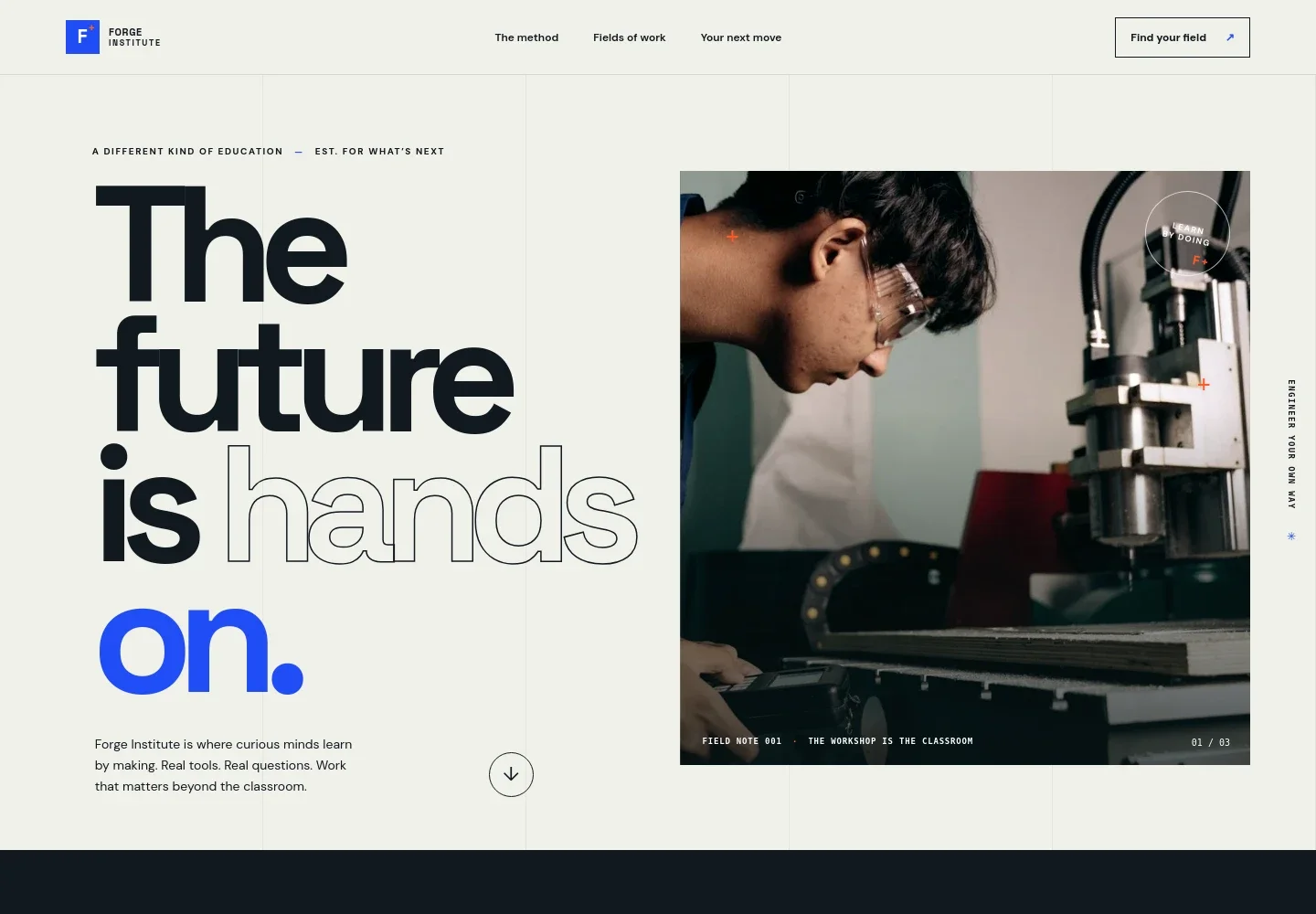
- Hands-on hero
- A prominent workshop photograph and concise introduction establish the learning-by-making approach. Navigation points visitors to the teaching method, study fields, and next steps.
- Teaching method
- Explains how ideas meet materials through testing, taking things apart, and trying again. A question, prototype, test, and improvement sequence makes the approach easy to follow.
- Fields of work
- Three clearly separated study-area rows cover mechatronics and manufacturing, electrical and renewable energy, and software and cybersecurity. Each includes a short description of the work involved.
- Learning in motion
- A visual sequence presents learning as a cycle of asking, making, and refining, reinforcing the practical approach introduced earlier.
- Start a conversation
- A closing section encourages prospective students to begin with a question and contact the institute. Its layout gives the next step a clear place after the program information.
- Footer
- The footer repeats the institute identity, includes a brief closing line, and provides a back-to-top link.
How to use this template
Open in Revamp
Click Use this template and sign in or create an account. You’ll start with your own copy of the design, ready to personalize.
Bring your content
Replace the sample text, photos, and logo with your own. Share your content, a document, or an existing website, and ask Revamp to adapt the template to your business.
Refine and publish
Ask Revamp to adjust the colors, layout, or sections, or edit directly on the page. Review desktop and mobile, then publish. You can keep making changes after launch.
Put your website to work
Make it easier to manage prospective-student inquiries, campus visits, and follow-up. Ask Revamp to add the tools that fit your admissions process.
-

Organize prospective-student inquiries
HubSpotKeep inquiry details and follow-up organized in one place. Ask Revamp to connect HubSpot for admissions contact management.
-

Let visitors book a campus conversation
CalendlyGive prospective students a way to choose a time for an admissions conversation. Ask Revamp to add consultation booking with Calendly.
-

Coordinate campus visits and appointments
Google CalendarHelp staff keep scheduled meetings and visit times in view. Ask Revamp to connect Google Calendar for appointment scheduling.
Frequently asked questions
Is this technical institute template free?
Yes. This premium template is free to use when you select Use this template. Free refers to the template itself.
Can I use my own institute content?
Yes. Ask Revamp to personalize the page with your institute name, study areas, teaching information, images, and contact details.
Do I need coding skills?
No. Ask Revamp to personalize the content and design in plain language, without coding.
Can I change the design?
Yes. Ask Revamp to adjust the layout, colors, imagery, and other design details to suit your institute.
Can I keep editing after publishing?
Yes. You can keep asking Revamp to update your content and design after launch.


