About this template
Help prospective learners see how practical training can connect to a clearer career direction. This design introduces a step-by-step approach, from choosing a field and building useful skills to practicing the work and preparing for roles.
The page presents pathways in digital and data, business operations, customer and sales, and career launch. Career support is explained through concrete activities such as application feedback, interview practice, and guidance on presenting skills, without promising a job outcome.
Who it’s for
Training providers, career development programs, and workforce education teams that want to explain their learning pathways and placement support to prospective learners.
What’s included
The layout guides prospective learners from the overall training approach to specific pathways, preparation steps, common questions, and a direct contact invitation. Numbered journey markers and clearly separated sections make the process easy to follow.
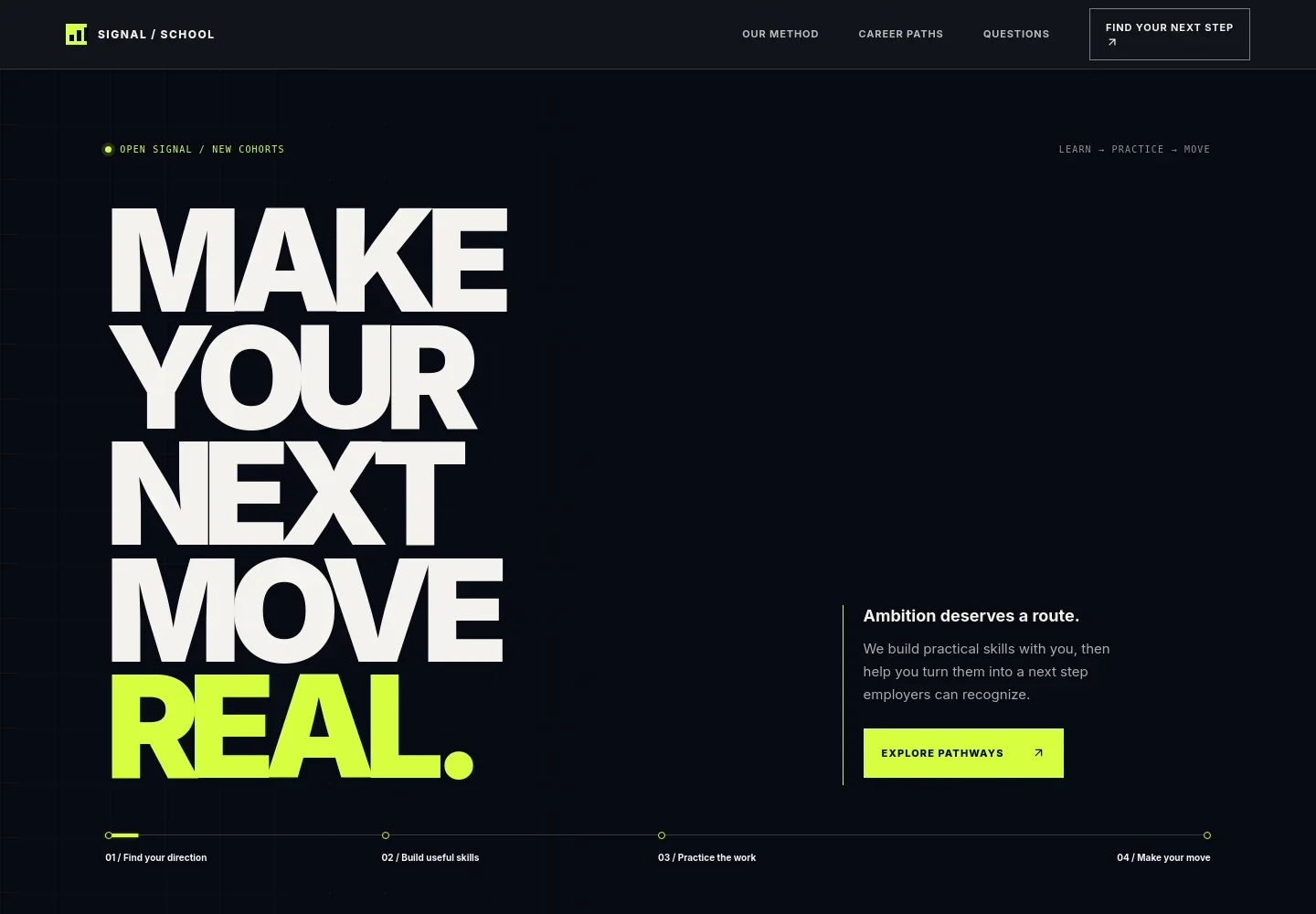
- Career-focused hero
- A prominent headline and concise supporting copy introduce practical skill-building and career progression. A four-step journey presents direction, skills, practice, and a next move at a glance.
- Training approach
- Explains how learning connects to work goals, with emphasis on practical skills, feedback, and applying what learners know.
- Career pathways
- Four linked pathway rows describe digital and data, business operations, customer and sales, and career launch, helping visitors identify an area of interest.
- Learner journey
- A numbered process covers an initial conversation, choosing a learning route, preparing for target roles, and continuing to build momentum.
- Career perspective
- A text-and-image feature frames career development as a series of chapters and encourages visitors to recognize and communicate their strengths.
- Questions and answers
- Answers questions about starting experience, placement support, choosing a pathway, and whether specific roles are guaranteed.
- Contact invitation
- A closing section invites prospective learners to discuss their goals and gives them a direct email contact link.
How to use this template
Open in Revamp
Click Use this template and sign in or create an account. You’ll start with your own copy of the design, ready to personalize.
Bring your content
Replace the sample text, photos, and logo with your own. Share your content, a document, or an existing website, and ask Revamp to adapt the template to your business.
Refine and publish
Ask Revamp to adjust the colors, layout, or sections, or edit directly on the page. Review desktop and mobile, then publish. You can keep making changes after launch.
Put your website to work
Make it easier to manage learner enquiries, schedule conversations, and keep prospective students informed. Ask Revamp to add connections with tools your team uses.
-

Schedule learner consultations
CalendlyLet prospective learners choose a time to discuss their goals. Ask Revamp to add consultation booking with Calendly.
-

Organize prospective learner enquiries
HubSpotKeep enquiry details and follow-up activity organized for your admissions or career support team. Ask Revamp to connect HubSpot for contact management.
-

Send course and application updates
MailchimpShare enrollment information and timely updates with prospective learners. Ask Revamp to connect Mailchimp for email communications.
Frequently asked questions
Is this template free?
Yes. This premium template is free to use when you select Use this template. This applies to the template itself, not hosting or other services.
Can I use my own content?
Yes. Ask Revamp to personalize the page with your organization’s name, training pathways, learner information, contact details, and other content.
Do I need coding skills?
No coding skills are needed. Ask Revamp to make content and design changes for you.
Can I change the design?
Yes. Ask Revamp to adjust the colors, layout, imagery, and other design details to suit your training organization.
Can I keep editing after publishing?
Yes. You can keep asking Revamp to update your content and design after launch.


