About this template
Help prospective learners understand what your training center teaches and how its workshops work. The design leads with hands-on learning, then organizes four program areas: making and mending, digital fluency, working together, and everyday fieldcraft.
A full-width workshop image, clear program descriptions, a studio note, and a direct contact section give visitors a path from first impression to asking what they could learn. Use the page to present your own courses, teaching approach, and next steps.
Who it’s for
For independent training centers, learning studios, workshop providers, and professional educators presenting practical courses to curious learners, teams, or working professionals.
What’s included
The layout pairs an editorial, image-led introduction with concise explanations of the learning approach, a scannable curriculum, and a clear contact invitation. This helps visitors see both what they can learn and how to begin a conversation.
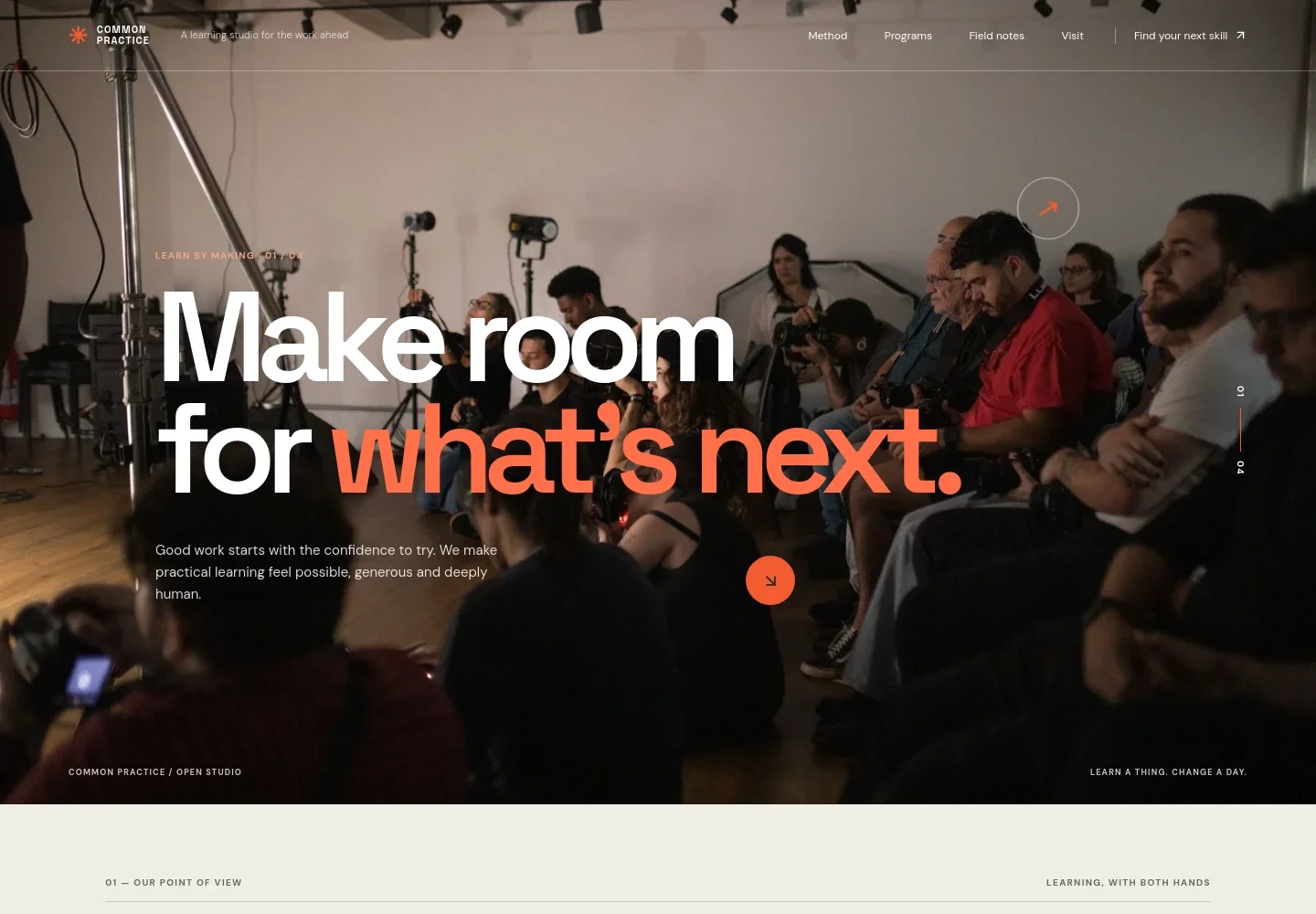
- Learning-focused hero
- A prominent workshop photograph, a short statement about practical learning, and a link into the method section establish the center's hands-on approach.
- Teaching approach
- A manifesto-style section explains learning through doing, supported by a secondary image and copy about small groups, materials, and patient guidance.
- Program areas
- Four numbered rows describe making and mending, digital fluency, working together, and everyday fieldcraft. Each row has a short overview and a link to ask about that area.
- Studio note
- A featured statement about making it welcoming to try gives the page a concise, human expression of the learning philosophy.
- Contact invitation
- A closing section invites visitors who are unsure where to start to ask a question, with an email link and space for the studio's identity.
How to use this template
Open in Revamp
Click Use this template and sign in or create an account. You’ll start with your own copy of the design, ready to personalize.
Bring your content
Replace the sample text, photos, and logo with your own. Share your content, a document, or an existing website, and ask Revamp to adapt the template to your business.
Refine and publish
Ask Revamp to adjust the colors, layout, or sections, or edit directly on the page. Review desktop and mobile, then publish. You can keep making changes after launch.
Put your website to work
Give learners a simpler route from interest to enrollment. Ask Revamp to add or connect tools that support course scheduling, registration, and follow-up.
-

Offer a direct way to book a place
CalendlyAsk Revamp to add appointment or session booking with Calendly so prospective learners can choose an available consultation or class time.
-

Organize course registrations and learner records
ArloAsk Revamp to connect course enrollment with Arlo, a training management platform for handling registrations and learner administration.
-

Manage course enrollment and follow-up
EventbriteAsk Revamp to connect course listings and registration with Eventbrite, helping visitors find and sign up for scheduled workshops.
Frequently asked questions
Is this template free?
Yes. This premium template is free to use through Use this template. The offer is for the template itself, not hosting or other services.
Can I use my own content?
Yes. Ask Revamp to personalize the page with your training center's name, course descriptions, photographs, teaching approach, and contact details.
Do I need coding skills?
No. Ask Revamp to personalize the content and design without coding.
Can I change the design?
Yes. Ask Revamp to adjust the visual style, imagery, layout, or page sections to suit your training center.
Can I keep editing after publishing?
Yes. You can keep editing your site after launch. Ask Revamp to make updates as your programs and information change.


