About this template
Show prospective learners how your institute turns questions into practical learning. This design introduces a hands-on approach, explains how learners move from an idea to practice, and presents three ways to begin: focused workshops, guided exploration, and learning experiences for teams.
A prominent conversation call to action gives visitors a clear next step, even if they are still deciding what they want to learn. The editorial layout pairs concise program descriptions with an image-led studio section, helping individuals and organizations understand the learning experience before reaching out.
Who it’s for
For professional training institutes, continuing education providers, workshop leaders, and team learning organizations that want to explain their approach and help prospective learners find a starting point.
What’s included
The page moves from the institute's learning philosophy to its practical approach, learning options, studio experience, and a direct invitation to start a conversation.
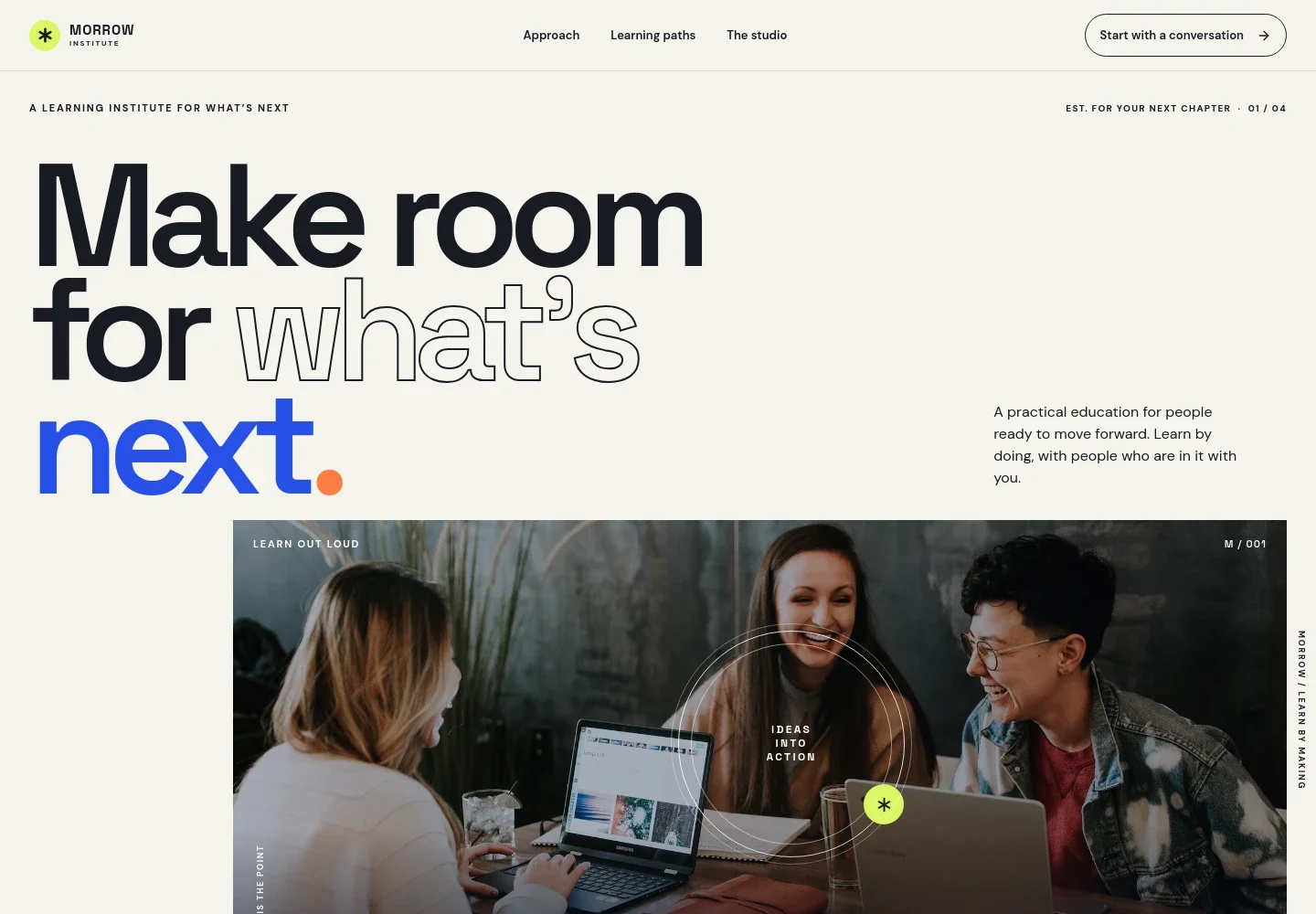
- Institute introduction
- A large headline and supporting copy establish a practical, hands-on learning focus. The workshop image and invitation to explore the approach give visitors an immediate sense of the institute.
- Learning approach
- A point-of-view section explains learning as an active process of trying, making, asking, and trying again, rather than relying only on lectures.
- How learning moves
- Three concise steps guide visitors from starting with a question, to making a first draft, to taking their practice forward.
- Learning paths
- Three program rows describe Skill Sessions, Field Notes, and Team Practice, with short explanations of each format and who it serves.
- The studio
- An image-led section describes a collaborative learning environment where participants can get curious, work with others, and make an early draft.
- Start with a conversation
- The closing call to action invites visitors to share what they want to learn or where they feel stuck, making it easy to begin without having a complete plan.
How to use this template
Open in Revamp
Click Use this template and sign in or create an account. You’ll start with your own copy of the design, ready to personalize.
Bring your content
Replace the sample text, photos, and logo with your own. Share your content, a document, or an existing website, and ask Revamp to adapt the template to your business.
Refine and publish
Ask Revamp to adjust the colors, layout, or sections, or edit directly on the page. Review desktop and mobile, then publish. You can keep making changes after launch.
Put your website to work
Make it easier to coordinate training inquiries, sessions, and follow-up. Ask Revamp to add connections with tools your institute uses.
-

Make introductory conversations easier to book
CalendlyGive prospective learners a way to choose a time for an initial conversation. Ask Revamp to add consultation booking with Calendly.
-

Keep course inquiries organized
HubSpotTrack prospective learners and follow-up across your enrollment conversations. Ask Revamp to connect HubSpot for contact management.
-

Coordinate sessions with your calendar
Google CalendarHelp learners and staff keep training dates in view. Ask Revamp to connect Google Calendar for calendar scheduling.
Frequently asked questions
Is this training institute template free?
Yes. This premium template is free to use when you select Use this template. The offer applies to the template, not hosting or other services.
Can I use my own content?
Yes. Ask Revamp to personalize the page with your institute's name, training options, descriptions, images, and contact details.
Do I need coding skills?
No. Ask Revamp to personalize the content and design for you without coding.
Can I change the design?
Yes. Ask Revamp to adjust the page's visual style and layout to suit your institute.
Can I keep editing after publishing?
Yes. You can keep asking Revamp to make changes after your site is published.


