About this template
Present an independent travel journal with a visual cover story, recent dispatches, and an editorial point of view centered on thoughtful, slower travel.
The layout gives each story room for destination imagery, a category, reading time, location, headline, and short introduction. An about section and field-letter invitation help readers understand the publication and find a next step.
Who it’s for
For travel magazine editors, independent publishers, travel writers, and creators sharing destination guides, field notes, and visual stories.
What’s included
A magazine-style homepage that leads with a destination cover image, then guides readers through featured stories, the publication’s perspective, and an invitation to hear from the journal.
- Editorial masthead and navigation
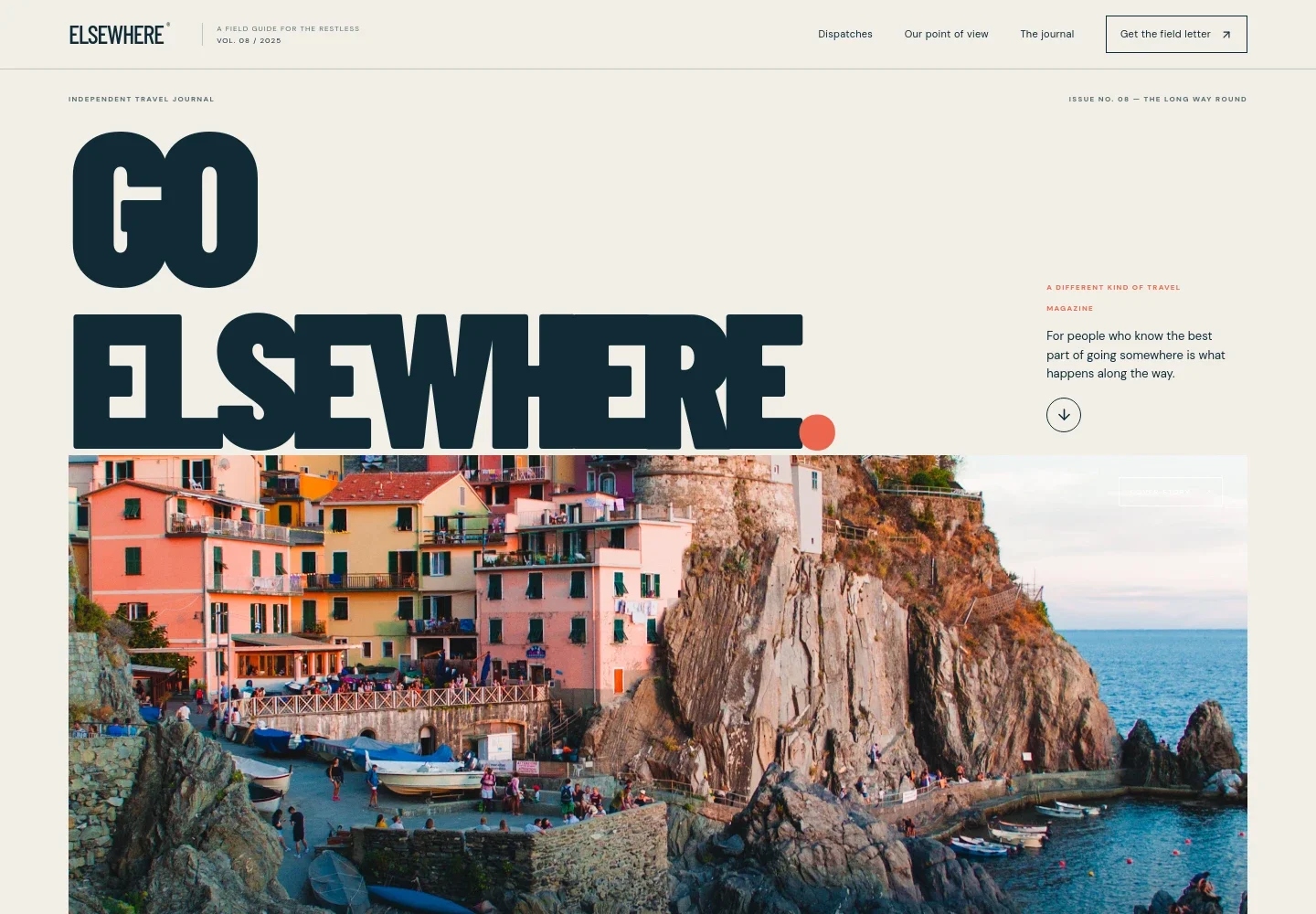
- A wordmark and issue stamp establish the publication identity, while navigation links take readers to dispatches, the journal’s point of view, the about section, and the field-letter invitation.
- Cover story hero
- A large coastal-road image, issue label, coordinates, and prominent headline create a clear opening feature and direct readers toward the dispatches.
- Editorial point of view
- A manifesto-style section introduces the journal’s interest in unplanned moments and lingering in a place, giving the publication a perspective beyond a list of destinations.
- Recent dispatches
- Three image-led story cards show varied editorial formats, destination names, reading times, headlines, and short summaries. Their distinct sizes create a magazine-like reading path.
- Full-width travel interlude
- A large visual panel pairs a short statement about slowing down with a location note and caption, creating a pause between the story grid and the journal introduction.
- About the journal
- The about section explains the publication’s independent approach and focus on considered guides, honest field notes, and visual stories, with a link to continue to the next dispatch.
- Field-letter invitation
- A closing editorial section describes the occasional letter and provides a contact link for readers who want to ask about it.
- Publication footer
- The footer repeats the journal identity and issue information, with a link back to the beginning of the page.
How to use this template
Open in Revamp
Click Use this template and sign in or create an account. You’ll start with your own copy of the design, ready to personalize.
Bring your content
Replace the sample text, photos, and logo with your own. Share your content, a document, or an existing website, and ask Revamp to adapt the template to your business.
Refine and publish
Ask Revamp to adjust the colors, layout, or sections, or edit directly on the page. Review desktop and mobile, then publish. You can keep making changes after launch.
Put your website to work
Ask Revamp to add tools that help turn editorial interest into subscriber growth, organized publishing, and trip planning.
-

Build a reader mailing list
MailchimpGive readers a direct way to receive new dispatches by asking Revamp to add a newsletter signup connected to Mailchimp.
-

Organize editorial planning
AirtableKeep story ideas, destination research, and publishing schedules together by asking Revamp to connect Airtable for editorial planning.
-

Help readers plan a trip
CalendlyLet readers request a conversation about a destination or itinerary by asking Revamp to add consultation booking with Calendly.
Frequently asked questions
Is this travel magazine template free?
Yes. This premium template is free to use when you select Use this template. Free refers to the template itself.
Can I use my own travel stories and images?
Yes. Ask Revamp to personalize the content with your publication name, destination stories, photographs, issue details, and reader information.
Do I need coding skills to customize it?
No. Ask Revamp to personalize the content and design in plain language, without coding.
Can I change the design?
Yes. Ask Revamp to adjust the colors, typography, imagery, layout, or editorial sections to suit your magazine.
Can I keep editing after publishing?
Yes. You can keep asking Revamp to update your content and design after launch.