About this template
Help families understand how your tuition works, which subjects you teach, and how students can get started. The design introduces an approach based on identifying where learning becomes difficult, explaining ideas another way, and practising until they make sense.
Subject listings for mathematics, English, and science make the offer easy to scan, with age ranges shown for each. A closing contact section gives parents and students a clear next step: start a conversation about a suitable place to begin.
Who it’s for
Independent tutors, tuition centres, and educators offering one-to-one or small-group support to school-age students.
What’s included
The page combines clear teaching information with a distinctive editorial style, helping families move from understanding your approach to identifying a subject and making contact.
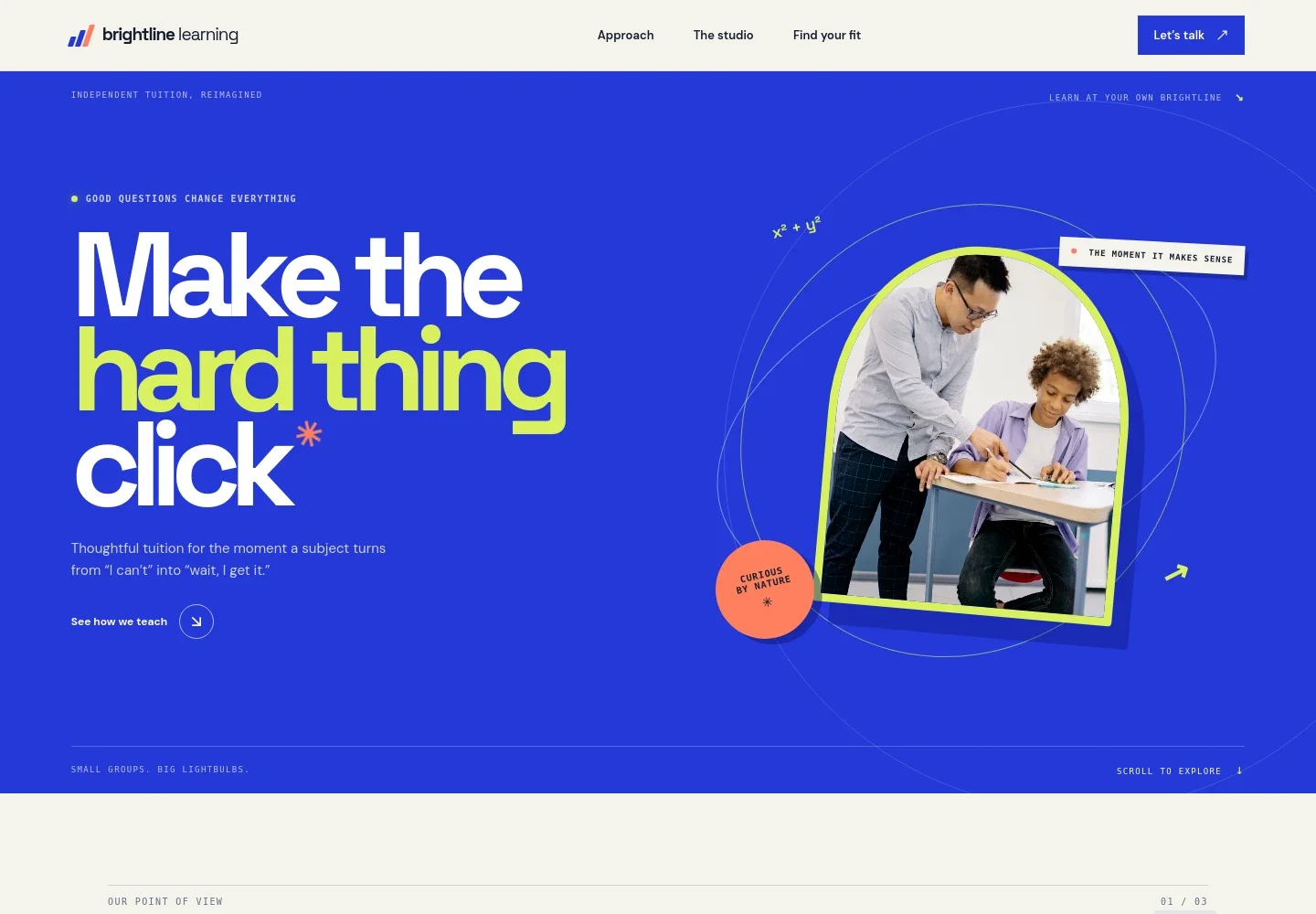
- Introductory hero
- A prominent teaching-focused headline, supporting copy, tutor-and-student image, and link to the teaching approach introduce the purpose of the tuition.
- Teaching approach
- Three steps, Notice, Untangle, and Own It, explain how the teaching approach identifies a sticking point, offers another explanation, and builds understanding through practice.
- Studio introduction
- An image and accompanying copy describe a calm, curious learning environment and introduce the idea of meeting students where they are.
- Subjects and age ranges
- Separate listings for mathematics and English for ages 8–18, and science for ages 11–18, give families a quick way to see the subjects covered.
- Contact invitation
- A closing section invites visitors to start a conversation about what they are hoping for, with an email link that can be personalized.
How to use this template
Open in Revamp
Click Use this template and sign in or create an account. You’ll start with your own copy of the design, ready to personalize.
Bring your content
Replace the sample text, photos, and logo with your own. Share your content, a document, or an existing website, and ask Revamp to adapt the template to your business.
Refine and publish
Ask Revamp to adjust the colors, layout, or sections, or edit directly on the page. Review desktop and mobile, then publish. You can keep making changes after launch.
Put your website to work
Make it easier for families to arrange an initial conversation and keep enquiries organized. Ask Revamp to add or connect tools that suit the way your tuition business handles new students.
-

Offer a convenient way to book a first conversation
CalendlyAsk Revamp to add consultation booking with Calendly so parents can choose an available time to discuss a student's needs.
-

Keep lesson and consultation times organized
Google CalendarAsk Revamp to connect Google Calendar so you can manage scheduled conversations and teaching sessions alongside your calendar.
-

Track enquiries and follow-ups in one place
HubSpotAsk Revamp to connect HubSpot to organize prospective-student enquiries and follow-up communication.
Frequently asked questions
Is this tuition class template free?
Yes. This premium template is free to use when you select Use this template. The free offer applies to the template itself.
Can I use my own content?
Yes. Ask Revamp to personalize the text, subject details, images, contact information, and other content for your tuition business.
Do I need coding skills?
No. Ask Revamp to personalize the content and design in natural language, without coding.
Can I change the design?
Yes. Ask Revamp to adjust the colors, layout, typography, imagery, or other design details to suit your tuition service.
Can I keep editing after publishing?
Yes. You can keep asking Revamp to update your content and design after your site is published.


