About this template
Give viewers a clear way into your video publication, from its editorial point of view to a featured film and a list of stories organized by subject and running time.
The FRAME design pairs a cinematic dark palette and large editorial headlines with film artwork, concise story descriptions, and a frame-by-frame visual sequence. A closing pitch section invites filmmakers and contributors to share story ideas.
Who it’s for
For independent video magazines, film journals, documentary publishers, and editorial teams sharing short films and visual stories.
What’s included
The page moves from the publication’s perspective to a featured film, recent dispatches, its storytelling approach, and an invitation to pitch a story. This sequence helps visitors understand what the magazine covers and where to begin watching or contributing.
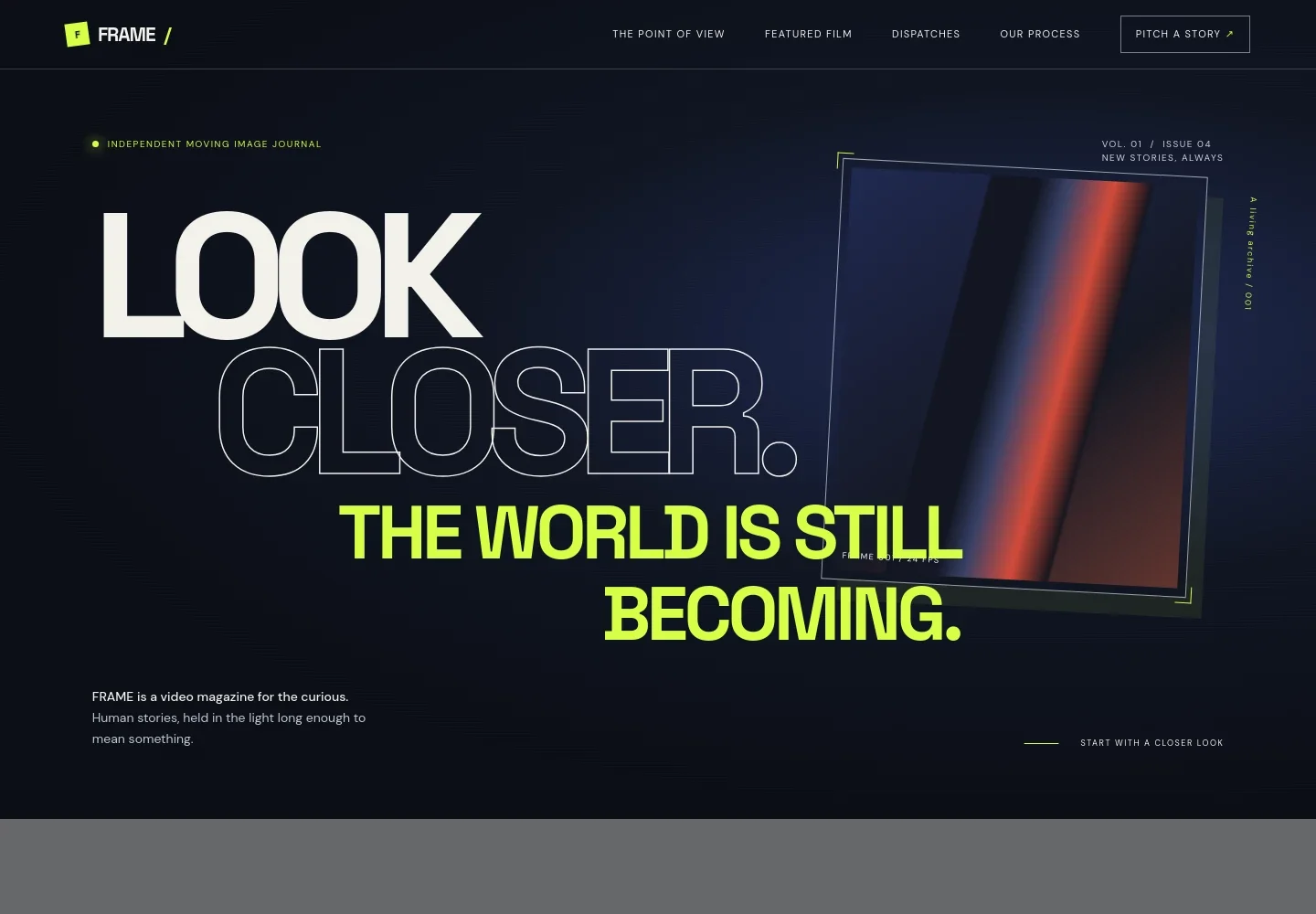
- Editorial hero
- Introduces FRAME as an independent moving image journal with an issue marker, a prominent editorial headline, and a short statement about its films.
- Point of view
- Explains the publication’s focus on noticing everyday stories, giving visitors context for the editorial voice before they browse.
- Featured film
- Presents a highlighted portrait film with cinematic artwork, a short description, and an eight-minute runtime.
- Recent dispatches
- Lists four story entries with titles, editorial categories, and runtimes, making the publication’s range easy to scan.
- How we see
- Describes the magazine’s patient, observational approach and illustrates it with a sequence of labeled film frames.
- Story pitch invitation
- Closes with an invitation for contributors to propose a story, supported by a visible pitch link and contact address.
How to use this template
Open in Revamp
Click Use this template and sign in or create an account. You’ll start with your own copy of the design, ready to personalize.
Bring your content
Replace the sample text, photos, and logo with your own. Share your content, a document, or an existing website, and ask Revamp to adapt the template to your business.
Refine and publish
Ask Revamp to adjust the colors, layout, or sections, or edit directly on the page. Review desktop and mobile, then publish. You can keep making changes after launch.
Put your website to work
Make it easier to grow a video publication’s audience and manage contributor outreach. Ask Revamp to add or connect tools that support newsletter signups, story pitches, or reader relationships.
-

Build a reader newsletter
MailchimpKeep readers informed about new films and dispatches. Ask Revamp to add newsletter signup and campaign workflows with Mailchimp.
-

Organize story pitches
HubSpotCollect and track submissions from filmmakers and contributors. Ask Revamp to connect a pitch inquiry form with HubSpot.
Frequently asked questions
Is this template free?
Yes. This premium template is free to use through Use this template. Free refers to the template itself.
Can I use my own content?
Yes. Ask Revamp to personalize the page with your publication name, editorial copy, film artwork, story titles, categories, and contact details.
Do I need coding skills?
No. Ask Revamp to personalize the content and design in natural language, without coding.
Can I change the design?
Yes. Ask Revamp to adjust the colors, typography, layout, imagery, and other design details to suit your publication.
Can I keep editing after publishing?
Yes. You can keep editing the site after launch. Ask Revamp to make updates as your films, stories, and publication details change.